• About Us
  • Contact Us
  • Advertise
  • Privacy Policy
  • Guest Post
No Result
View All Result
Digital Phablet
  • Home
  • NewsLatest
  • Technology
    • Education Tech
    • Home Tech
    • Office Tech
    • Fintech
    • Digital Marketing
  • Social Media
  • Gaming
  • Smartphones
  • AI
  • Reviews
  • Interesting
  • How To
  • Home
  • NewsLatest
  • Technology
    • Education Tech
    • Home Tech
    • Office Tech
    • Fintech
    • Digital Marketing
  • Social Media
  • Gaming
  • Smartphones
  • AI
  • Reviews
  • Interesting
  • How To
No Result
View All Result
Digital Phablet
No Result
View All Result

Home » Starting the Terran Armada DLC Quest: Solving in Starfield

Starting the Terran Armada DLC Quest: Solving in Starfield

Emily Smith by Emily Smith
April 27, 2026
in Gaming
Reading Time: 2 mins read
A A
Starting the Terran Armada DLC Quest: Solving in Starfield
ADVERTISEMENT

Select Language:

The Terran Armada DLC was released in April 2026 alongside the Free Lane update in Starfield. This new content adds a fresh faction to the Settled Systems, introduces a new companion, and features a new style of space combat.

ADVERTISEMENT

To begin your adventures with Delta and participate in incursions using powerful weapons, you’ll need to buy the DLC and start the new quest by tuning into a special broadcast. If you’re having difficulty activating this content, you’re not alone. Here’s what you need to know about how to start the Terran Armada DLC.

How to Trigger the Terran Armada DLC Quest

The Terran Armada DLC costs $9.99 and is available for anyone who already owns Starfield. After purchasing, restart your game if needed, and ensure you’ve completed the first quest at the Lodge. This is necessary whether you’re playing for the first time or in New Game+.

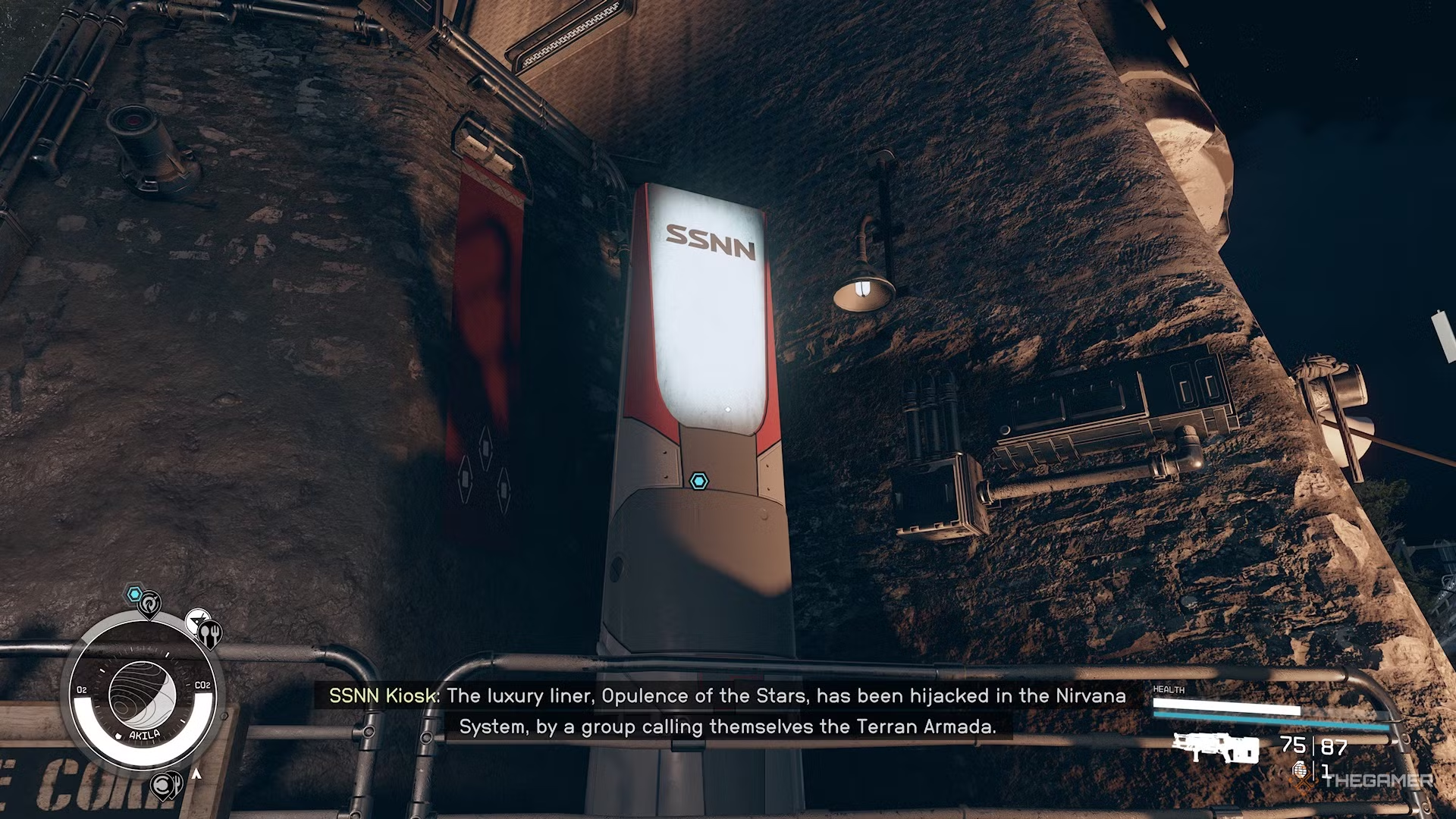
Travel to either Akila City or New Atlantis and locate the SSNN Broadcasting Terminal. In Akila City, it’s to the left of The Rock, and in New Atlantis, it’s in the Commercial District near the coffee shop.

ADVERTISEMENT

Stand at the SSNN Broadcasting Terminal until it broadcasts an announcement about a luxury liner called Opulence Of The Stars, which has been hijacked by the Terran Armada in the Nirvana System.

Once you hear the announcement, the quest will activate. Head to Nirvana I to join the search party. When you arrive, Agent Yemoja will contact you and brief you on the situation. Use Cruise Mode to reach Nirvana IV and search the area.

Explore each storm marked by blue quest markers until you find the missing starliner. When close, dock with the ship to start the first of the Terran Armada quests exclusive to this DLC.
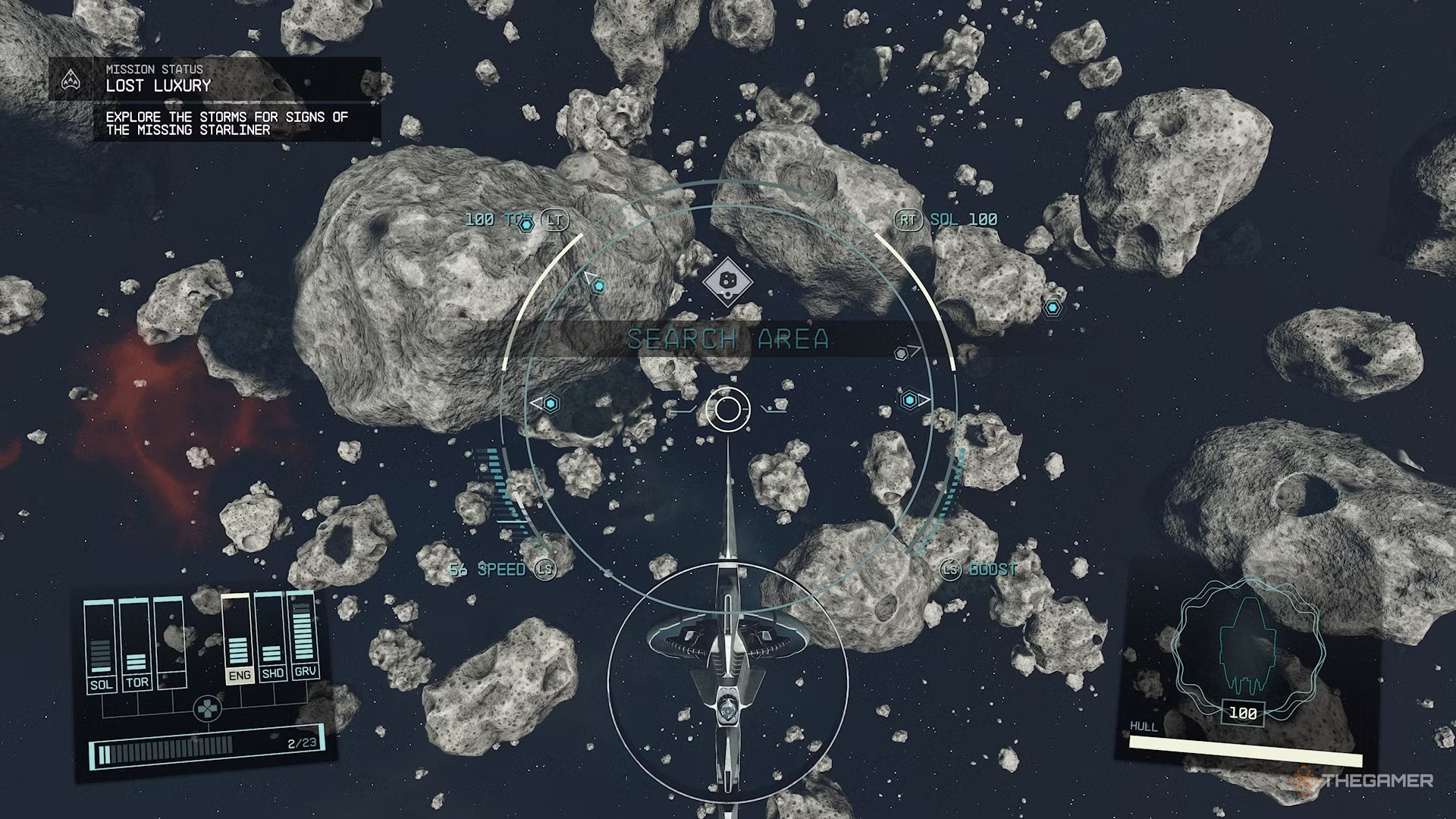
Starfield searching the asteroids for the missing liner.

ChatGPT ChatGPT Perplexity AI Perplexity Gemini AI Logo Gemini AI Grok AI Logo Grok AI
Google Banner
Tags: ArmadaDLChowInquestStarfieldStartTerranTheTo
ADVERTISEMENT
Emily Smith

Emily Smith

Emily is a digital marketer in Austin, Texas. She enjoys gaming, playing guitar, and dreams of traveling to Japan with her golden retriever, Max.

Related Posts

How to Overcome The Red Death in Vampire Crawlers by Completing and Solving
Gaming

How to Overcome The Red Death in Vampire Crawlers by Completing and Solving

April 27, 2026
Top Mods for Completing and Solving in Windrose
Gaming

Top Mods for Completing and Solving in Windrose

April 27, 2026
How to Quickly Complete Challenges and Solve Guineas in Windrose
Gaming

How to Quickly Complete Challenges and Solve Guineas in Windrose

April 26, 2026
How to Complete Eyla's Apartment in Main Outpost in Tides of Tomorrow
Gaming

How to Complete Eyla’s Apartment in Main Outpost in Tides of Tomorrow

April 26, 2026
Next Post
Ahmed Ezz and Tuba Büyüküstün Lead Global Series "The Prince" Set for 2027

Ahmed Ezz and Tuba Büyüküstün Lead Global Series "The Prince" Set for 2027

  • About Us
  • Contact Us
  • Advertise
  • Privacy Policy
  • Guest Post

© 2026 Digital Phablet

No Result
View All Result
  • Home
  • News
  • Technology
    • Education Tech
    • Home Tech
    • Office Tech
    • Fintech
    • Digital Marketing
  • Social Media
  • Gaming
  • Smartphones

© 2026 Digital Phablet