• About Us
  • Contact Us
  • Advertise
  • Privacy Policy
  • Guest Post
No Result
View All Result
Digital Phablet
  • Home
  • NewsLatest
  • Technology
    • Education Tech
    • Home Tech
    • Office Tech
    • Fintech
    • Digital Marketing
  • Social Media
  • Gaming
  • Smartphones
  • AI
  • Reviews
  • Interesting
  • How To
  • Home
  • NewsLatest
  • Technology
    • Education Tech
    • Home Tech
    • Office Tech
    • Fintech
    • Digital Marketing
  • Social Media
  • Gaming
  • Smartphones
  • AI
  • Reviews
  • Interesting
  • How To
No Result
View All Result
Digital Phablet
No Result
View All Result

Home » How To Connect Your Discord Account With Playstation 5?

How To Connect Your Discord Account With Playstation 5?

Fahad Khan by Fahad Khan
February 1, 2022
in How To
Reading Time: 2 mins read
A A
ADVERTISEMENT

Select Language:

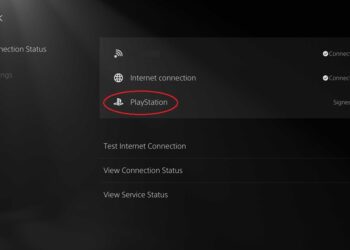
The announced partnership between Sony and Discord is taking shape: it is now possible to connect your discord account with your PS5.

ADVERTISEMENT

No surprise here, but an application of a promise. In May 2021, Discord and Sony announced the signing of a partnership to integrate Discord and PlayStation Network. With its latest update, Discord makes this signature a reality.

It becomes possible to link your PlayStation Network account with a Discord account from today. The latter announces a gradual deployment starting with the United States.

CONNECT YOUR DISCORD ACCOUNT WITH PLAYSTATION

On Discord, go to User Settings

You can find it in the settings tab.

In the first section, “user settings,” go to “connection.”

The first setting is User and then Connection.

The option “Connect with PlayStation” should appear

A pop-up will appear.

Sign in with your PlayStation account;

Make sure to use the account you want to connect to carefully.

Accept the Connection between the two services.

And you’re done connecting your services!

Lo and behold, it will now be easier to play together, especially if you play cross-platform games like Destiny.

ADVERTISEMENT

This integration is not a first, and Discord already offers the same type of Connection with Steam, Battle.net, Xbox, or even Spotify and Twitch. It also advertises your PlayStation Network ID on your profile to make it easy for your Discord friends to add you on PS4 and PS5.

What is the benefit of connecting the discord account with PS5?

This Connection, therefore, allows for the moment to enrich the profile on Discord. If you have activated the activity status, your friends on Discord will be able to see if you have launched a game on PlayStation 5.

ChatGPT ChatGPT Perplexity AI Perplexity Gemini AI Logo Gemini AI Grok AI Logo Grok AI
Google Banner
Tags: DiscordPlaystationPS5
ADVERTISEMENT
Fahad Khan

Fahad Khan

A Deal hunter for Digital Phablet with a 8+ years of Digital Marketing experience.

Related Posts

Quiet PS Plus Game Returns After 4 Months in Catalog
Gaming

Quiet PS Plus Game Returns After 4 Months in Catalog

March 19, 2026
Hidden PS5 Update Reveals Major PSN Change You Never Noticed
Gaming

Hidden PS5 Update Reveals Major PSN Change You Never Noticed

March 19, 2026
Free PS5 Demos Launch on PS Store for Exciting New Titles
Gaming

Free PS5 Demos Launch on PS Store for Exciting New Titles

March 18, 2026
Epic Open-World PS5 Action Game Reveals Release Date
Gaming

Epic Open-World PS5 Action Game Reveals Release Date

March 18, 2026
Next Post

8 Tips on How To Be A Good Email Marketing Specialist in 2026

  • About Us
  • Contact Us
  • Advertise
  • Privacy Policy
  • Guest Post

© 2026 Digital Phablet

No Result
View All Result
  • Home
  • News
  • Technology
    • Education Tech
    • Home Tech
    • Office Tech
    • Fintech
    • Digital Marketing
  • Social Media
  • Gaming
  • Smartphones

© 2026 Digital Phablet