Select Language:
While playing Subnautica 2, you’ll need to keep track of several stats to stay alive and reach the story’s end. The basic survival stats include health, food, water, and oxygen. Your equipment, like in the original Subnautica, will boost your Pioneer in different ways and are essential for progressing.
Besides these, the game introduces new elements: Adaptations and BioMods. Adaptations are biological changes your character undergoes to better survive in the environment. BioMods are upgrades for specific machines that add optional features to your Pioneer.
Since Subnautica 2 is still in Early Access, details might change or be added with future updates before the full release.
Food, Water, Health, and Oxygen
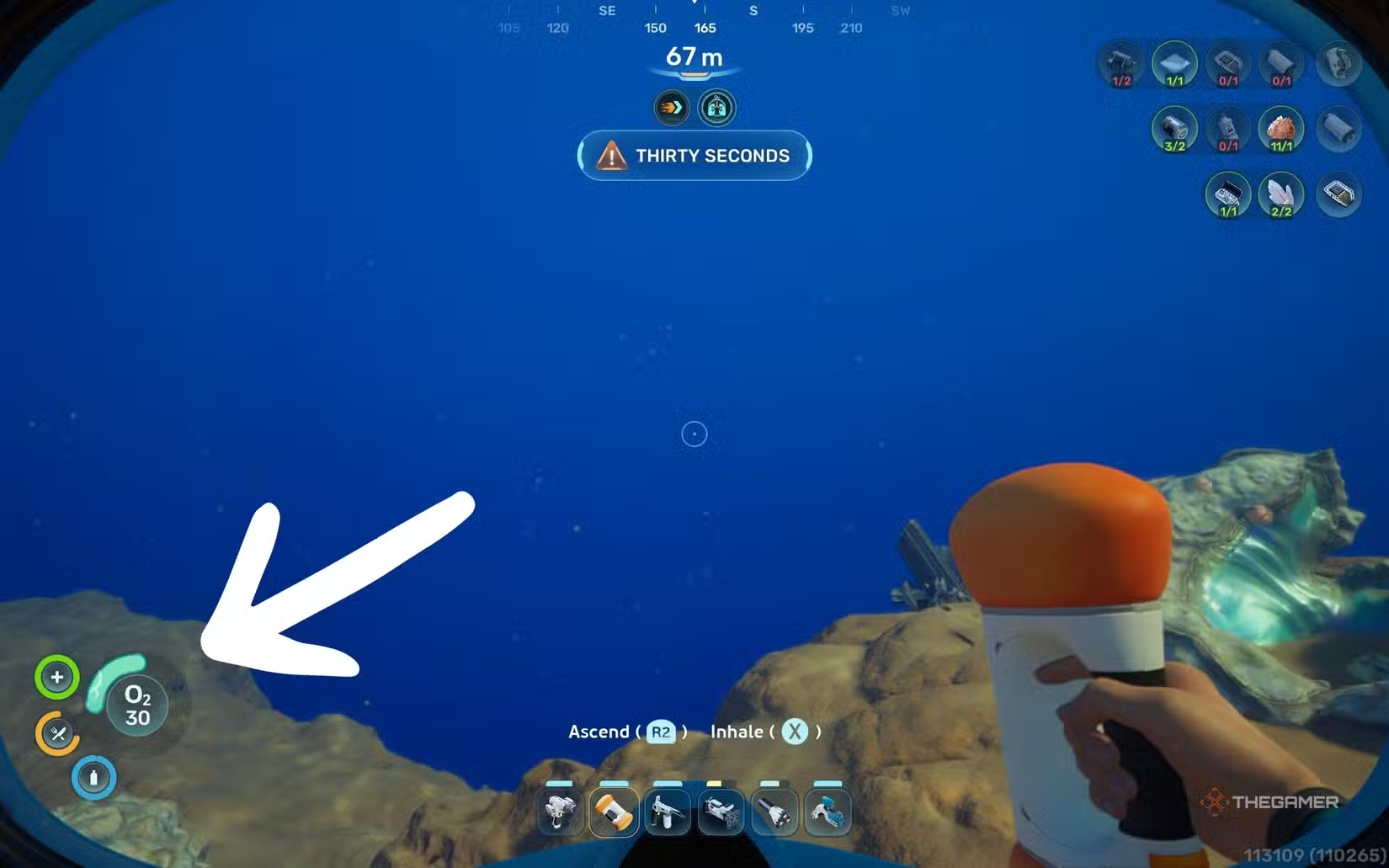
Your main concerns outside of the main story are your food, water, health, and oxygen levels. If you’re not in creative mode, you’ll want to keep supplies ready to meet these needs. You can monitor these stats constantly on the bottom left of the screen; they appear as radials that decrease over time—except health, which doesn’t automatically decrease—but oxygen levels are specifically counted down.
Here’s what each stat indicates:
- Health: Shows your injury level. Damage happens from fish attacks, poisoning, or entering unsafe areas. It can be restored using first-aid items and some upgraded foods.
- Hunger: Indicates how hungry you are. It drops if you don’t eat regularly. Restored by consuming cooked or prepared meals made at the Fabricator—raw fish is not recommended.
- Thirst: Shows how badly you need fresh water. It decreases if you go too long without drinking. Water can be replenished with Water Slugs or craft water at the Fabricator. Future water production methods will be available with a Processor.
- Oxygen: Tells you how much air you have left when underwater. To restore it, surface for fresh air or enter habitats or underwater facilities with air. Smaller replenishments can be achieved with Air Bladders, oxygen plants, and air pockets in caves.
Your equipment can be upgraded at the Fabricator after scanning items in the wild and unlocking their recipes. For example, upgrades to your air tank will increase your maximum oxygen. When you die, all stats are reset to max, but you’ll lose any items you were carrying, including food, water, and minerals. It’s best to carry some supplies but not keep your entire inventory with you.
Adaptations
Adaptations are a unique new feature in Subnautica 2. When you begin, you’ll be asked to insert your hand into a strange plant called an Angel Comb, which biologically modifies you to better handle pressurized air. This mechanic appears repeatedly through the game. Each interaction with a new Angel Comb grants a specific perk that wasn’t available before.
You can unlock these early by finding and interacting with the plants—sometimes using tools like a Sonic Resonator to clear infected blooms. The initial adaptations include:
- Pressure Tolerance: Enables breathing in pressurized environments.
- Digestion: Allows you to eat local plants and creatures safely.
- Heat Tolerance: Lets you survive in hotter zones.
- Axum Vision: Grants the ability to interact with Axum technology.
Additional adaptations will be added as the game develops. The menu shows spaces for future upgrades, but they aren’t available yet.
BioMods
BioMods are another new element. You’ll find your first Bio Lab station at the Welcome Center, and once you get the Habitat Builder, you can build one in your habitat. Initially, the Welcome Center station is your best option.
When interacting with a Bio Lab, you’ll see options for Active and Passive BioMods. Active BioMods—like Dash or Sonic Echo—must be manually activated and give you abilities like quick dashes or sonar scans. Passive BioMods—such as Sea Skimmer or Bioluminescence—are always active once equipped.
To unlock new BioMods, you need to scan specific items or creatures using a Bioscanner. This scanner must be upgraded first, as normal scans won’t unlock the BioMods. Each BioMod has its own unlock requirements based on the items you scan.
Current available BioMods are:
Active BioMods:
- Dash: Quick dash in any direction for evasive maneuvers.
- Pathfinder: Leave a trail behind to backtrack, useful in caves.
- Sonic Echo: Emit sonar pulses to locate resources (requires scanning the Collector Leviathan).
- Electric Discharge: Shock enemies to deter predators (requires scanning Electric Geordie).
- Chum Cloud: Release bait to distract predators (requires scanning Toxic Sponge and Houndgar).
Passive BioMods:
- Sea Skimmer: Swim faster near surfaces.
- Oxygen Control: Consume less oxygen when stationary.
- Bioluminescence: Glow in dark waters.
- Camouflage: Remain unseen by predators when still.
- Water Retention: Better extraction of water from sources.
- Homing Sense: Detect nearby powered bases.
- Threat Sense: Sense of nearby threats.
- Dermal Garden: Grow algae on your skin for hunger restoration.
- Slow Metabolism: Decrease the rate of hunger decrease.
- Water Secretion: Gradually filter ocean water to quench thirst.
New BioMods are unlocked by scanning specific items—using a Bioscanner upgraded for this purpose—so you’ll need to progress in the game to access and unlock all options.
 ChatGPT
 Perplexity
 Gemini AI
 Grok AI