Select Language:
If you’ve played a crafting survival game like Subnautica 2, you probably understand how vital certain spots on the map can be. These might be resource areas you return to often or tough, high-level zones you’re not ready to explore yet. Marking these locations is essential.
However, since this underwater game doesn’t have a built-in map, you can’t just place a pin and be done. Instead, you need to create a special icon that appears on your HUD. You can add or remove this icon whenever you want, but the process involves some specific steps.
Subnautica 2 is currently in early access, so features and details might change over time.
How to Mark Locations in Subnautica 2
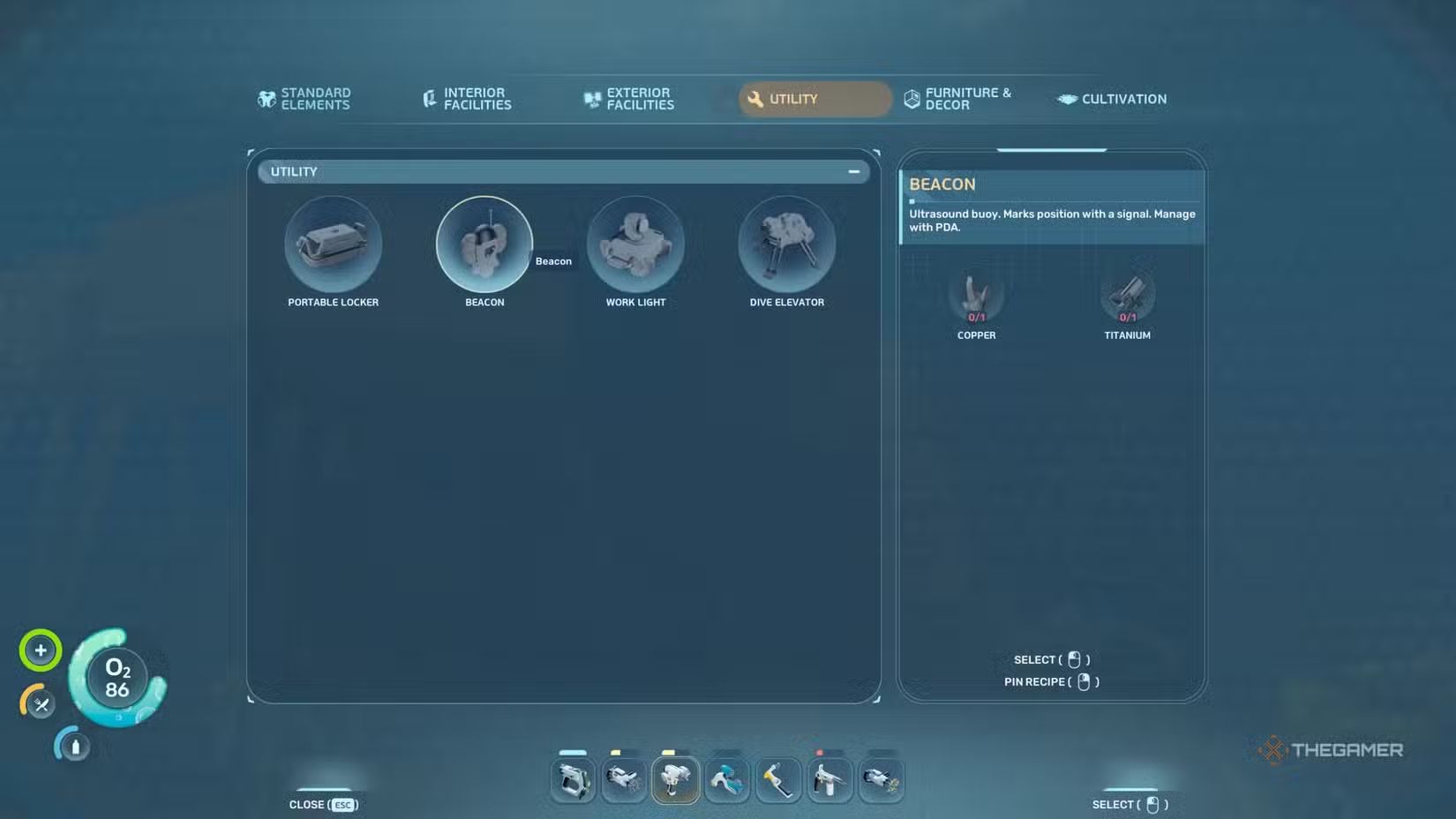
To mark any spot, first, you need to get a beacon, which you can unlock by scanning its fragments found in certain locations. You’ll also need a Habitat Builder. Once you have both, head to the location you want to mark, carrying one unit of Titanium and one Copper Ore in your inventory. Use your Habitat Builder and open the Utility menu. Select the beacon and place it at the location, which will create an icon on your HUD to help you find it easily.
After creating a beacon, you can customize its label by approaching it and selecting the “Set Label” option. Beacons can be carried around, but this slows your movement and makes it harder to use other tools. If you want to move a beacon elsewhere, you can deconstruct it with the Habitat Builder to recover your resources.
Where to Find Beacon Fragments
You can locate all the necessary beacon fragments near your Lifepod. With a scanner, visit these spots:
- First location: 120 meters south at 27 meters deep. You’ll see an arch-like structure; the beacon scan is under it.
- Second location: 135 meters southeast at 40 meters depth. The beacon is outside a cave with a cabinet nearby.
- Third location: 147 meters towards 240° at 20 meters deep. Look for another arch-like wreck; the beacon is underneath it.
You only need two of these three scans to unlock the beacon. While other fragment locations exist, these are the easiest to reach from your starting point.
Can You Remove Markers in Subnautica 2?
Yes, you can turn off specific markers without deleting the beacons. When your screen gets cluttered with too many markers, you don’t have to destroy them. Just open your inventory and go to the Signals tab. Here, you can uncheck any marker to hide it, and recheck it to make it reappear. This method also works for quest and base markers.
 ChatGPT
 Perplexity
 Gemini AI
 Grok AI