• About Us
  • Contact Us
  • Advertise
  • Privacy Policy
  • Guest Post
No Result
View All Result
Digital Phablet
  • Home
  • NewsLatest
  • Technology
    • Education Tech
    • Home Tech
    • Office Tech
    • Fintech
    • Digital Marketing
  • Social Media
  • Gaming
  • Smartphones
  • AI
  • Reviews
  • Interesting
  • How To
  • Home
  • NewsLatest
  • Technology
    • Education Tech
    • Home Tech
    • Office Tech
    • Fintech
    • Digital Marketing
  • Social Media
  • Gaming
  • Smartphones
  • AI
  • Reviews
  • Interesting
  • How To
No Result
View All Result
Digital Phablet
No Result
View All Result

Home » Is Your Google Pixel Display Acting Up? There’s A Solution

Is Your Google Pixel Display Acting Up? There’s A Solution

Rukhsar Rehman by Rukhsar Rehman
March 10, 2025
in News
Reading Time: 2 mins read
A A
Is Your Google Pixel Display Acting Up? There's A Solution
ADVERTISEMENT

Select Language:

With the release of its March update for Pixel devices, Google introduced several new features, including pulse detection and scam identification. However, this update has also resulted in some frustrating bugs that users are starting to report. Many individuals on Reddit have shared their experiences of screen brightness fluctuating dramatically while viewing fullscreen videos, a problem they claim began with this latest update.

This issue appears to be widespread, affecting a variety of models from the Pixel 6 through to the Pixel 9 Pro and beyond.

Users are experiencing the problem across multiple applications such as Netflix, YouTube, Disney Plus, Prime Video, and MX Player. While attempting to identify the root of the issue, many checked display settings like Adaptive Brightness, but this adjustment did not improve the situation.

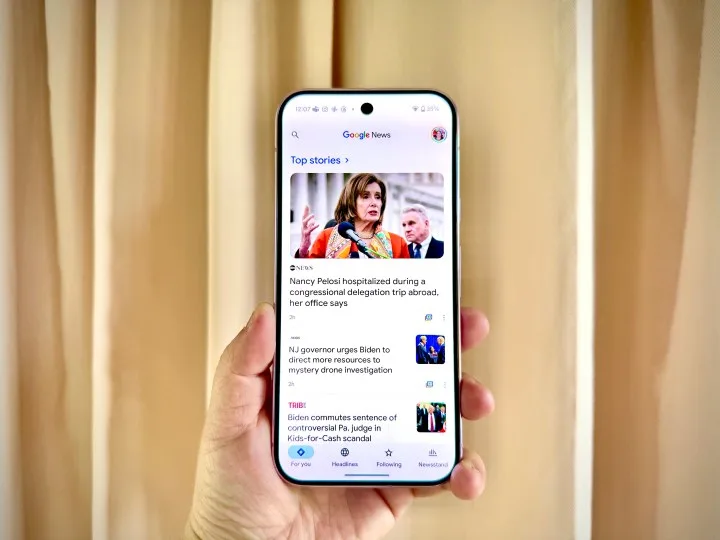
Google News on a Pixel 9 Pro.
Christine Romero-Chan / Digital Trends

Besides affecting videos, some users have noted that their phone’s wallpaper appears to be more subdued and lacks vibrancy compared to the rest of the display.

Despite the glitch, a temporary workaround has emerged. Disabling the Smooth Display feature can stabilize brightness fluctuations; however, this also limits the display’s refresh rate to 60Hz on devices that otherwise support 120Hz. It’s not the most desirable fix, but it at least allows for a more pleasant video-watching experience without the risk of eye strain.

Google has yet to acknowledge the problem publicly, but with a growing number of users voicing their concerns, a quick hotfix might be on the horizon. We’ve reached out to Google for further details and will update the article once we receive more information.

ChatGPT ChatGPT Perplexity AI Perplexity Gemini AI Logo Gemini AI Grok AI Logo Grok AI
Google Banner
Tags: displayFixGooglePixelTechnologytroubleshooting
ADVERTISEMENT
Rukhsar Rehman

Rukhsar Rehman

A University of California alumna with a background in mass communication, she now resides in Singapore and covers tech with a global perspective.

Related Posts

How To Drop a Pin in Google Maps: Step-by-Step Guide
How To

How To Drop a Pin in Google Maps: Step-by-Step Guide

May 4, 2026
Your Google Home Is Better With The April Update.jpg
Home Tech

Your Google Home Is Better With The April Update

April 30, 2026
trump extends ceasefire at pakistans request unti1777360584 0.png
Technology

Chery Aims for ‘Toyota + Tesla’ Status in Global Growth

April 28, 2026
Should You Fix Divinity's Machinery and Solve Tides Of Tomorrow?
Gaming

Should You Fix Divinity’s Machinery and Solve Tides Of Tomorrow?

April 28, 2026
Next Post
SMS-Spam, gefälschte SMS-Phishing von Scammer Concept

How to Handle Spam Emails: Why You Should Never Delete Them

  • About Us
  • Contact Us
  • Advertise
  • Privacy Policy
  • Guest Post

© 2026 Digital Phablet

No Result
View All Result
  • Home
  • News
  • Technology
    • Education Tech
    • Home Tech
    • Office Tech
    • Fintech
    • Digital Marketing
  • Social Media
  • Gaming
  • Smartphones

© 2026 Digital Phablet