Select Language:
Since its launch, Tomodachi Life: Living the Dream has become wildly popular online. Many players have posted videos and images of their creative characters or funny interactions between residents, making it hard to stop watching. The game definitely lives up to the positive reviews, but it does miss a few features from earlier versions that players still notice.
Aside from features like the Concert Hall, raising Mii children, or Judgment Bay that fans miss, one major change is that you can’t share content with other players over the internet anymore. This means you have full freedom to create whatever you want without Nintendo restricting you, but if you’d like to trade or borrow designs, you’ll need to use third-party apps instead.
Discovering Inspiration with TomodachiShare
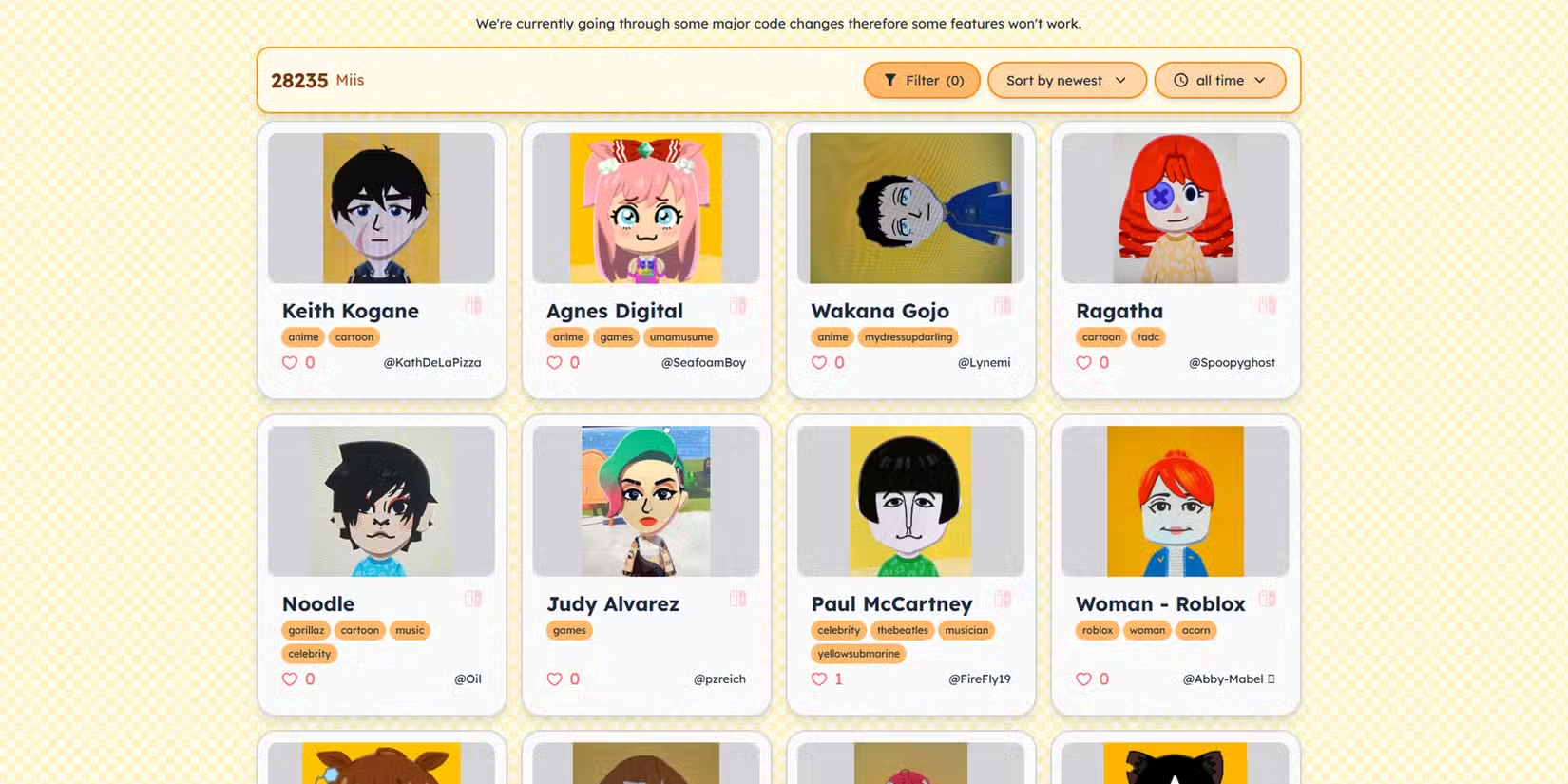
One helpful tool is TomodachiShare, a popular app that makes it easy to find character ideas. While you can’t directly import QR codes like in previous Tomodachi Life games, this app hosts a large community of over 24,000 character submissions for Living the Dream. You can search for characters based on gender, the media they come from, or whether they use face paint, making it one of the most advanced fan projects for the game.
Each character submission shows the parts used to create it and sometimes includes detailed instructions, like color choices or specific measurements to help you replicate the design. Though you can’t scan codes to import characters directly, this resource is great for inspiration and guides.
Import Your Own Designs Using Living The Grid
For those who want to bring their own images into the game, Living The Grid is a handy tool. Built by coder ClementGzl, it transforms any picture into pixel art compatible with Living the Dream. This process simplifies importing complex or detailed images by offering grid overlays, brush options, and color numbering to help you accurately recreate your designs in the game.
While pixel-by-pixel creation can still take some time, these tools make the process much easier than doing it by hand. Even though Nintendo limited some content-sharing features, you can still use the game’s local multiplayer mode to share creations between consoles directly, which is useful if you have friends who also play.
Using Tomopattern for Sharing and Inspiration
Tomopattern is another recent app that helps with sharing designs. Whether you’ve used Living The Grid to import images or want to showcase your own creations, this platform is perfect for community sharing. It offers a variety of templates for island designs, houses, pets, clothing, and food, making it a good all-in-one spot for sharing and discovering new ideas. Although its user base is smaller, it’s a promising tool for anyone looking to exchange custom designs and ideas.
The Old-Fashioned Way to Share: Local Play
Finally, there’s still a way to share your creations directly between systems. Although Nintendo removed several online and sharing features, you can use the local multiplayer option on your Nintendo Switch to transfer designs to friends nearby. Keep in mind, this only works between consoles and doesn’t allow sharing with anyone over the internet. Additionally, designs based on shared content or modified creations cannot be transferred, and Mii characters can’t be swapped between profiles on the same console.
Despite these restrictions, many players appreciate the freedom to create freely, especially since third-party apps make it easier to share custom designs online. Although sharing options are more limited than before, the vibrant community and these handy tools offer plenty of ways to bring your creative ideas to life in Tomodachi Life: Living the Dream.
 ChatGPT
 Perplexity
 Gemini AI
 Grok AI