Select Language:
Arknights: Endfield stands out among gacha games because it doesn’t restrict everything behind energy-based grinding. This makes building characters easier and allows for more gameplay in each update compared to most other titles in the same genre.
This is mainly achieved with the AIC system, which lets you create facilities across the map and craft items using various ores and plants. To get the best long-term value from this system, it’s important to be efficient from the start.
How The AIC System Works
To begin using the factory system in Arknights: Endfield, you need to advance the main story until you reach the Rally and Unite main quest. This occurs right after resolving the crisis in the Hub area, making it more stable. During this quest, Andre helps you unlock the basic factory mechanics.
From here, the factory becomes a key part of your gameplay. It’s best to wait until you complete the Valley Pass main quest, which unlocks Transport Belts — essential tools for automation.
Transport belts allow you to send and receive items between locations automatically. This is the biggest upgrade for automating your factory.
Once you activate Transport Belts, your main task is to mine different ores and use them to craft items automatically in various facilities, then send these items back to your Depot. The Depot’s role is crucial because its methods of output are limited.
You can typically output resources through the PAC’s six output ports or upgrade the Depot Bus in the Power section of the AIC tree, which allows you to place Depot Unloaders on a bus and make outputs there. This upgrade is vital but unlocks only after progressing further in the story.
Sending resources back to the Depot is easier. While you can use PAC input ports, it’s generally better to avoid Depot Loaders due to their limited spots. Instead, you can send resources via the Protocol Stash, which is unlocked early in the game with the Field Stash upgrade.
As you progress, farming Protocol Dataloggers in various map areas unlocks new recipes, allowing you to upgrade your factory’s stages.
How To View and Craft Items
If you want to craft a specific item but aren’t sure how, you can pin its recipe by clicking on it, or view the full process by clicking on the main recipe. The best place for this is the PAC, once you have the required materials.
In Protocol Management, you’ll see crafted items listed with their yields and quantities in the Depot. This screen also lets you check an item’s crafting process. You can view your current resource yield and usage, which helps identify what you need to farm more of.
Factory Upgrade Priorities
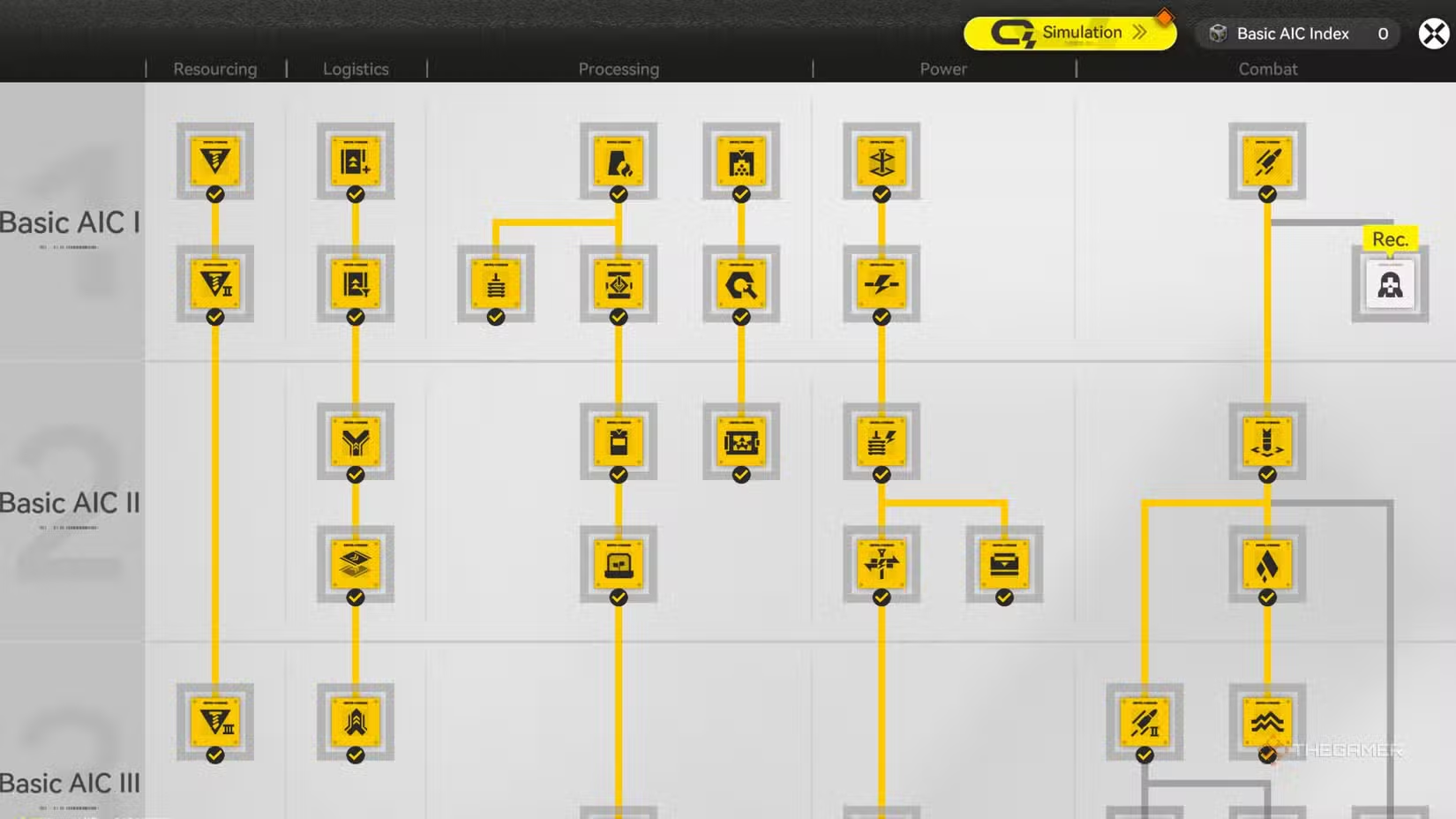
To make managing your factory system easier, focus on upgrading these key parts in your AIC tree:
- Field Stash
- All Logistics upgrades
- Power I
- Pylon Relaying
- Depot Bus
Complete Outpost Management
As you reach the Valley Pass’s key locations like Originium Science Park and Power Plateau, you can unlock outposts by completing their quests. These outposts expand your facility setup, sharing Depot access across the region. Upgrading each factory area increases size and adds Depot Buses, which require more Stock Bills for further expansion.
Once an outpost is unlocked, it’s added to the trade system accessible through the Regional Development icon. Your main goal here is to craft and trade resources needed by outposts.
Outposts grow in prosperity as they trade resources, with increased Stock Bills. Reaching maximum prosperity unlocks new quests and allows further upgrades, including defense gameplay to raise the factory’s production frequency.
Increasing Item Stacks in Depot
Initially, your items can only be stacked up to 8,000 units each. This quickly becomes limiting, especially for trading smaller items. To increase this limit, you need to unlock Depot Nodes, which are accessible once you visit the Originium Science Park and complete the NPC defeat quest there.
Depot Nodes are also available in Valley VI’s Science Park and Origin Lodespring, unlocking additional features like the Pack and Deliver minigame with upgrades.
Tips for an Effective Factory Layout
As you progress and gather more resources and buildings, space becomes tight. Here are some tips for optimizing your setup:
- Focus on one item at a time when it requires multiple buildings. Once you’ve set up the full process, create a blueprint to replicate it elsewhere.
- Rotate structures to maximize space efficiency. For instance, place Protocol Stash between refining units and packagers, allowing output to be sent backward and saving space.
- Assign specific tasks to each AIC to streamline operations, such as dedicating one for gear parts and medicines, another for batteries, etc. Prioritize crafting high-value items that benefit multiple outposts.
Efficiently managing space and workflow ensures your factory runs smoothly and scales effectively as you develop your facilities and resources.
 ChatGPT
 Perplexity
 Gemini AI
 Grok AI