Select Language:
Gold plays a vital role in The Spell Brigade since it’s used to unlock wizards and enchantments. Unfortunately, the game doesn’t give out large amounts of gold freely. You earn some by completing missions and trying new ones, but the payouts are usually modest. The game’s economy appears to be quite tough, making it harder to accumulate gold quickly.
However, there is a way to increase your gold intake and start building your reserve faster. It won’t make you rich overnight, but it will definitely help speed up the process. Here’s what you need to do:
How to Farm Gold
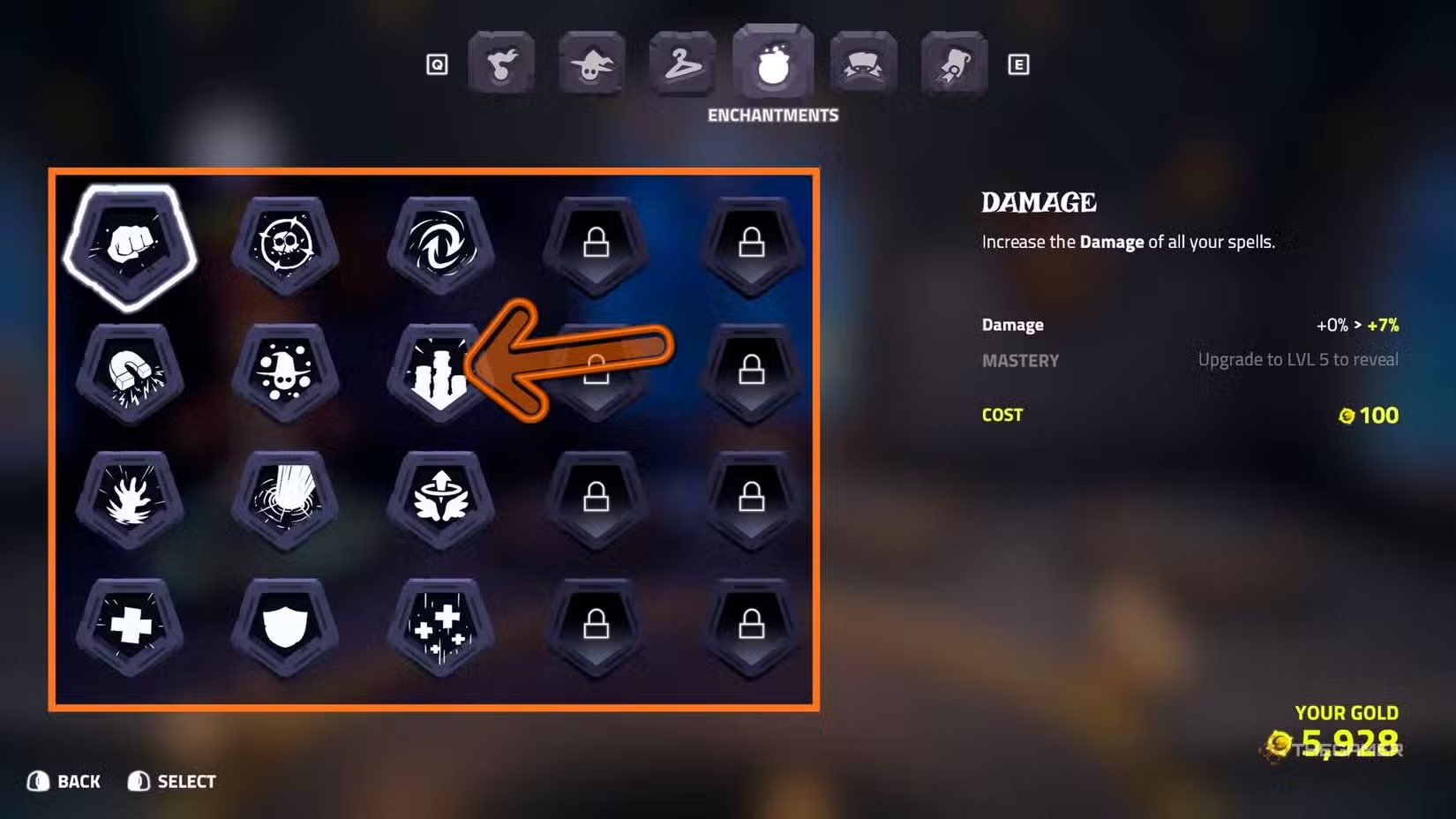
First, be prepared to do some grinding before you can farm gold effectively. There’s no quick way to earn lots of gold at the start. You need enough gold to unlock the third column in the Enchantments menu. To do this, you need to invest gold into the first two columns. Don’t worry about which enchantments you choose—since you can freely refund your gold later, it’s okay to test different options.
Tip: When you refund gold, you won’t lose the columns you’ve unlocked, so feel free to experiment.
Once you unlock the third column, focus on adding gold to the Bounty enchantment. You can always refund your gold afterward if you prefer. To do this efficiently, use your gold to master the Bounty enchantment quickly. This enchantment increases the amount of gold you earn from missions. At the highest level, it even doubles the gold you get for completing objectives, making it much faster to farm gold overall.
General Tips for Earning Gold
You naturally accumulate gold by playing missions. Even if you fail a mission, you still receive some gold. However, you earn more when you successfully complete objectives and defeat enemies. Increasing your kills and objectives seems to boost your earnings.
Sometimes, the game assigns a special contract to one of your wizards, which enhances the gold you earn from the next mission. Be sure to check the Wizards tab before starting a mission to see if any wizard has this contract. The info will be displayed in the bottom left corner of the screen, helping you plan accordingly and maximize your earnings.
 ChatGPT
 Perplexity
 Gemini AI
 Grok AI