

Select Language:
We’ve all experienced it. You spend hours creating the perfect character, only to realize a small mistake or something you don’t like once you start playing with them. That was one of my first mistakes with Paralives.
Sometimes, it’s a minor issue, like the voice you picked doesn’t sound right after all. Maybe you forgot to change a key setting, such as enabling pregnancy. Or, like me, you overlooked their height and ended up with a tiny “short king” instead of a taller character. Here’s how to edit your Parafolk after you’ve created them.
Note: Paralives is currently in Early Access, so content may change over time. We’ll keep this guide updated if anything relevant shifts.
How to Edit Your Parafolk
You can’t directly change your characters’ appearance or personality once they’re in your household. You can only modify their clothing and accessories. To make detailed changes to how they look or behave, you’ll need to use a cheat.
While some players prefer not to use cheats, this one can save you from staring at a mistake forever. Paralives has a built-in Cheat Command feature that allows you to edit your characters easily.
How to Use the Cheat Command to Edit Parafolk
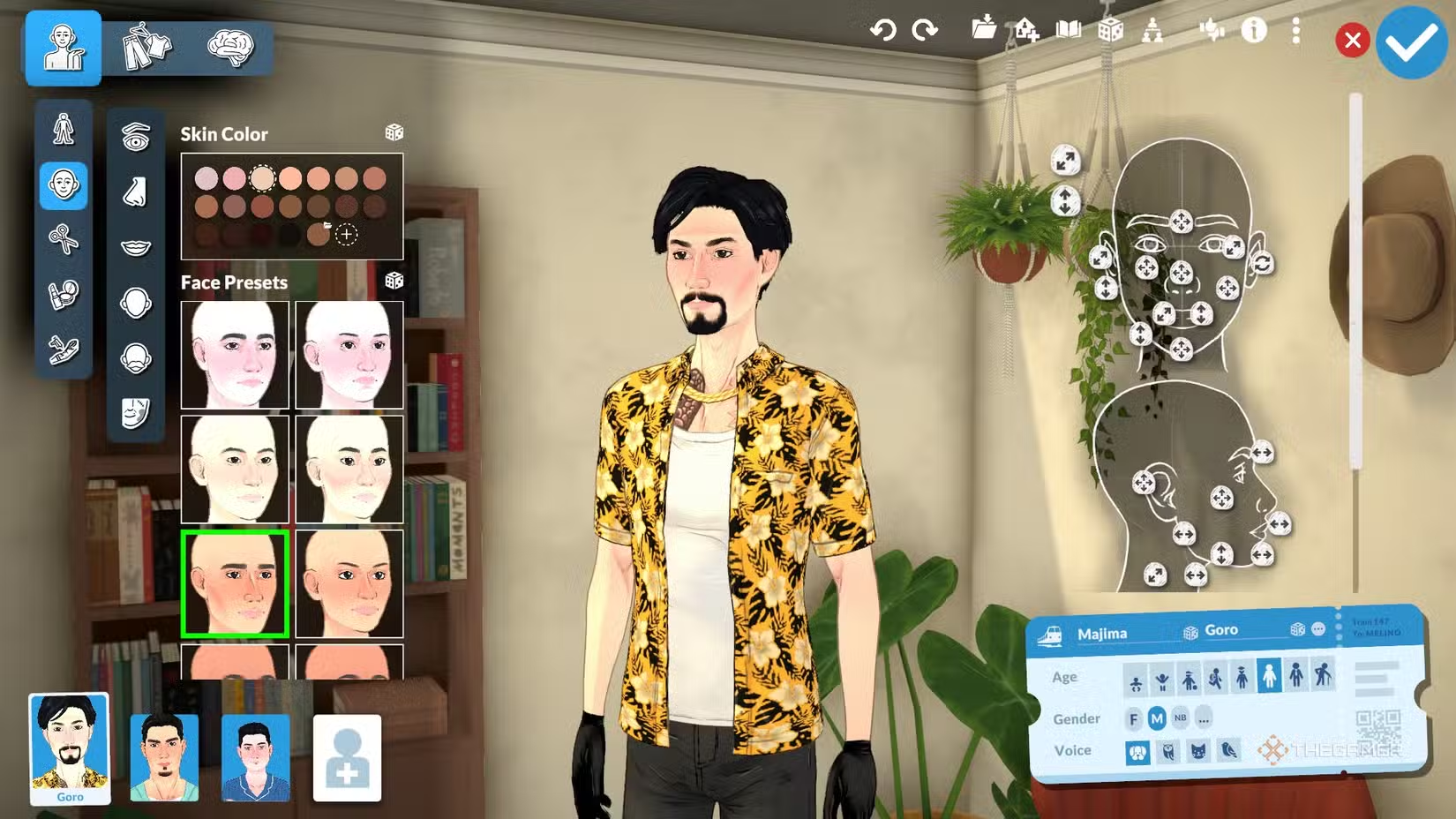
To access the cheat menu, press CTRL + F1 or CTRL + SHIFT + C. When the cheat box pops up, type “EDITCHARACTER” and hit enter. The Paramaker will then open with the selected Parafolk, allowing you to adjust every little detail about them. Trust me, it’s worth knowing how to do this.
 ChatGPT
 Perplexity
 Gemini AI
 Grok AI

