Select Language:
In Pokémon Pokopia, there’s nothing quite like spotting the perfect item on someone else’s island and immediately realizing you must have it. That’s where the 3D Printer comes into play—a surprisingly powerful little machine that turns your inner collector into a bit of a mischievous collector. Instead of waiting for shop rotations or wandering for hours, you can take control by quickly capturing a photo and using your resources to recreate items.
It might sound too simple, and honestly, it kind of is. However, there are a few quirks and limits to be aware of. Knowing how this system works will help you make the most of it before you start copying everything random.
How to Unlock the 3D Printer
First, to unlock the 3D Printer, you need to rebuild a Pokémon Center in the Withered Wasteland. This involves progressing through the area, freeing Onix, and completing the necessary habitat preparations so it can help construct the building. Once the Pokémon Center is finished and the daily reset happens, the 3D Printer will appear on the left side, ready for use.
How to Use the 3D Printer
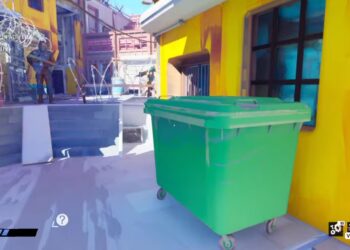
Using the 3D Printer requires two things: a reference photo and Pokemetal. To get a proper reference photo, open your camera using the minus button, then switch from normal photo mode to item mode by pressing Y. This switch is important because it allows the camera to recognize objects. When an item is correctly focused, its name will appear on the screen, confirming it can be used as a reference. Take the photo, and it will be saved. You can store up to 20 reference photos at once, with used ones marked so you can keep track.
Once you have a reference photo, go to any Pokémon Center and interact with the 3D Printer. Select the image of the item you want, review the material cost, and confirm your choice. After paying with Pokemetal, the item appears instantly without wait time.
A key feature of the 3D Printer is that it works with items found on other players’ islands. If a friend has something you want, just take a photo of it and recreate it yourself. This makes it a great tool for collecting hard-to-find decorations or filling gaps in your collection without relying solely on luck.
 ChatGPT
 Perplexity
 Gemini AI
 Grok AI