Select Language:
If you’re looking for the perfect home for your Para and can’t find anything in town that suits your taste, it’s time to build your own using the straightforward but detailed build mode in Paralives.
Building a home can mean different things to different players. Some may be fine with a simple square layout with separate rooms inside, while others want more complex designs with uniquely shaped rooms and a strong foundation. If you prefer the latter, this guide will help you understand how to create a solid foundation for your Para’s house.
How to Build a Foundation in Paralives
There isn’t a special tool specifically for foundations in Paralives, but you can easily do it with the Walls tool, making some adjustments as you go. A foundation allows for more dynamic layouts and makes it easier to add features like verandas or patios.
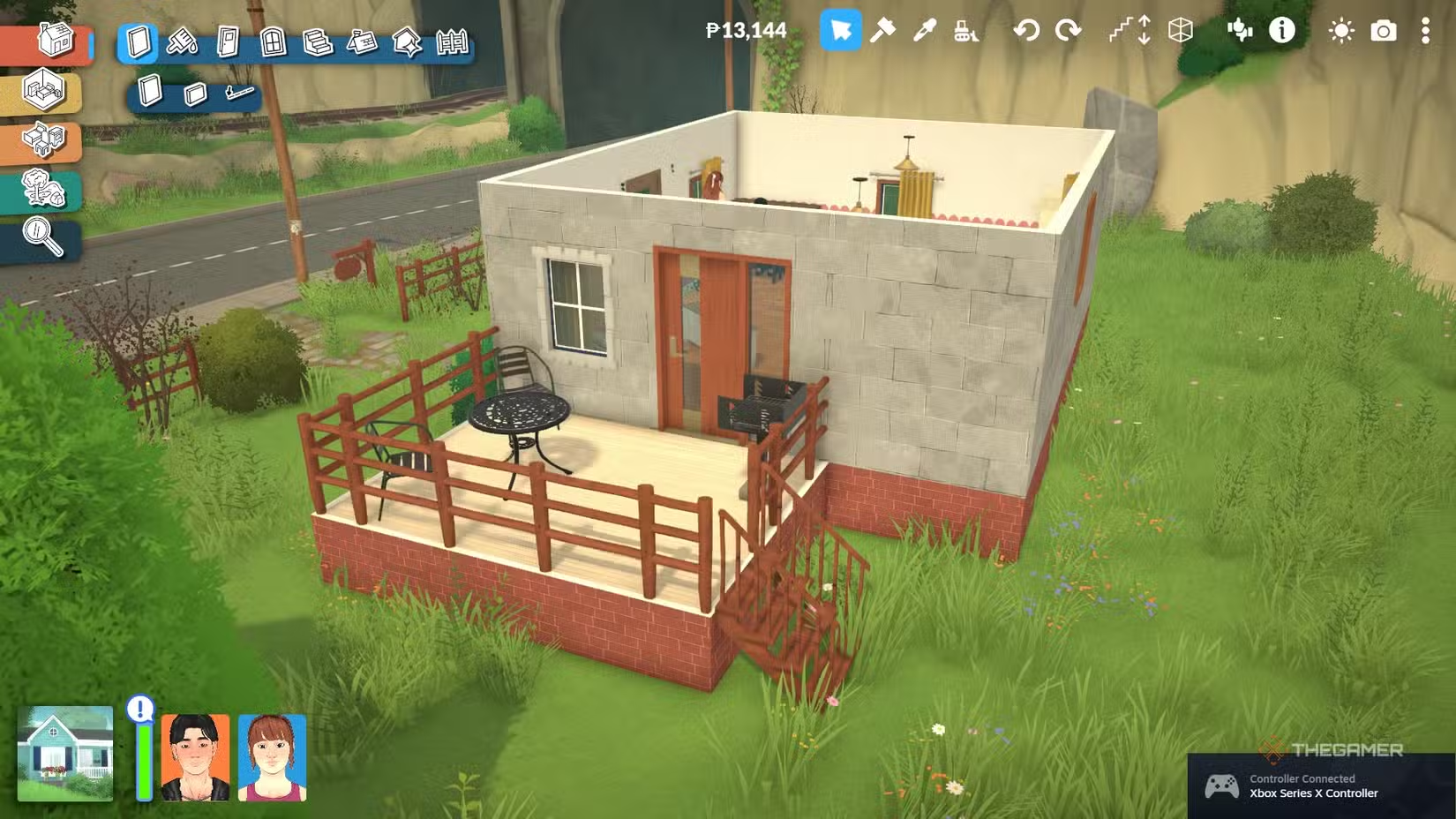
To start, select Build Mode and then switch to the Wall Placement Mode. Use the wall tool to outline the shape of your foundation; initially, it will appear as a series of straight, standard-length walls. Next, click on a wall and drag the top arrow downward to adjust its height. We suggest lowering the walls to about the third dot, but feel free to customize it to your preference.
Once you’ve shaped your foundation, you’ll notice it looks like a large space for short characters, but this will change. Use the Move Up One Floor arrow to lift the floor to the top of the walls, creating a proper foundation. Now, you can freely build on top of it, adding patios and outdoor areas for your Paras to enjoy.
Foundations can be decorated just like walls. Consider adding contrasting brick patterns, plants, shrubs, or outdoor furniture like barbecues and patio chairs for a finished look. Remember, the foundation is considered part of the first floor, so keep that in mind if you decide to make changes later.
 ChatGPT
 Perplexity
 Gemini AI
 Grok AI