• About Us
  • Contact Us
  • Advertise
  • Privacy Policy
  • Guest Post
No Result
View All Result
Digital Phablet
  • Home
  • NewsLatest
  • Technology
    • Education Tech
    • Home Tech
    • Office Tech
    • Fintech
    • Digital Marketing
  • Social Media
  • Gaming
  • Smartphones
  • AI
  • Reviews
  • Interesting
  • How To
  • Home
  • NewsLatest
  • Technology
    • Education Tech
    • Home Tech
    • Office Tech
    • Fintech
    • Digital Marketing
  • Social Media
  • Gaming
  • Smartphones
  • AI
  • Reviews
  • Interesting
  • How To
No Result
View All Result
Digital Phablet
No Result
View All Result

Home » Completing Challenges with Friends in Mecha Break

Completing Challenges with Friends in Mecha Break

Emily Smith by Emily Smith
July 3, 2025
in Gaming
Reading Time: 1 min read
A A
Completing Challenges with Friends in Mecha Break
ADVERTISEMENT

Select Language:

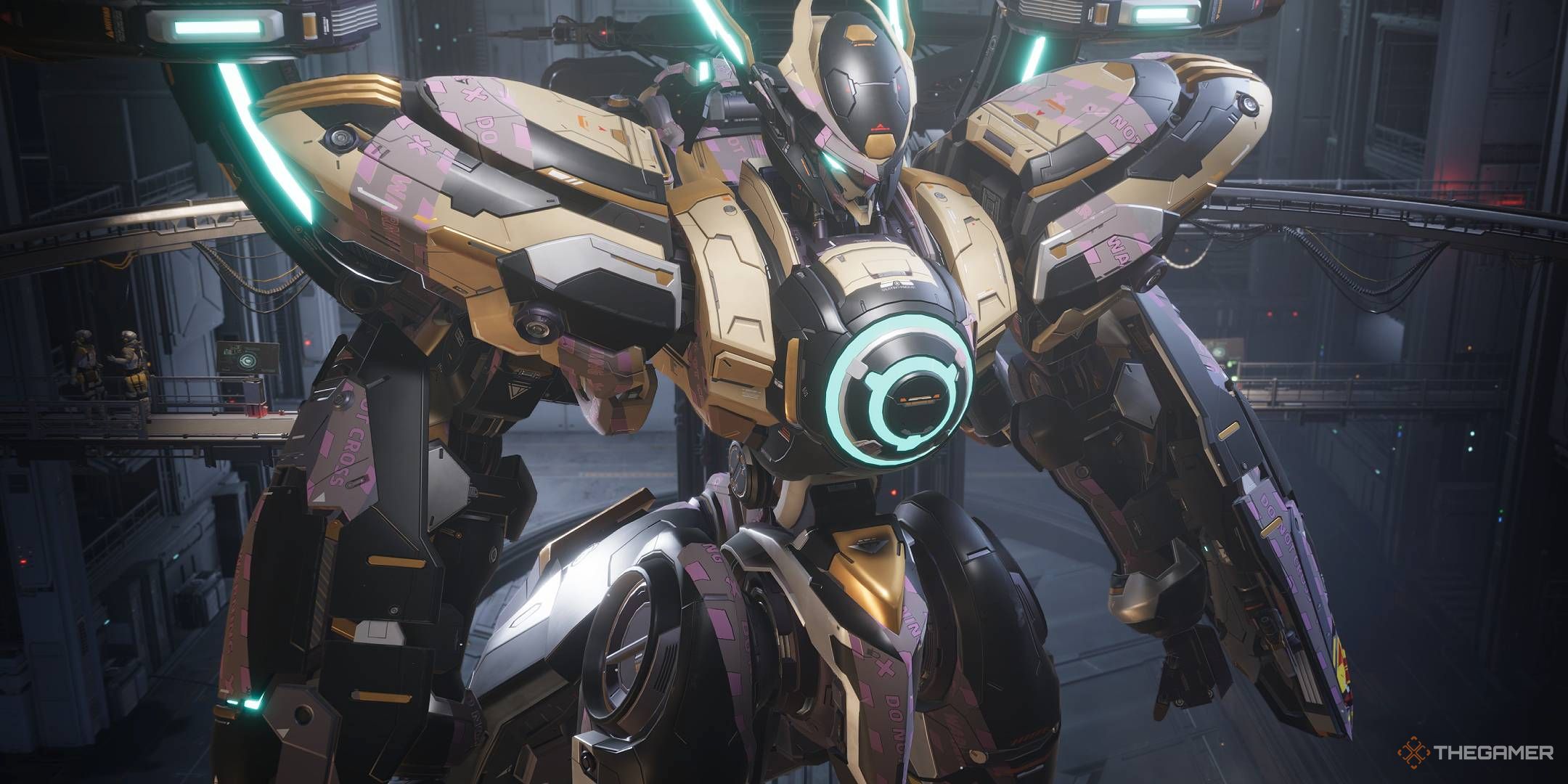
Mecha Break is an action-packed team-based shooter where players control giant mechs, known as Strikers. The game features 15 unique mechs and allows teams of either three or six players. Playing with friends is straightforward, and crossplay is available for PC and Xbox users. Currently, the game is not on PS5, but there’s a good chance it could support crossplay across all three platforms in the future.

ADVERTISEMENT

Though there isn’t cross-progression between different platforms yet, it’s great that you can team up with friends no matter what devices they’re using.

How to Add Friends in Mecha Break

To add friends, go to the Comms menu at the bottom left corner of the main lobby. Simply enter your friend’s account name and send an invitation. This process works for both PC and Xbox players. Your account name can be found next to your profile picture at the top of the screen. Once they accept your invitation, you can team up for matches!

If your friends are using Steam, you can easily add them through the built-in Steam friend list.

ADVERTISEMENT

How to Find a Group in Mecha Break

If you’re looking to join a game and meet new players, you can Recruit teammates or join existing teams. Just click the Recruit button above the play option. Teams are usually organized by game mode and preferred language, making it simple to connect with others and quickly find a squad for your next match.

You can also check out the official Mecha Break Discord server to join LFG (Looking For Group) chats and find players at your skill level.

ChatGPT ChatGPT Perplexity AI Perplexity Gemini AI Logo Gemini AI Grok AI Logo Grok AI
Google Banner
Tags: FriendsHow ToMecha Breakplay
ADVERTISEMENT
Emily Smith

Emily Smith

Emily is a digital marketer in Austin, Texas. She enjoys gaming, playing guitar, and dreams of traveling to Japan with her golden retriever, Max.

Related Posts

How to Heal and Solve in Far Far West
Gaming

How to Heal and Solve in Far Far West

May 3, 2026
Overcoming Arachne’s Challenge in NTE: The Complete Solving Guide
Gaming

Overcoming Arachne’s Challenge in NTE: The Complete Solving Guide

May 3, 2026
How To Finish Pleasureland in Tides Of Tomorrow
Gaming

How To Finish Pleasureland in Tides Of Tomorrow

April 30, 2026
How to Heal in Vampire Crawlers by Completing and Solving
Gaming

How to Heal in Vampire Crawlers by Completing and Solving

April 28, 2026
Next Post
Top Strategies for Completing EXP in Persona 5: The Phantom X

Top Strategies for Completing EXP in Persona 5: The Phantom X

  • About Us
  • Contact Us
  • Advertise
  • Privacy Policy
  • Guest Post

© 2026 Digital Phablet

No Result
View All Result
  • Home
  • News
  • Technology
    • Education Tech
    • Home Tech
    • Office Tech
    • Fintech
    • Digital Marketing
  • Social Media
  • Gaming
  • Smartphones

© 2026 Digital Phablet