• About Us
  • Contact Us
  • Advertise
  • Privacy Policy
  • Guest Post
No Result
View All Result
Digital Phablet
  • Home
  • NewsLatest
  • Technology
    • Education Tech
    • Home Tech
    • Office Tech
    • Fintech
    • Digital Marketing
  • Social Media
  • Gaming
  • Smartphones
  • AI
  • Reviews
  • Interesting
  • How To
  • Home
  • NewsLatest
  • Technology
    • Education Tech
    • Home Tech
    • Office Tech
    • Fintech
    • Digital Marketing
  • Social Media
  • Gaming
  • Smartphones
  • AI
  • Reviews
  • Interesting
  • How To
No Result
View All Result
Digital Phablet
No Result
View All Result

Home » How To Take a Screenshot By Tapping Apple Logo At The Back of iPhone

How To Take a Screenshot By Tapping Apple Logo At The Back of iPhone

Back Tap feature allows iPhone users to take screenshots easily!

DP Staff by DP Staff
May 8, 2021
in How To, Smartphones
Reading Time: 2 mins read
A A
ADVERTISEMENT

Select Language:

Now you can easily take a screenshot by simply tapping the Apple logo at the back of your iPhone, thank to the newly introduced Back Tap feature.

ADVERTISEMENT

Back Tap Feature

Back Tap was the feature introduced by Apple to help you take the screenshot easily and quickly. To make it work, you have to enable this feature manually in the settings of your iPhone device.

How to Take a Screenshot by Tapping On Apple Icon

Before that you had to long-press a number of buttons to take it, now you can simply take it by tapping the Apple logo located at the back of your iPhone. Here is how you can do it.

Open Settings

Tap the Grey icon which you can easily find on your home screen.settings iphone

In Settings, goto “Accessibility.”

accessibility

Right after that, tap “Touch.”

touch settings iphone

On the “Touch Settings” screen, scroll down to the “Back Tap” option and tap it.

back tap

In Back Tap option, select Double or Triple Tap
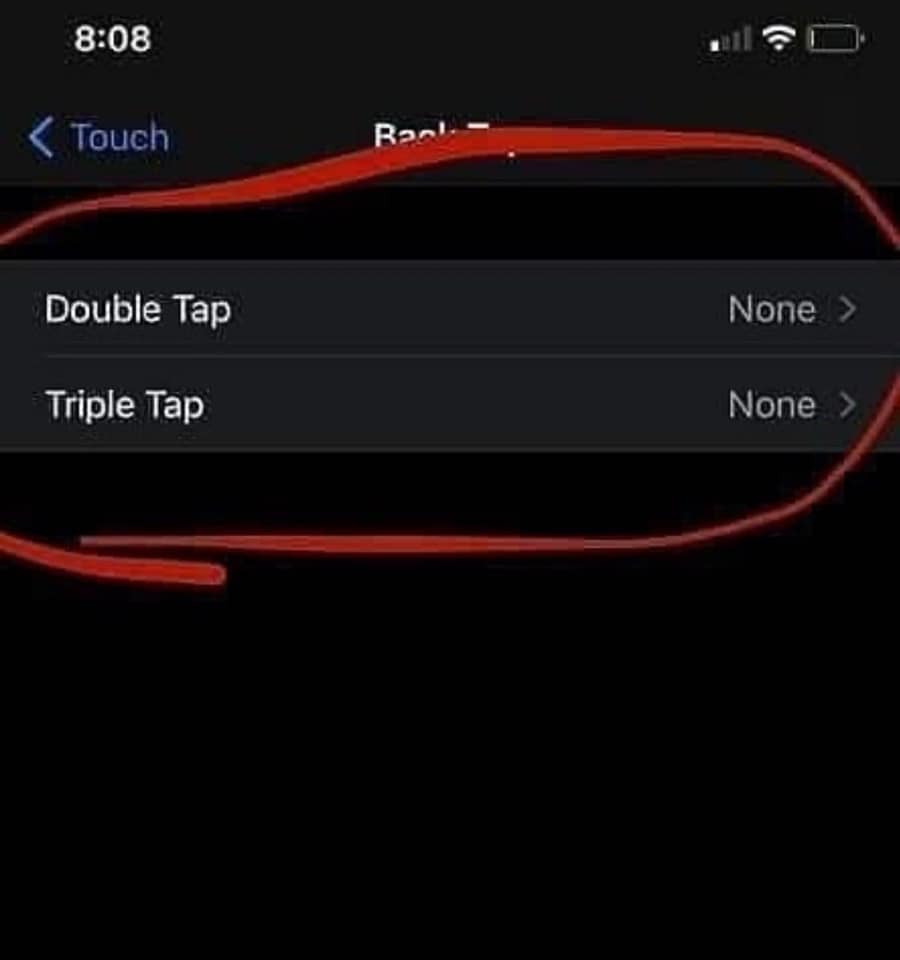
In the Back Tap settings you can select whether you want to take a screenshot in double or triple times tapping on Apple logo.double or triple tap

Select Screenshot

In the menu that pops up after selecting yoru desired option, select screenshot.control center screenshot ios

After everything is done, save your settings. And go to the page you want to take screenshots and try tapping to take it! It is a bliss that Apple keeps on adding latest things to their devices to give ease to their users.

ChatGPT ChatGPT Perplexity AI Perplexity Gemini AI Logo Gemini AI Grok AI Logo Grok AI
Google Banner
Source: Apple
Tags: AppleiPhone
ADVERTISEMENT
DP Staff

DP Staff

Related Posts

iPhone 17 Makes Standard Screen Protectors Less Useful
Smartphones

iPhone 17 Makes Standard Screen Protectors Less Useful

December 4, 2025
imac 793042 960 720.jpg
How To

How To Unveil Apple-Related Triggers of D…

November 29, 2025
Apple To Become World’s Top Phone Maker Again
Smartphones

Apple To Become World’s Top Phone Maker Again

November 28, 2025
IPhone 17 Sets Sales Record in Tough Chinese Market
Smartphones

IPhone 17 Sets Sales Record in Tough Chinese Market

November 18, 2025
Next Post

Google Will Rank Websites based on "Page Experience" from May 2021

  • About Us
  • Contact Us
  • Advertise
  • Privacy Policy
  • Guest Post

© 2025 Digital Phablet

No Result
View All Result
  • Home
  • News
  • Technology
    • Education Tech
    • Home Tech
    • Office Tech
    • Fintech
    • Digital Marketing
  • Social Media
  • Gaming
  • Smartphones

© 2025 Digital Phablet