• About Us
  • Contact Us
  • Advertise
  • Privacy Policy
  • Guest Post
No Result
View All Result
Digital Phablet
  • Home
  • NewsLatest
  • Technology
    • Education Tech
    • Home Tech
    • Office Tech
    • Fintech
    • Digital Marketing
  • Social Media
  • Gaming
  • Smartphones
  • AI
  • Reviews
  • Interesting
  • How To
  • Home
  • NewsLatest
  • Technology
    • Education Tech
    • Home Tech
    • Office Tech
    • Fintech
    • Digital Marketing
  • Social Media
  • Gaming
  • Smartphones
  • AI
  • Reviews
  • Interesting
  • How To
No Result
View All Result
Digital Phablet
No Result
View All Result

Home » How to Resolve AWS ‘Access to Model ID’ Error in Your Account

How to Resolve AWS ‘Access to Model ID’ Error in Your Account

Emily Smith by Emily Smith
September 6, 2025
in How To
Reading Time: 1 min read
A A
How to Set Up Amazon Q Business with QuickSight Using IAM Federation
ADVERTISEMENT

Select Language:

If you’re getting the error message “because no identity-based policy allows the bedrock:InvokeModel action,” it usually means that the IAM role you’re using doesn’t have permission to perform that action. To fix this, you need to update your IAM policies to grant the necessary permission.

ADVERTISEMENT

Here’s a simple way to do that:

1. Find the IAM role you’re using—look for one named something like “amplify-recipeai-fvisc-sa-amplifyDataL2GraphqlApibe-VbOwpQeNWefz” or similar.

2. Go into your AWS Management Console and navigate to the IAM service.

ADVERTISEMENT

3. Inside the roles section, select the role you’re working with.

4. Attach a new policy that explicitly allows the “bedrock:InvokeModel” action.

You can create a custom policy with the following JSON code:

json
{
“Version”: “2012-10-17”,
“Statement”: [
{
“Sid”: “AllowBedrockInvokeModel”,
“Effect”: “Allow”,
“Action”: [
“bedrock:InvokeModel”
],
“Resource”: “*”
}
]
}

This policy grants permission for the role to invoke the Bedrock model. After attaching this policy, try your operation again. You should now have the proper access to perform the action without errors.

ChatGPT ChatGPT Perplexity AI Perplexity Gemini AI Logo Gemini AI Grok AI Logo Grok AI
Google Banner
ADVERTISEMENT
Emily Smith

Emily Smith

Emily is a digital marketer in Austin, Texas. She enjoys gaming, playing guitar, and dreams of traveling to Japan with her golden retriever, Max.

Related Posts

2024 Secret PS5 RPG Deal – 65% Off with DLC on PS Store
Gaming

2024 Secret PS5 RPG Deal – 65% Off with DLC on PS Store

April 24, 2026
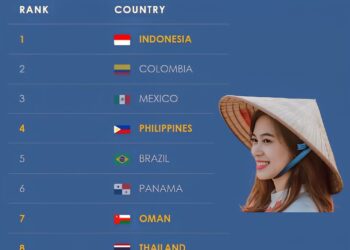
10 Countries With Friendliest Locals

1.  Indonesia
2.  Colombia
3.  Mexico
4.
Infotainment

Top 10 Countries With The Friendliest Locals

April 24, 2026
Bloomberg Interviews Google’s Liz Reid
Digital Marketing

Bloomberg Interviews Google’s Liz Reid

April 24, 2026
AI

Two Guangdong Men’s Five Crashes: The Birth of Open-Source Titans?

April 24, 2026
Next Post
Thailand's Next PM Vows to Hold Fresh Elections

Thailand's Next PM Vows to Hold Fresh Elections

  • About Us
  • Contact Us
  • Advertise
  • Privacy Policy
  • Guest Post

© 2026 Digital Phablet

No Result
View All Result
  • Home
  • News
  • Technology
    • Education Tech
    • Home Tech
    • Office Tech
    • Fintech
    • Digital Marketing
  • Social Media
  • Gaming
  • Smartphones

© 2026 Digital Phablet