Select Language:
If you’re using an iPhone 17 Pro Max with iOS 26 and have Apple Intelligence turned on, but your priority notifications aren’t showing up on your lock screen, here’s a simple step-by-step guide to fix the problem.
First, double-check your notification settings. Even if you’ve already selected certain apps to show notifications, it’s good to review those settings again. Go to Settings, then tap Notifications, and make sure the apps you want alerts from are set to Allow Notifications. Also, ensure that notifications are set to show on the Lock Screen.
Next, revisit your Priority Notifications settings. If you’re using Focus mode or any custom notification filters, review them to make sure that your important apps are included and that the alert style is set to show banners or alerts.
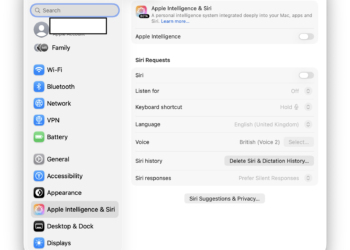
If toggling Apple Intelligence off and on didn’t help, try restarting your phone. Sometimes a quick restart can resolve minor glitches. Simply press and hold the side button and either volume button until the slider appears, then slide to power off. Wait a few seconds, then turn your phone back on.
Once your phone restarts, revisit your notification preferences. Ensure that your selected apps are set to deliver notifications in the way you want, and that Focus or Do Not Disturb modes aren’t blocking alerts.
If the issue persists, it’s worth checking for any software updates. Go to Settings > General > Software Update, and install any available updates. Apple often releases patches that fix bugs like notification issues.
If nothing works, resetting your notification settings might help. To do this, go to Settings > General > Reset > Reset All Settings. Keep in mind, this will erase customized settings, but your data stays safe. After resetting, set up your notifications again.
Lastly, if none of these steps solve the problem, contact Apple Support. They can provide more detailed help or investigate if there’s a bug affecting your device.
By following these simple steps, you should be able to get your priority notifications to appear on your lock screen.
 ChatGPT
 Perplexity
 Gemini AI
 Grok AI