• About Us
  • Contact Us
  • Advertise
  • Privacy Policy
  • Guest Post
No Result
View All Result
Digital Phablet
  • Home
  • NewsLatest
  • Technology
    • Education Tech
    • Home Tech
    • Office Tech
    • Fintech
    • Digital Marketing
  • Social Media
  • Gaming
  • Smartphones
  • AI
  • Reviews
  • Interesting
  • How To
  • Home
  • NewsLatest
  • Technology
    • Education Tech
    • Home Tech
    • Office Tech
    • Fintech
    • Digital Marketing
  • Social Media
  • Gaming
  • Smartphones
  • AI
  • Reviews
  • Interesting
  • How To
No Result
View All Result
Digital Phablet
No Result
View All Result

Home » How To Fix Persistent Siri Glowing Border on Second Display | Apple Intelligence

How To Fix Persistent Siri Glowing Border on Second Display | Apple Intelligence

Rebecca Fraser by Rebecca Fraser
March 5, 2026
in How To
Reading Time: 2 mins read
A A
40c097d8 017e 431d adcc e90ffd90cf6c.jpeg
ADVERTISEMENT

Select Language:

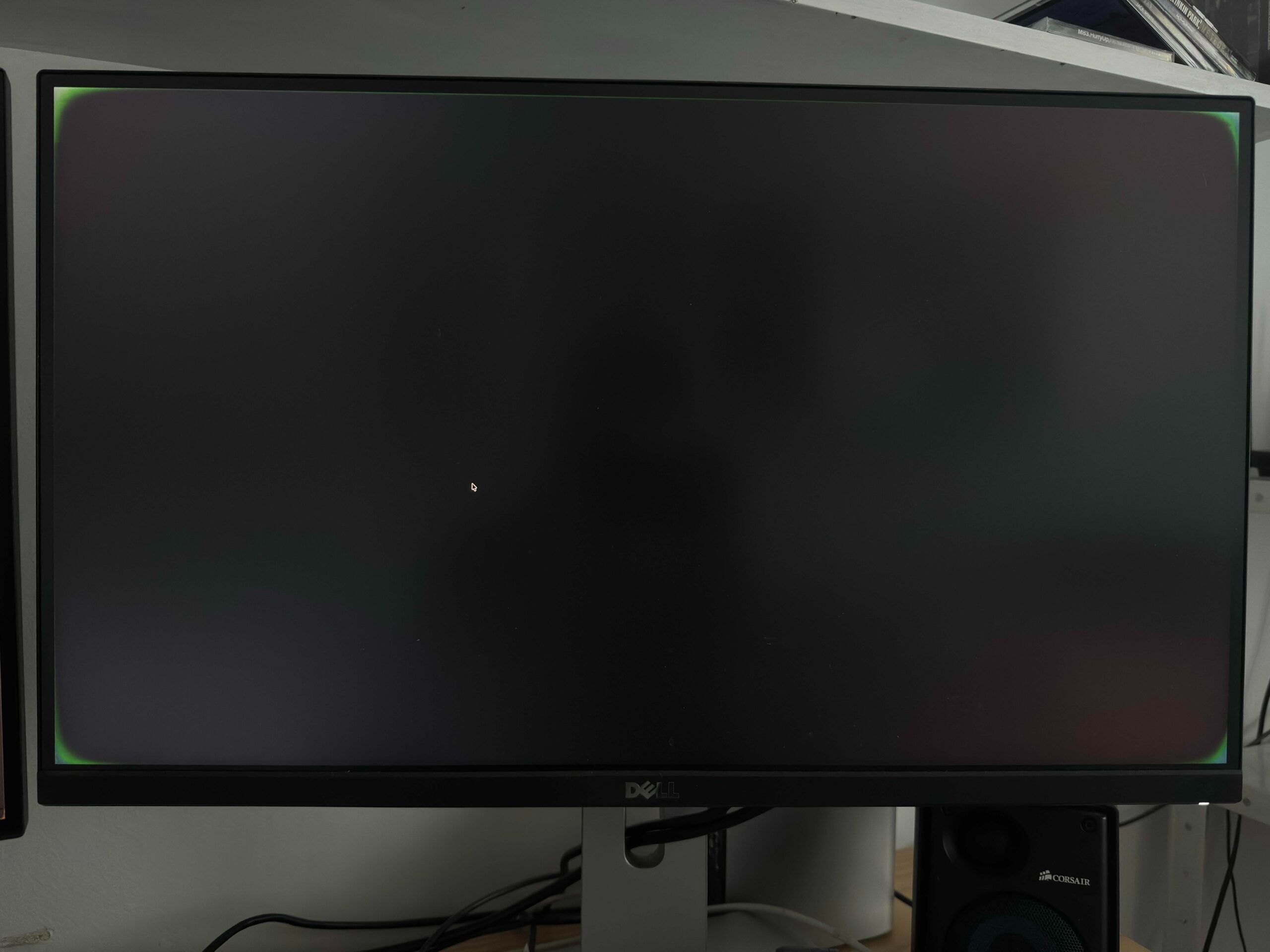
If you’re using a Mac Studio with dual screens and notice a glowing border around your second monitor after updating to OS version 26.3, you’re not alone. Many users have experienced this quirky issue where an Apple Intelligence or Siri border appears on the second display. Luckily, there are some simple steps you can take to troubleshoot and hopefully resolve this problem.

ADVERTISEMENT

First, try turning off Apple Intelligence or Siri altogether. Sometimes toggling these features off and back on can reset the display settings. If that doesn’t help, restart your Mac Studio and see if the border still appears. You might also want to disconnect and reconnect your second monitor to reset the connection.

Another trick is to take a screenshot of the second display. Interestingly, the glowing border often doesn’t show up in the screenshot, which confirms it’s a display overlay rather than an actual part of your screen content. This can help you determine if the issue is visual or affecting your overall system performance.

If the border persists, check for any software updates. Apple frequently releases updates to fix bugs and improve performance, and the latest version might contain a fix for this issue. Make sure your system is updated to the newest available software.

ADVERTISEMENT

If none of these steps work, consider resetting your display settings. You can do this by deleting certain preference files related to display settings or resetting the NVRAM on your Mac. However, if you’re unsure about this process, it might be best to contact Apple Support for help.

In the meantime, keep an eye on your display’s behavior and consider whether any specific applications trigger the border. Sometimes, third-party apps or accessibility features can cause odd visual effects.

By following these suggestions, you should be able to reduce or eliminate that distracting glowing border. It’s a frustrating issue, but with a bit of patience, your dual screens should be back to normal in no time.

ChatGPT ChatGPT Perplexity AI Perplexity Gemini AI Logo Gemini AI Grok AI Logo Grok AI
Google Banner
Tags: Apple Intelligence
ADVERTISEMENT
Rebecca Fraser

Rebecca Fraser

Rebecca covers all aspects of Mac and PC technology, including PC gaming and peripherals, at Digital Phablet. Over the previous ten years, she built multiple desktop PCs for gaming and content production, despite her educational background in prosthetics and model-making. Playing video and tabletop games, occasionally broadcasting to everyone's dismay, she enjoys dabbling in digital art and 3D printing.

Related Posts

How To

How to Restore British Male Voice to Siri | Apple Intelligence Guide

March 4, 2026
How To

How to Manage Unused Memory Allocations with Apple Intelligence

March 4, 2026
f4d16a11 134b 4c90 8055 8aff40c4eb0e.png
How To

How To Fix Persistent Mac Apple Intelligence Issues After Reinstall

March 4, 2026
How To

How To Permanently Disable Siri on All Apple Devices | Apple Intelligence

March 3, 2026
Next Post
How To Build a Secure GitHub Workflow: Tips and Strategies

How To Build a Secure GitHub Workflow: Tips and Strategies

  • About Us
  • Contact Us
  • Advertise
  • Privacy Policy
  • Guest Post

© 2026 Digital Phablet

No Result
View All Result
  • Home
  • News
  • Technology
    • Education Tech
    • Home Tech
    • Office Tech
    • Fintech
    • Digital Marketing
  • Social Media
  • Gaming
  • Smartphones

© 2026 Digital Phablet