• About Us
  • Contact Us
  • Advertise
  • Privacy Policy
  • Guest Post
No Result
View All Result
Digital Phablet
  • Home
  • NewsLatest
  • Technology
    • Education Tech
    • Home Tech
    • Office Tech
    • Fintech
    • Digital Marketing
  • Social Media
  • Gaming
  • Smartphones
  • AI
  • Reviews
  • Interesting
  • How To
  • Home
  • NewsLatest
  • Technology
    • Education Tech
    • Home Tech
    • Office Tech
    • Fintech
    • Digital Marketing
  • Social Media
  • Gaming
  • Smartphones
  • AI
  • Reviews
  • Interesting
  • How To
No Result
View All Result
Digital Phablet
No Result
View All Result

Home » How To Play PUBG Mobile In India After Ban – 5 Easy Steps To Play It

How To Play PUBG Mobile In India After Ban – 5 Easy Steps To Play It

DP Staff by DP Staff
August 20, 2021
in Gaming
Reading Time: 2 mins read
A A
ADVERTISEMENT

Select Language:

PUBG Mobile in India has been banned after a row between the Chinese and Indian governments over the border between the countries.

ADVERTISEMENT

PUBG gets millions of gamers on its mobile App from the Indian region. Ministry of Information Technology of India has banned 118 Chinese mobile apps in India and PUBG Mobile is, unfortunately, is among those apps.

Gamers in India are worried about their ranking and their fun time with their friends. So we at Digital Phablet, decide to solve this problem for you.

Carefully follow these 5 steps and follow the instructions to get your PBUG Mobile in India working after ban with lowest ping and great gameplay speed.

ADVERTISEMENT

Steps to Play PUBG Mobile in India After Ban
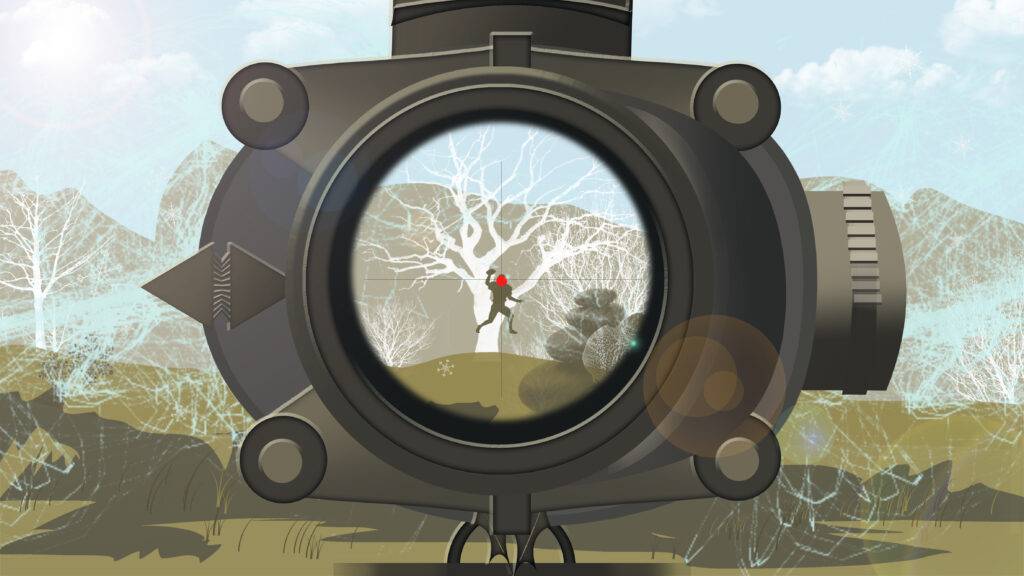
HOW TO PLAY PUBG IN INDIA VPN

Just follow this step and then you will be able to play your favorite game.

1. Download PUBG Mobile

If you have downloaded it already, then simply open the application.

2. Delete existing VPNs

Make sure you delete other VPNs from your phones before following these steps because having two VPNs can result in unstable or disconnection.

3. Download “SurfShark VPN”

After uninstalling other VPNs, download Atlas VPN, it is free and easy to use.

Download SurfShark VPN (iOS/Android/Windows)

4. Open the VPN and Connect

Simply tap connect, it will automatically connect you to the fastest server. If you face high ping, shift your server to “Netherlands”.

5. Start your PBUG Mobile and Play!

We hope this method worked for you. Also, let us know if it did or did not work for you.

ADVERTISEMENT

Have any questions? Let us know in the comments box below so we can assist you better.

When will India lift ban from PUBG?

This is still unclear when India is going to lift the ban from the app, this ban is yet to prevail until the end of 2020 as per some unofficial news.

ChatGPT ChatGPT Perplexity AI Perplexity Gemini AI Logo Gemini AI Grok AI Logo Grok AI
Google Banner
Tags: IndiaPUBG Mobile
ADVERTISEMENT
DP Staff

DP Staff

Related Posts

Putin and Modi to boost India-Russia Trade and Friendship
News

Putin and Modi to boost India-Russia Trade and Friendship

December 5, 2025
India-Russia Trade Talks Ahead of Major Economic Summit
News

India-Russia Trade Talks Ahead of Major Economic Summit

December 5, 2025
India drops plan to preload cybersecurity app after public backlash
News

India drops plan to preload cybersecurity app after public backlash

December 3, 2025
Indian diplomat in Ottawa pays $50,000 to hitman to target Khalistan referendum organizer: SFJ
News

Indian diplomat in Ottawa pays $50,000 to hitman to target Khalistan referendum organizer: SFJ

December 2, 2025
Next Post

PureVPN Deal 2025 – 77% FLAT OFF – $0.99 (September)

  • About Us
  • Contact Us
  • Advertise
  • Privacy Policy
  • Guest Post

© 2025 Digital Phablet

No Result
View All Result
  • Home
  • News
  • Technology
    • Education Tech
    • Home Tech
    • Office Tech
    • Fintech
    • Digital Marketing
  • Social Media
  • Gaming
  • Smartphones

© 2025 Digital Phablet