Select Language:
The Marathon Tox Clear event is an optional challenge where you can earn some good loot either by taking on a room filled with toxic gas or by finding a way to turn it off. The problem is that the gas in Marathon is extremely dangerous, so it’s usually not worth risking your health just to loot the room’s items. Plus, the key you need is quite rare. Nonetheless, here’s a guide to help you understand the Tox Clear rooms and how to temporarily turn off the gas.
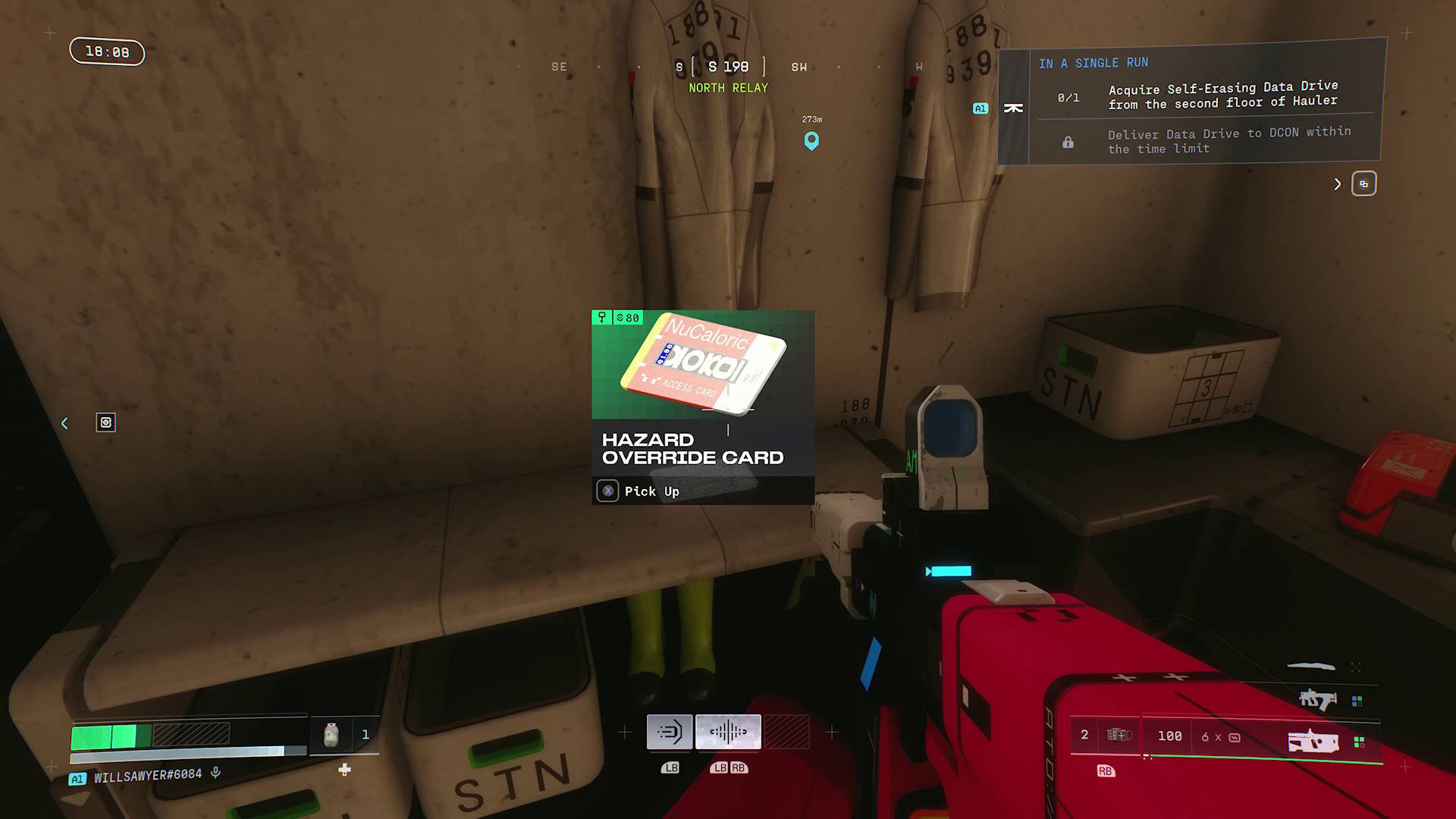
To deactivate the gas in a Marathon Tox Clear room, you need a special item called a Hazard Override Card. This card is a kind of advanced key that you can find while exploring and looting. In my experience, Hazard Override Cards are fairly rare, but you can usually come across one by searching through random containers and battling enemies, including fallen players’ remains. Once you have the card, you can take it with you and store it in your vault for future use.
When you’re ready to clear the gas, look for a red laptop near the Tox Clear room. Explore the nearby area to find it. The laptop’s screen shows a symbol similar to the ones found on the inactive gas extraction devices inside the room. Use the Hazard Override Card on this laptop to temporarily shut off the gas, allowing you to loot the crates inside safely. Keep in mind that the gas refills about 30 seconds later, so you need to be quick if you want to grab everything without taking damage.
You can also choose to open the door to the Tox Clear room without turning off the gas. This lets you loot all the trunks inside, but you will suffer from severe poisoning and mechanical impairments, making healing more difficult. The poisoning damage-over-time might even be deadly if you’re not prepared.
If you have items called Mechanic’s Kits, you can use them to remove the toxin effects and improve your hardware stats, which can make exploring the gas less risky. Make sure you have plenty of healing supplies—and it’s a good idea to have a Triage Med-Drone on hand, especially if you’re playing with a team. Using these items before or during the challenge can make a big difference in survival.
 ChatGPT
 Perplexity
 Gemini AI
 Grok AI