• About Us
  • Contact Us
  • Advertise
  • Privacy Policy
  • Guest Post
No Result
View All Result
Digital Phablet
  • Home
  • NewsLatest
  • Technology
    • Education Tech
    • Home Tech
    • Office Tech
    • Fintech
    • Digital Marketing
  • Social Media
  • Gaming
  • Smartphones
  • AI
  • Reviews
  • Interesting
  • How To
  • Home
  • NewsLatest
  • Technology
    • Education Tech
    • Home Tech
    • Office Tech
    • Fintech
    • Digital Marketing
  • Social Media
  • Gaming
  • Smartphones
  • AI
  • Reviews
  • Interesting
  • How To
No Result
View All Result
Digital Phablet
No Result
View All Result

Home » How to Play with Friends in Outbound: Completing & Solving

How to Play with Friends in Outbound: Completing & Solving

Emily Smith by Emily Smith
May 12, 2026
in Gaming
Reading Time: 2 mins read
A A
How to Play with Friends in Outbound: Completing & Solving
ADVERTISEMENT

Select Language:

Outbound is a fun game where you drive around in a camper van, make things, and just enjoy the simple life. You can play alone if you want, but it’s more fun with up to three friends. However, multiplayer isn’t available offline; you need an internet connection to play with others. To get multiplayer started, you first need to complete a quick tutorial—don’t worry, it takes less than ten minutes.

ADVERTISEMENT

Here’s what you need to do to unlock multiplayer:

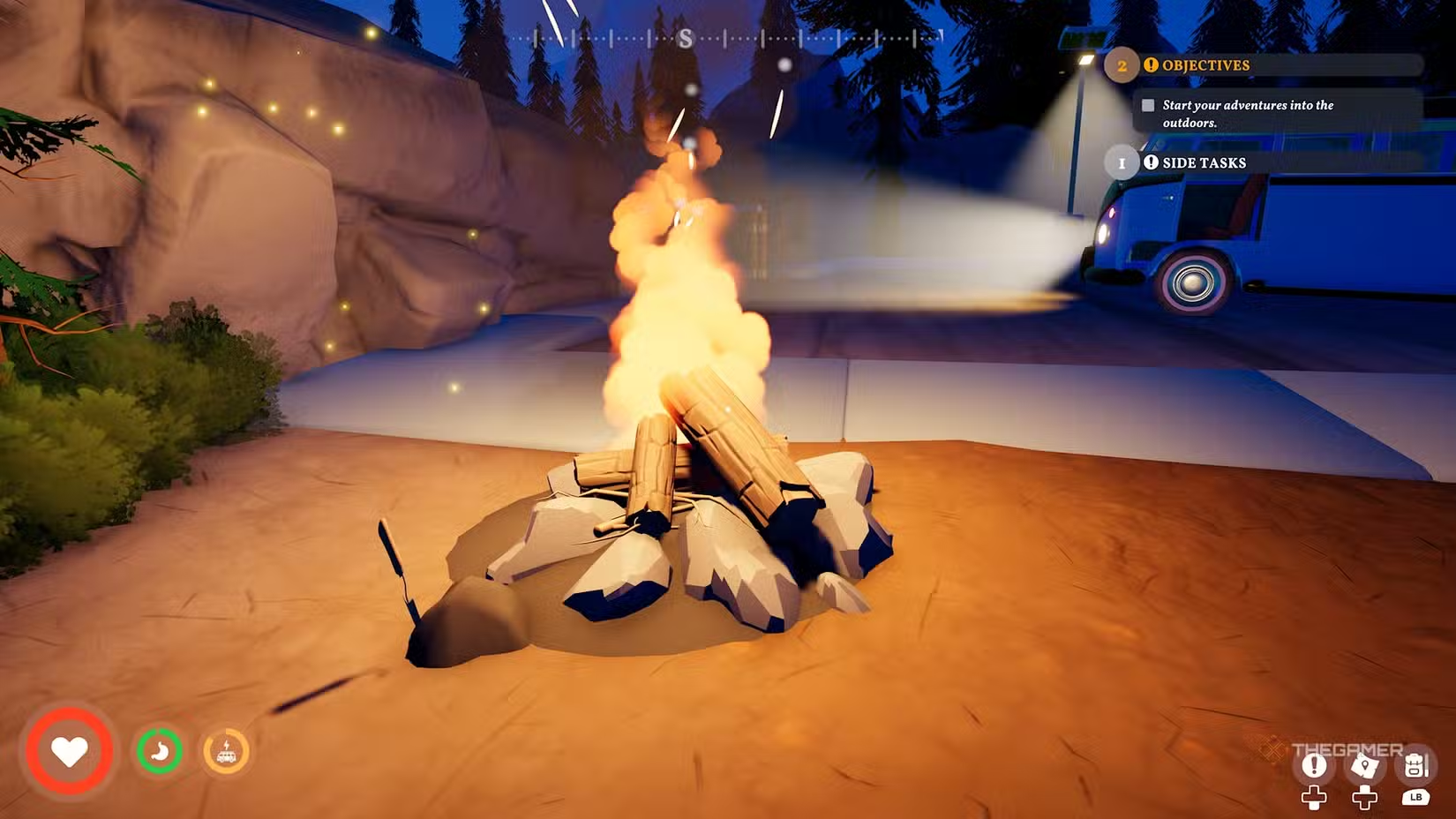
– Drive up to the campfire.
– Collect wood from the supply box beside the campfire.
– Use the wood to start a fire.
– Interact with the computer near the tall pylon to get the wrench blueprint.
– Pick up scrap metal pieces next to the streetlight.
– Go to the back of your van and access the workbench.
– Combine scrap metal and tools on the workbench to craft a wrench.
– Fix the red-and-white barrier with the wrench.

Once the barrier is fixed, multiplayer mode becomes available.

ADVERTISEMENT

To play multiplayer, go to the menu that contains your backpack, map, task list, and journal. The last tab on the right is for multiplayer options. If you’re on one system, you’ll see a button to generate a code or an option to host a session:

– To host a game, select the “Host Session” button and invite friends from there.
– Alternatively, if you generate a code, you can share it with friends. They’ll choose “Join Friend” from the main menu and enter the code to connect.

Since this is a cooperative game, working together is key. You can share resources, recipes, and your vehicle because there’s only one van for all players. Feel free to explore the open world separately if you want, but keep in mind the vehicle is crucial for moving around. When the session ends, all shared resources are gone, and progress is tied to the host’s game—other players can’t pick up where they left off in someone else’s game.

ChatGPT ChatGPT Perplexity AI Perplexity Gemini AI Logo Gemini AI Grok AI Logo Grok AI
Google Banner
Tags: How To Playoutboundwith friends
ADVERTISEMENT
Emily Smith

Emily Smith

Emily is a digital marketer in Austin, Texas. She enjoys gaming, playing guitar, and dreams of traveling to Japan with her golden retriever, Max.

Related Posts

Completing Every Mini-Game and How to Play Them in Tomodachi Life: Living The Dream
Gaming

Completing Every Mini-Game and How to Play Them in Tomodachi Life: Living The Dream

April 23, 2026
How To Play The Warrior Of Light in Dissidia Duellum: Solving Challenges
Gaming

How To Play The Warrior Of Light in Dissidia Duellum: Solving Challenges

March 25, 2026
How to Play Rinoa Heartilly in Dissidia Duellum: Completing and Solving
Gaming

How to Play Rinoa Heartilly in Dissidia Duellum: Completing and Solving

March 25, 2026
How to Play Piaoyao Battleboard in Where Winds Meet: Completing & Solving
Gaming

How to Play Piaoyao Battleboard in Where Winds Meet: Completing & Solving

March 5, 2026
Next Post

2026: Selling Data Makes More Money Than Selling Robots

  • About Us
  • Contact Us
  • Advertise
  • Privacy Policy
  • Guest Post

© 2026 Digital Phablet

No Result
View All Result
  • Home
  • News
  • Technology
    • Education Tech
    • Home Tech
    • Office Tech
    • Fintech
    • Digital Marketing
  • Social Media
  • Gaming
  • Smartphones

© 2026 Digital Phablet