Select Language:
One of the best things about Heartopia is that you can enjoy a cozy, relaxing life in a small town, designing your own home and wardrobe however you like. A key feature that makes the game special is the ability to fully express yourself through custom art and patterns.
We’ll guide you through the tools you’ll need to start designing, and show you how to incorporate your creations into the game world so you can share them with friends nearby. Here’s everything you need to know to begin designing your own outfits.
### How to Get the Drawing Board
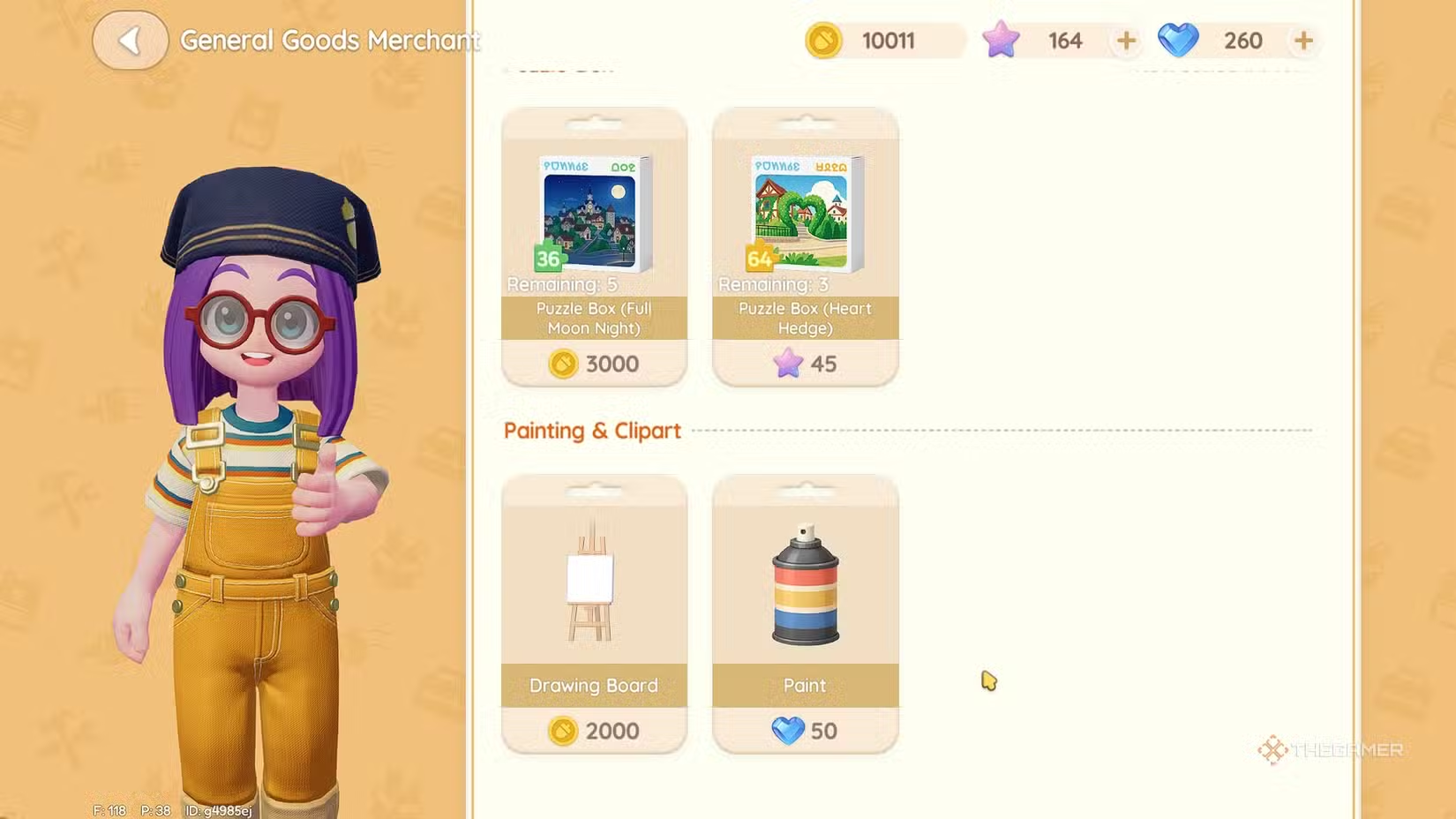
As you play Heartopia, you’ll unlock more items at the General Store. Be sure to talk to Ka Ching daily and check her shop so you don’t miss out on new inventory.
Once you have the Drawing Board, you can take it out and place it anywhere. Use it at home in your craft room or settle somewhere outdoors on the island for longer painting sessions.
### How to Use the Drawing Board
When you interact with the canvas, you can create a new painting. Choose one of the preset sizes and start designing. You’ll begin with a basic color palette, but if you select the advanced palette tool, you’ll access many more shades and hues for more detailed work.
If you have a specific idea in mind, you can create a custom color palette in one corner of the canvas for easy eyedropping, so you don’t have to search for colors manually.
Keep in mind, the art will be pixelated because of game limitations and available colors. Use this to your advantage by creating retro-style designs or recreating your favorite game sprites as portraits.
You can also change brush sizes for detailed work or fill large areas quickly with the paint bucket tool. If you aren’t into drawing, you can use the stamp tool to add pre-made designs like flowers or cute whales.
There are also coloring pages you can use for fun.
### How to Make Custom Clothes
To create new clothes, select a clothing template on your workbench to start a new drawing for that item. After designing, head to your sewing station. Choose the scissors icon to see different clothing options, then pick and place your design.
To complete your outfits, you’ll need a tailoring ticket. These can be earned by completing quests or bought for 80 Moonlight Crystals each. Once your outfit is crafted, you can wear it by visiting your wardrobe and selecting your custom design.
### How to Make Custom Furniture
Designing your own furniture follows a similar process, but options are more limited. Use the Drawing Board to create a design based on available furniture templates, then go to your workbench.
Currently, only joinery-style furniture can be personalized with clip art stamps and stickers. Make sure you have the furniture piece in your inventory or storage, then select the brush icon at your workbench. Pick the furniture, then choose your design.
You’ll need a can of paint to finish your design, which can be purchased from the General Store for 50 Moonlight Crystals. Once done, you can display your custom furniture at home for friends and neighbors to admire.
 ChatGPT
 Perplexity
 Gemini AI
 Grok AI