
• About Us
  • Contact Us
  • Advertise
  • Privacy Policy
  • Guest Post
No Result
View All Result
Digital Phablet
  • Home
  • NewsLatest
  • Technology
    • Education Tech
    • Home Tech
    • Office Tech
    • Fintech
    • Digital Marketing
  • Social Media
  • Gaming
  • Smartphones
  • AI
  • Reviews
  • Interesting
  • How To
  • Home
  • NewsLatest
  • Technology
    • Education Tech
    • Home Tech
    • Office Tech
    • Fintech
    • Digital Marketing
  • Social Media
  • Gaming
  • Smartphones
  • AI
  • Reviews
  • Interesting
  • How To
No Result
View All Result
Digital Phablet
No Result
View All Result

Home » Quick Phrases Sticking Around on Your Pixel You’re Not Alone

Quick Phrases Sticking Around on Your Pixel You’re Not Alone

Rukhsar Rehman by Rukhsar Rehman
December 1, 2024
in News
Reading Time: 2 mins read
A A
Quick Phrases Sticking Around on Your Pixel You're Not Alone
ADVERTISEMENT

Select Language:

Google Assistant stands out as one of the platform’s most impressive features. By simply saying, “Hey Google,” users can issue a myriad of voice commands. However, for those moments when a quicker response is needed, the Pixel 6 has introduced a feature known as Quick Phrases, which allows users to interact with incoming calls and alarms using brief commands.

Unfortunately, issues have arisen for Pixel users. Reports indicate that the Quick Phrases bubble—a notification prompting responses such as “Stop” or “Snooze”—remains on the screen longer than intended. This problem has been noted by 9to5Google and is affecting both the stable release of Android 15 and the QPR1 beta version.

The glitch extends beyond just Quick Phrases, impacting various other Google applications as well. Typically, this prompt should disappear once a command is given, but users are finding that it stubbornly stays visible on their devices.

Sadly, the bug’s prevalence across multiple versions of Google apps suggests that the issue lies within the Google app itself. As a result, users may feel helpless, as a fix will require server-side adjustments by Google, making it entirely dependent on their response.
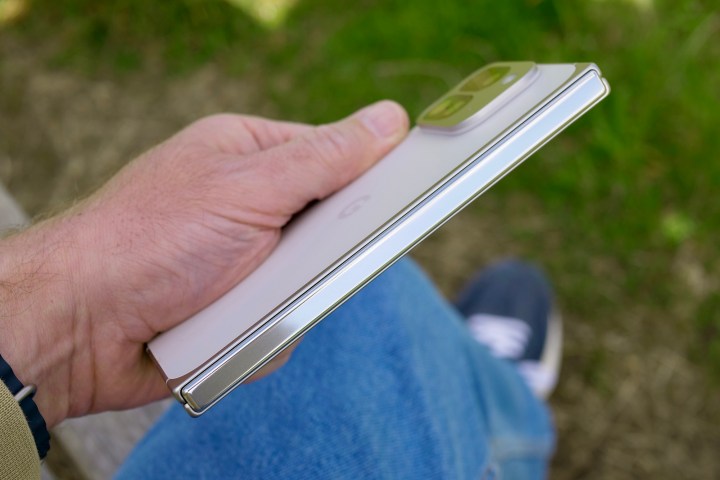
The Google Pixel 9 Pro Fold's hinge.
Andy Boxall / Digital Trends

If you find yourself affected by this issue, there are a couple of workarounds to consider. The first is to restart your Pixel device; this method has worked for some users, although the problem has resurfaced for others. Alternatively, you could turn off Quick Phrases altogether, however, this may lead to added inconvenience since it removes a useful feature.

While these solutions may provide temporary relief, there are no guarantees they will resolve the issue. The most effective course of action remains waiting for Google to implement an official fix. Given that users have been reporting this bug for several days, it’s likely that a corrective update is imminent.

ChatGPT ChatGPT Perplexity AI Perplexity Gemini AI Logo Gemini AI Grok AI Logo Grok AI
Google Banner
Tags: PixelQuick Phrasestroubleshooting
ADVERTISEMENT
Rukhsar Rehman

Rukhsar Rehman

A University of California alumna with a background in mass communication, she now resides in Singapore and covers tech with a global perspective.

Related Posts

How To Use Android Recovery Mode To Fix Your Phone Or Tablet
How To

How To Use Android Recovery Mode To Fix Your Phone Or Tablet

November 18, 2025
How to Fix Swapped WASD and Arrow Keys: A Complete Guide
How To

How to Fix Swapped WASD and Arrow Keys: A Complete Guide

November 16, 2025
How to Fix the Celeste Generator Using Completing and Solving in Arc Raiders
Gaming

How to Fix the Celeste Generator Using Completing and Solving in Arc Raiders

November 11, 2025
How to Repair Solar Panels in Arc Raiders: Completing and Solving
Gaming

How to Repair Solar Panels in Arc Raiders: Completing and Solving

November 8, 2025
Next Post
Crafting a Unique Campaign in Greyhawk D&D

Crafting a Unique Campaign in Greyhawk D&D

  • About Us
  • Contact Us
  • Advertise
  • Privacy Policy
  • Guest Post

© 2025 Digital Phablet

No Result
View All Result
  • Home
  • News
  • Technology
    • Education Tech
    • Home Tech
    • Office Tech
    • Fintech
    • Digital Marketing
  • Social Media
  • Gaming
  • Smartphones

© 2025 Digital Phablet