• About Us
  • Contact Us
  • Advertise
  • Privacy Policy
  • Guest Post
No Result
View All Result
Digital Phablet
  • Home
  • NewsLatest
  • Technology
    • Education Tech
    • Home Tech
    • Office Tech
    • Fintech
    • Digital Marketing
  • Social Media
  • Gaming
  • Smartphones
  • AI
  • Reviews
  • Interesting
  • How To
  • Home
  • NewsLatest
  • Technology
    • Education Tech
    • Home Tech
    • Office Tech
    • Fintech
    • Digital Marketing
  • Social Media
  • Gaming
  • Smartphones
  • AI
  • Reviews
  • Interesting
  • How To
No Result
View All Result
Digital Phablet
No Result
View All Result

Home » Google’s Gemini AI Now Controls Smart Home Devices

Google’s Gemini AI Now Controls Smart Home Devices

Rukhsar Rehman by Rukhsar Rehman
January 28, 2025
in News
Reading Time: 1 min read
A A
Google's Gemini AI Now Controls Smart Home Devices
ADVERTISEMENT

Select Language:

Nest

ADVERTISEMENT

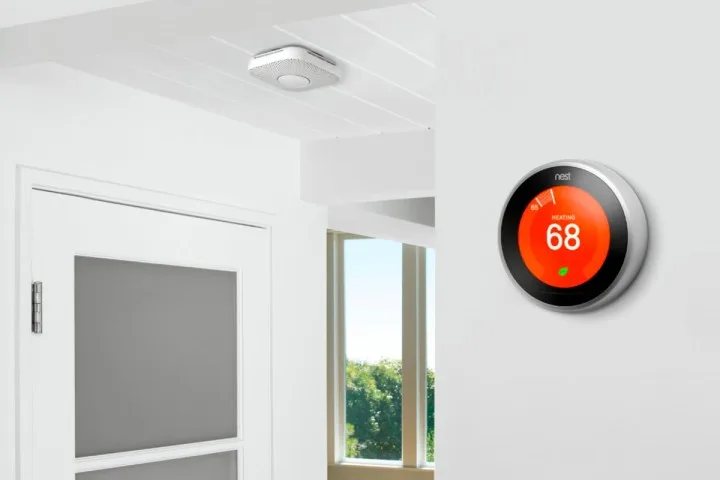
After a successful Public Preview phase, Google is now launching its Google Home extension for the Gemini app to all users. This new feature enables control over various smart home devices directly through Gemini, allowing you to perform actions like switching on smart lights, checking your thermostat settings, or adjusting speaker volume.

The Google Home extension will be available over the next few weeks. Once updated, any devices that are compatible and linked to your Google account will be operable via Gemini. If you attempt to use a command within the Gemini app that isn’t supported, your smartphone will automatically redirect you to the Google Home app to carry out that action (such as managing camera functions or accessing smart lock features).

Gemini is compatible with a diverse range of devices, including smart lights, power switches, thermostats, curtains, speakers, TVs, and even appliances like washing machines, coffee makers, and vacuum cleaners. Google emphasizes that Gemini is focused on tasks intended for convenience, with most safety and security-related commands being unavailable.

ADVERTISEMENT

For instance, while Gemini can’t unlock a door, it is capable of launching the Google Home app to assist you in completing that action.

To use these new features, simply connect your Google Home and Gemini apps. Supported devices linked to your Google Home account will respond to commands given through Gemini. Here are some examples of commands you can try:

  • "Set the dining room for a romantic date night."
  • "Adjust the AC for optimal sleeping conditions."
  • "Turn off the bedroom TV and lights."
  • "The sun is too bright in the living room," (to close the window coverings).
  • "Help me clean up the kitchen," (to start vacuuming).

Keep an eye on your apps over the next few weeks to access this added functionality.

ChatGPT ChatGPT Perplexity AI Perplexity Gemini AI Logo Gemini AI Grok AI Logo Grok AI
Google Banner
Tags: AIDevicesGeminiGoogleSmart Home
ADVERTISEMENT
Rukhsar Rehman

Rukhsar Rehman

A University of California alumna with a background in mass communication, she now resides in Singapore and covers tech with a global perspective.

Related Posts

Google Home Update Boosts Gemini and Fixes Papercuts.jpg
Home Tech

Google Home Update Boosts Gemini and Fixes Papercuts

March 18, 2026
screenshot 2026 03 15 0636381773538685 1.png
Technology

When Machines Start to Think

March 15, 2026
UAE Plans 8-Exaflop AI Supercomputer Deployment in India
News

UAE Plans 8-Exaflop AI Supercomputer Deployment in India

February 20, 2026
Spring Cleaning Automation Guide Effective Robot Vacuums.jpg
Home Tech

Spring Cleaning Automation Guide: Effective Robot Vacuums

February 18, 2026
Next Post
Securing an Audience with the King in PoE 2: A Guide

Securing an Audience with the King in PoE 2: A Guide

  • About Us
  • Contact Us
  • Advertise
  • Privacy Policy
  • Guest Post

© 2026 Digital Phablet

No Result
View All Result
  • Home
  • News
  • Technology
    • Education Tech
    • Home Tech
    • Office Tech
    • Fintech
    • Digital Marketing
  • Social Media
  • Gaming
  • Smartphones

© 2026 Digital Phablet