• About Us
  • Contact Us
  • Advertise
  • Privacy Policy
  • Guest Post
No Result
View All Result
Digital Phablet
  • Home
  • NewsLatest
  • Technology
    • Education Tech
    • Home Tech
    • Office Tech
    • Fintech
    • Digital Marketing
  • Social Media
  • Gaming
  • Smartphones
  • AI
  • Reviews
  • Interesting
  • How To
  • Home
  • NewsLatest
  • Technology
    • Education Tech
    • Home Tech
    • Office Tech
    • Fintech
    • Digital Marketing
  • Social Media
  • Gaming
  • Smartphones
  • AI
  • Reviews
  • Interesting
  • How To
No Result
View All Result
Digital Phablet
No Result
View All Result

Home » Troubleshooting AWS SSL Setup: Fixing Endless Configuration Hang

Troubleshooting AWS SSL Setup: Fixing Endless Configuration Hang

Emily Smith by Emily Smith
December 11, 2025
in How To
Reading Time: 1 min read
A A
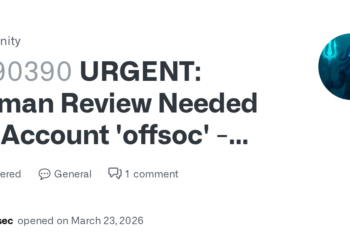
AWS Security: Handling Sophisticated Attacks & Collaborating with Authorities
ADVERTISEMENT

Select Language:

If you’re working with SSL on your website and notice that the configuration process seems to hang or take forever, don’t worry — there are some straightforward steps you can take to fix the issue.

ADVERTISEMENT

First, check your server logs to see if there are any error messages or clues about what might be causing the delay. Sometimes, the problem is due to a misconfiguration in your SSL certificate or server settings. Make sure your SSL certificate is valid, properly installed, and not expired.

Next, verify your server’s resources and performance. A server that’s running out of memory or CPU can slow down the SSL setup process. Restart your server to clear out temporary issues, and then try to configure SSL again.

It can also help to update your server software and SSL libraries to their latest versions. Outdated software can lead to compatibility issues that cause hangs during setup.

ADVERTISEMENT

If you’re using a control panel or hosting provider, look for any known issues or updates related to SSL configuration. Sometimes, a simple restart of the web service (like Apache or Nginx) or a reissue of your SSL certificate can make a big difference.

Lastly, if you’re following a guide or using automated tools, double-check each step for accuracy and ensure all required files are in place. Small errors can cause the process to stall indefinitely.

By carefully reviewing these areas and making the necessary updates, you can typically get your SSL configuration back on track without it hanging forever. Be patient, and don’t forget to back up your current settings before making significant changes.

ChatGPT ChatGPT Perplexity AI Perplexity Gemini AI Logo Gemini AI Grok AI Logo Grok AI
Google Banner
ADVERTISEMENT
Emily Smith

Emily Smith

Emily is a digital marketer in Austin, Texas. She enjoys gaming, playing guitar, and dreams of traveling to Japan with her golden retriever, Max.

Related Posts

Celsius or Fahrenheit World Choice
Infotainment

Celsius or Fahrenheit Choosing Your Temperature Scale

December 11, 2025
JD.com to Acquire 50% of Hong Kong Office Tower for $450M
Business

JD.com to Acquire 50% of Hong Kong Office Tower for $450M

December 11, 2025
Trump unveils $1M Gold Card for Fast-Track Visas
News

Trump unveils $1M Gold Card for Fast-Track Visas

December 11, 2025
How To Join The Nine Mortal Ways Sect in Where Winds Meet and Complete Its Secrets
Gaming

Joining the Well of Heaven Sect in Where Winds Meet: Completing and Solving

December 11, 2025
Next Post
Celsius or Fahrenheit World Choice

Celsius or Fahrenheit Choosing Your Temperature Scale

  • About Us
  • Contact Us
  • Advertise
  • Privacy Policy
  • Guest Post

© 2025 Digital Phablet

No Result
View All Result
  • Home
  • News
  • Technology
    • Education Tech
    • Home Tech
    • Office Tech
    • Fintech
    • Digital Marketing
  • Social Media
  • Gaming
  • Smartphones

© 2025 Digital Phablet