• About Us
  • Contact Us
  • Advertise
  • Privacy Policy
  • Guest Post
No Result
View All Result
Digital Phablet
  • Home
  • NewsLatest
  • Technology
    • Education Tech
    • Home Tech
    • Office Tech
    • Fintech
    • Digital Marketing
  • Social Media
  • Gaming
  • Smartphones
  • AI
  • Reviews
  • Interesting
  • How To
  • Home
  • NewsLatest
  • Technology
    • Education Tech
    • Home Tech
    • Office Tech
    • Fintech
    • Digital Marketing
  • Social Media
  • Gaming
  • Smartphones
  • AI
  • Reviews
  • Interesting
  • How To
No Result
View All Result
Digital Phablet
No Result
View All Result

Home » How to Perform Offset Attacks in Monster Hunter Wilds

How to Perform Offset Attacks in Monster Hunter Wilds

Rebecca Fraser by Rebecca Fraser
March 3, 2025
in How To
Reading Time: 2 mins read
A A
How to Perform Offset Attacks in Monster Hunter Wilds
ADVERTISEMENT

Select Language:

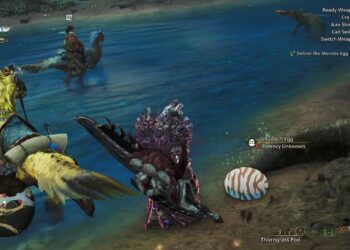
Players diving into Monster Hunter Wilds after experiencing previous titles in the franchise may feel they have mastered all there is to know. However, this installment introduces many changes, particularly in how you can team up with friends and the new wishlist function. You might have a preferred weapon before you start, but even those have been updated. One significant addition is the “offset attack” mechanic, which enhances combat in ways that aren’t immediately clear and only apply to select weapons. Mastering this new technique can significantly boost your effectiveness in battles, so let’s explore how to utilize offset attacks.

Utilizing Offset Attacks

Capcom

Offset attacks can only be performed with certain heavy weapons in Monster Hunter Wilds, which include:

  • Great Sword
  • Hammer
  • Hunting Horn
  • Switch Axe
  • Heavy Bowgun

If you’re using a different weapon, the offset input will not activate. The mechanics vary slightly depending on the weapon you choose.

Essentially, offset attacks function as a parry. When timed correctly while a monster is attacking, you can nullify their hit and respond with a powerful strike. This often results in staggering the monster or, in some cases, causing it to fall. However, be cautious—monsters will become increasingly resistant to offset attacks with repeated use, so relying solely on this strategy throughout a hunt is not advisable.

Here’s how to execute offset attacks with each weapon:

Great Sword: Hold Triangle + Circle and release at the right moment.

Hammer: During the final hit of your heavy attack combo, hold Triangle + Circle while executing an upswing, or after the last hit of your combo.

Hunting Horn: Press R2, then Triangle + Circle.

Switch Axe: Use Triangle + Circle to counter an incoming attack.

Heavy Bowgun: Hold L2 + Triangle to charge, then release while in ignition mode.

ChatGPT ChatGPT Perplexity AI Perplexity Gemini AI Logo Gemini AI Grok AI Logo Grok AI
Google Banner
Tags: Monster Hunter Wildsoffset attacks
ADVERTISEMENT
Rebecca Fraser

Rebecca Fraser

Rebecca covers all aspects of Mac and PC technology, including PC gaming and peripherals, at Digital Phablet. Over the previous ten years, she built multiple desktop PCs for gaming and content production, despite her educational background in prosthetics and model-making. Playing video and tabletop games, occasionally broadcasting to everyone's dismay, she enjoys dabbling in digital art and 3D printing.

Related Posts

How to Complete the Toe Bean Mittens in Monster Hunter Wilds
Gaming

How to Complete the Toe Bean Mittens in Monster Hunter Wilds

September 18, 2025
How To Complete The Festival of Accord and Solve Its Secrets
Gaming

How To Complete The Festival of Accord and Solve Its Secrets

July 24, 2025
“Expedition 33 and Monster Hunter Wilds Missing from Japan’s ‘Game of the Year’ Poll”
Gaming

“Expedition 33 and Monster Hunter Wilds Missing from Japan’s ‘Game of the Year’ Poll”

July 14, 2025
Monster Hunter Wilds Meets Street Fighter 6: Release Details & Gear!
Gaming

Monster Hunter Wilds Meets Street Fighter 6: Release Details & Gear!

May 26, 2025
Next Post
Windows geizt nicht mit Diensten, die automatisch im Hintergrund gestartet werden. Einige lassen sich entbehren, andere sind gar überflüssig. Dies müssen Sie bei optimaler Konfiguration der Dienste beachten.

How to Make Microsoft Windows Services Work For You

  • About Us
  • Contact Us
  • Advertise
  • Privacy Policy
  • Guest Post

© 2025 Digital Phablet

No Result
View All Result
  • Home
  • News
  • Technology
    • Education Tech
    • Home Tech
    • Office Tech
    • Fintech
    • Digital Marketing
  • Social Media
  • Gaming
  • Smartphones

© 2025 Digital Phablet