

• About Us
  • Contact Us
  • Advertise
  • Privacy Policy
  • Guest Post
No Result
View All Result
Digital Phablet
  • Home
  • NewsLatest
  • Technology
    • Education Tech
    • Home Tech
    • Office Tech
    • Fintech
    • Digital Marketing
  • Social Media
  • Gaming
  • Smartphones
  • AI
  • Reviews
  • Interesting
  • How To
  • Home
  • NewsLatest
  • Technology
    • Education Tech
    • Home Tech
    • Office Tech
    • Fintech
    • Digital Marketing
  • Social Media
  • Gaming
  • Smartphones
  • AI
  • Reviews
  • Interesting
  • How To
No Result
View All Result
Digital Phablet
No Result
View All Result

Home » How to Fix Auto Correct from Incorrect to Correct with Apple Intelligence

How to Fix Auto Correct from Incorrect to Correct with Apple Intelligence

Rebecca Fraser by Rebecca Fraser
August 28, 2025
in How To
Reading Time: 2 mins read
A A
How to Fix Auto Correct from Incorrect to Correct with Apple Intelligence
ADVERTISEMENT

Select Language:

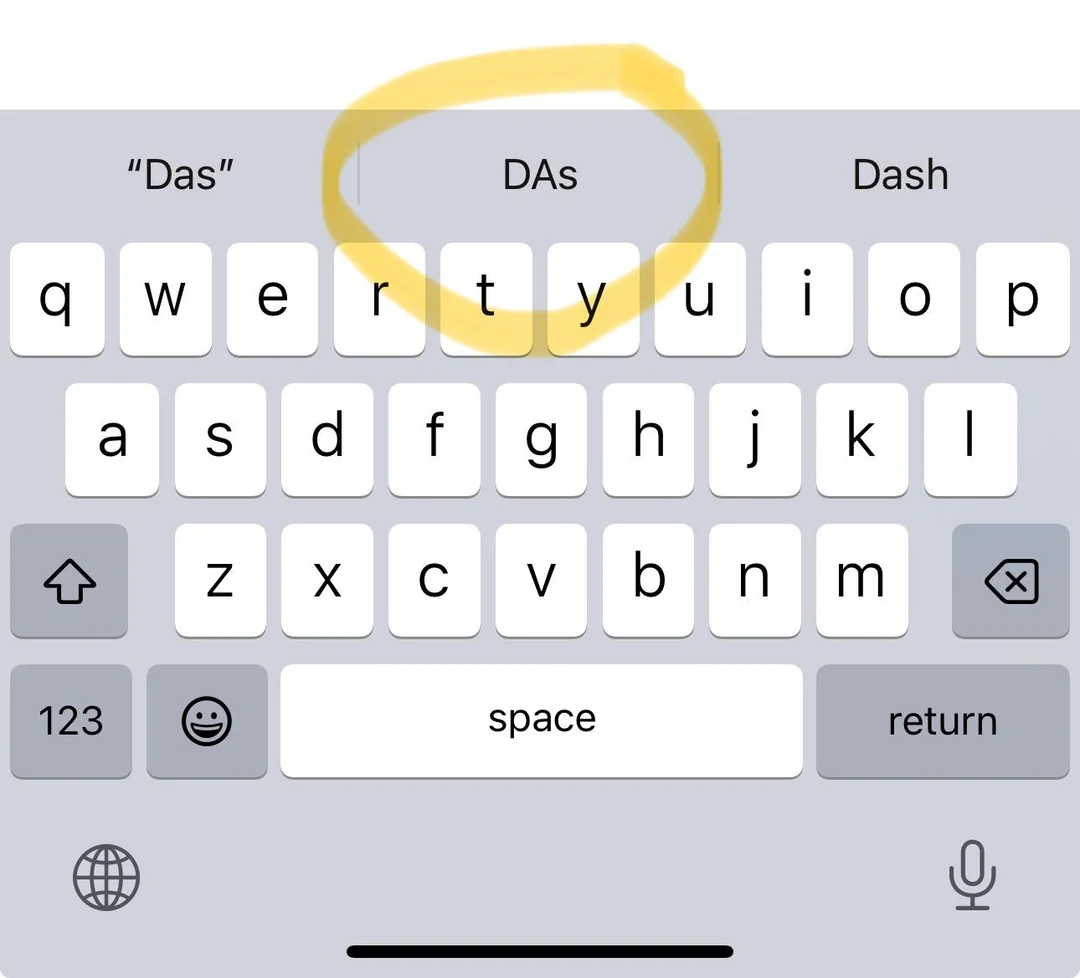
Are you frustrated because your text messages keep changing after you hit send? If your phone is automatically altering names and words that you know are correct, you’re not alone. Many people rely on Siri to help them with their messages, but sometimes it seems to do more harm than good.

ADVERTISEMENT

Here’s a simple guide to fix this problem and regain control over your texts:

  1. Adjust Your Keyboard Settings
    Go to your phone’s Settings and look for the Keyboard options. Turn off predictive text suggestions or auto-correction if they are causing mistakes. This can stop your device from automatically changing words after you send the message.
  2. Update Your Software
    Make sure your phone’s operating system is up-to-date. Sometimes, bugs that cause these types of problems get fixed in new updates. Check for updates in your Settings under Software Update.
  3. Disable or Reconfigure Siri
    If Siri is making incorrect changes, you might consider turning it off temporarily to see if it helps. To do this, go to Settings, then Siri & Search, and toggle off Listen for “Hey Siri” and Press Home/Side Button for Siri. You can also customize Siri’s settings to prevent it from interfering with your messages.
  4. Use a Different Messaging App
    If the default messaging app continues to give you trouble, try switching to a different app like WhatsApp or Signal for your important messages. These alternatives often have fewer automatic corrections that can lead to errors.
  5. Reset Keyboard Dictionary
    If weird auto-corrects or word changes persist, resetting your keyboard dictionary can help. Head to Settings > General > Reset > Reset Keyboard Dictionary. Keep in mind this will erase any custom words you’ve added.
  6. Switch Devices If Needed
    If you’ve tried all these steps and still face issues, and especially if you have multiple Apple devices, it might be time to consider another phone. Sometimes, hardware or software limitations on certain models can cause repetitive problems that are hard to fix.

These steps can help you take control of your text messages again. Remember, your device should make communication easier, not more frustrating. If problems persist despite trying these solutions, consulting with a tech professional might be the next best step.

ChatGPT ChatGPT Perplexity AI Perplexity Gemini AI Logo Gemini AI Grok AI Logo Grok AI
Google Banner
Tags: Apple Intelligence
ADVERTISEMENT
Rebecca Fraser

Rebecca Fraser

Rebecca covers all aspects of Mac and PC technology, including PC gaming and peripherals, at Digital Phablet. Over the previous ten years, she built multiple desktop PCs for gaming and content production, despite her educational background in prosthetics and model-making. Playing video and tabletop games, occasionally broadcasting to everyone's dismay, she enjoys dabbling in digital art and 3D printing.

Related Posts

8b9f08be 5de1 4afe a74f 7f043af554b4.jpeg
How To

How to Fix Apple Intelligence Priority Notifications Visual Bug

December 7, 2025
How To

Apple Intelligence: How to Improve Siri and ChatGPT Integration

December 6, 2025
How To

How To Fix Apple Intelligence Not Showing After iOS 26.1 Update

December 6, 2025
How To

How to Download ChatGPT Extensions Using Apple Intelligence

December 6, 2025
Next Post
Youmi Beauty Marries Gürhan Kızılöz: Details About His First Marriage

Youmi Beauty Marries Gürhan Kızılöz: Details About His First Marriage

  • About Us
  • Contact Us
  • Advertise
  • Privacy Policy
  • Guest Post

© 2025 Digital Phablet

No Result
View All Result
  • Home
  • News
  • Technology
    • Education Tech
    • Home Tech
    • Office Tech
    • Fintech
    • Digital Marketing
  • Social Media
  • Gaming
  • Smartphones

© 2025 Digital Phablet


