
Select Language:
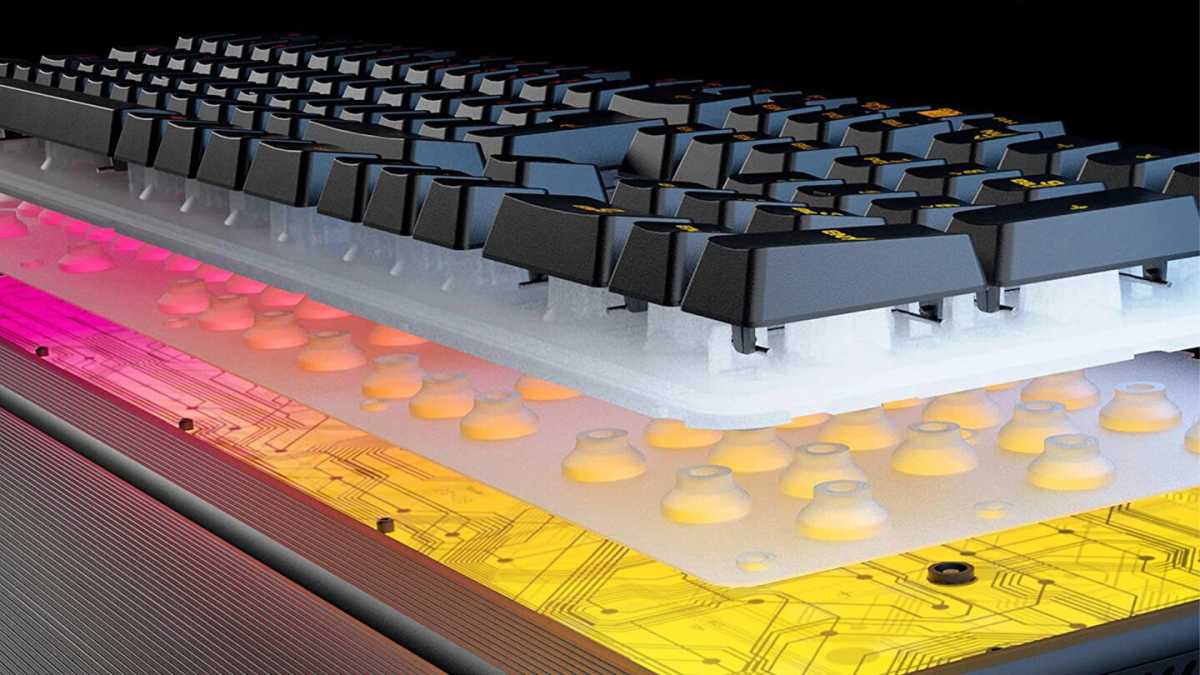
Membrane keyboards are prevalent among input devices, particularly in budget-friendly laptops and desktops. They function through pressure-sensitive layers, specifically rubber domes, to recognize keystrokes. This design often leads to a spongy typing sensation that lacks precision and can be quite unsatisfactory.
Many typists quickly detect inconsistencies in the feel of the keys, especially as the rubber membranes begin to degrade. Keys that are frequently used tend to become softer and less responsive. Additionally, the cheap plastic materials often used in these keyboards can wear down with heavy usage, compounding the typing experience’s discomfort.
Cherry
These shortcomings are particularly detrimental for gamers, where a single misstep can drastically affect game performance. As a result, many players have turned to mechanical keyboards as a more reliable alternative.
The limited longevity of membrane keyboards is not just an inconvenience; it also raises environmental concerns. Typically, they last for only five to ten million keystrokes, often resulting in less than a decade of use.
In contrast, mechanical keyboards can endure up to one hundred million keystrokes while maintaining consistent performance. Unlike their membrane counterparts, which contribute to electronic waste, mechanical keyboards often feature replaceable switches and durable build materials, offering a more sustainable option.
Mechanical keyboards excel because each key is equipped with an individual switch that delivers precise feedback. Users can also choose from various switch types, tailoring the typing experience to their liking—be it quiet, tactile, or with a distinct click sound.
Moreover, mechanical keyboards are built to last. Many models can remain functional for decades and can be repaired if necessary. Hot-swappable keyboards even allow users to replace malfunctioning switches without needing to discard the entire setup.
Previously, mechanical keyboards were seen as a luxury; however, increasing demand has led to affordable options starting around $44.99. Even these budget models usually outperform most membrane keyboards, catering to specific needs like quiet keystrokes or flat keys.
Roccat
Investing in a quality keyboard enhances typing comfort and supports ecological sustainability. Mechanical keyboards not only last longer and provide a superior typing experience but also significantly reduce electronic waste. For anyone who types frequently, plays games avidly, or appreciates high-quality equipment, transitioning to a mechanical keyboard is a worthwhile decision.
 ChatGPT
 Perplexity
 Gemini AI
 Grok AI