Select Language:
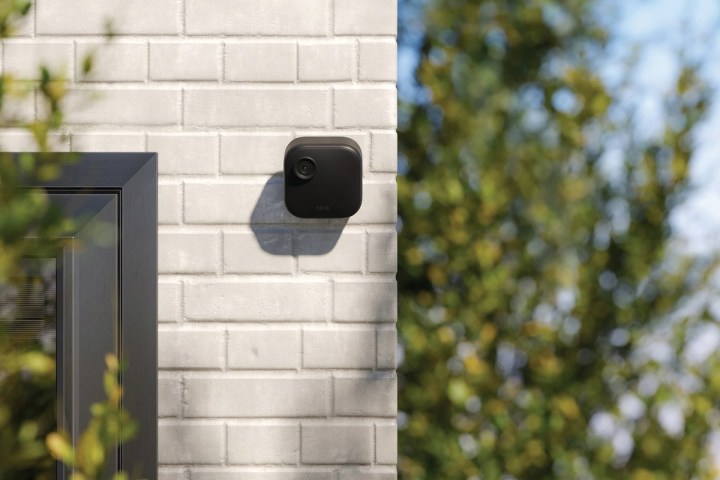
Blink is the newer, more budget-friendly cousin of Ring. Both brands are part of Amazon, and both perform well (although I’ve noticed Ring tends to load slightly faster). They also share a common requirement: to access their most advanced features, you’ll need a subscription.
Blink offers three subscription levels. Without any subscription, you’ll get motion alerts when something moves within the camera’s range and can view a live feed for up to five minutes. Although the official website doesn’t specify the number of devices this applies to, all your connected Blink cameras and devices will send motion notifications.
The next tier is the Basic plan, which costs $3 per month for each device. It includes cloud storage for up to 60 days, motion detection, person and vehicle detection, and an extended live view of up to 90 minutes. It also provides motion event recording, live view recordings, instant video access, photo capture, and auto-updating thumbnails.
The top-tier option is called Plus, costing $10 monthly for unlimited devices and offering the best value. It includes everything in the lower plans, plus custom snooze notifications, a 10% discount on future Blink products, extended warranty coverage, and the Blink Moments feature that stitches multiple events into a seamless video.
Considering all these features, you might wonder if a Blink subscription is truly worth it. Honestly, I dislike subscription services. When I buy a device, I want to unlock all its features without a recurring fee. However, given the affordability of Blink devices and the extensive features the subscription unlocks, it’s not worth the cost unless you opt for the subscription.
I personally subscribe to the Plus plan. With a video doorbell and multiple outdoor cameras, it’s more cost-effective than paying per device. And at $10 a month (around $8 with annual billing), it’s in line with what other brands offer, though Blink lacks some advanced features found in higher-end options like Ring.
Is $100 annually a fair deal?
I’ve paid very little for my Blink devices. Some were sent to me for review, but I’ve expanded my system through additional purchases. The key? I bought most during Prime Day or Black Friday sales when Blink’s prices often drop significantly. In fact, I can usually buy two or three Blink cameras for the price of one Ring device.
The subscription expense feels minimal considering how effective the system has been. It allows me to monitor my home while away and check in on my pets. The ability to view up to 90 minutes of footage at a stretch is particularly helpful, especially when multiple events are linked. For instance, I once silenced my phone, then later found I had over 30 motion alerts—either neighbors hosting a party or, in a humorous thought, a gang of garden gnomes on the move. Luckily, it was just kids playing nearby, and the alerts kept me informed.
Another benefit of the Plus plan is the temporary notification snooze feature. When my lawn service shows up, I turn off notifications to prevent constant alerts from the mower moving across the yard, saving my phone from vibrating off the desk.
The downside: no professional security monitoring
Blink is a DIY system. You can monitor your property remotely, but no one will intervene or contact authorities when something’s wrong. Ring offers an emergency response service for an additional $10 a month on top of their middle-tier plan, which means paying at least $20 (probably more) monthly for professional security.

This is the trade-off. Although $10 a month grants access to numerous features, it doesn’t include the most vital one: professional monitoring. I highly recommend professional security if it’s available, but if not, paying the subscription fee to make remote monitoring easier is a reasonable choice.
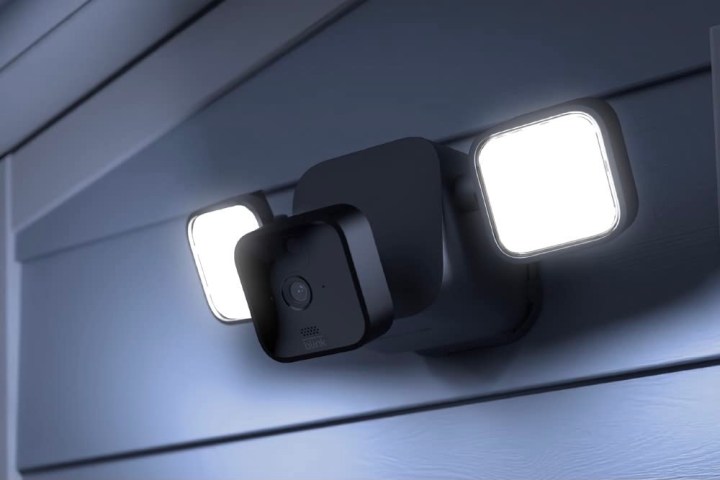
Pairing the subscription with optional accessories like the solar panel or floodlight adds to your home security capabilities at a fraction of the cost of other systems.
 ChatGPT
 Perplexity
 Gemini AI
 Grok AI