

Select Language:
The Hatch Restore 3 stands out as one of the top smart alarm clocks, combining an array of helpful features with an aesthetically pleasing design that fits perfectly on any bedside table. In addition to guiding you through meditation sessions, playing calming music for relaxation, and illuminating its face with various colors to replicate a sunrise, its primary function is that of a conventional alarm clock.
Fortunately, managing the alarm function is straightforward, despite the myriad of additional features it offers. The Hatch Restore 3 provides several methods to control its alarm settings, allowing you to easily turn alarms on or off whether you’re at home or away. If you’re unsure how it works, this guide will help you navigate the process of turning off alarms on the Hatch Restore 3.
Turn Off Alarms Using the Alarm Switch
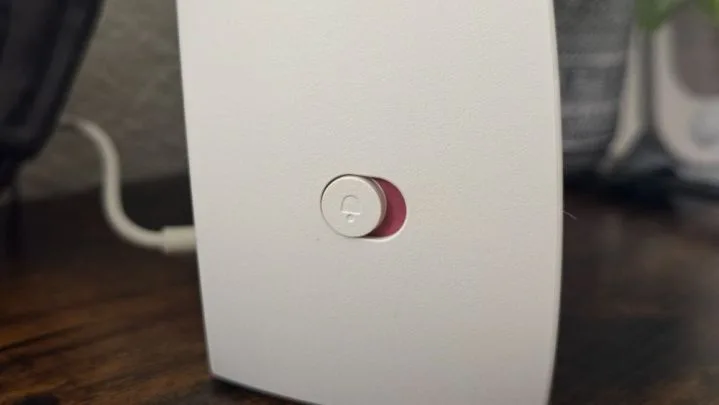
If you’re about to leave for a vacation and want to completely disable your alarms, the Restore 3 makes it a breeze. Simply locate the Alarm switch on the back of the device. Slide it backward, and your alarms will be deactivated. You can confirm it’s in the correct position by checking for a small red indicator.
To turn your alarms back on, just slide the switch forward. The red indicator will vanish, signaling that the alarms are active again. This method is the quickest and easiest way to manage the alarm settings on your Hatch Restore 3.
In case you realize you’ve forgotten to turn off your alarms after stepping out for a while, there’s also an alternative option provided by Hatch.
Turn Off Alarms Using the Hatch Sleep App
You can conveniently disable your Hatch Restore 3 alarms remotely through the Hatch Sleep mobile application. This is the same app utilized to set your alarms and manage your various routines. To deactivate alarms from the Hatch Sleep app, simply follow these steps:
Step 1: Launch the Hatch Sleep app.
Step 2: Navigate to the Wake Up section.
Step 3: Locate the alarm you wish to turn off.
Step 4: Toggle it to the Off position. An indicator will then show that you have No Active Alarms.
Step 5: To turn your alarms back on, tap the Show Disabled Alarms message, find your alarm, and move the toggle back to the On position.
Step 6: You’re all set! Just make sure to keep the app open until the “Saving” notification disappears — closing it prematurely may cause your changes not to save.
Snoozing and Stopping the Hatch Restore 3 Alarm
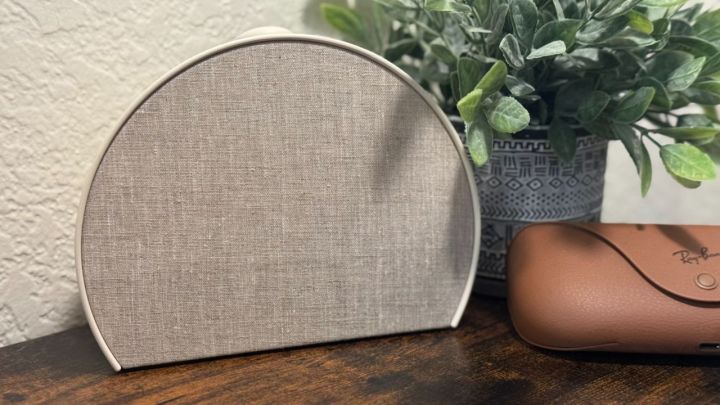
In addition to turning alarms on and off, the Hatch Restore 3 features a large button on its top that acts as a snooze control. When your alarm goes off in the morning, simply tap this button for a snooze, or press and hold it to turn the alarm off completely. You can also touch the front face of the Restore 3 to quickly check the current time, giving you the chance to decide whether to hit snooze or start your day early.
 ChatGPT
 Perplexity
 Gemini AI
 Grok AI


