• About Us
  • Contact Us
  • Advertise
  • Privacy Policy
  • Guest Post
No Result
View All Result
Digital Phablet
  • Home
  • NewsLatest
  • Technology
    • Education Tech
    • Home Tech
    • Office Tech
    • Fintech
    • Digital Marketing
  • Social Media
  • Gaming
  • Smartphones
  • AI
  • Reviews
  • Interesting
  • How To
  • Home
  • NewsLatest
  • Technology
    • Education Tech
    • Home Tech
    • Office Tech
    • Fintech
    • Digital Marketing
  • Social Media
  • Gaming
  • Smartphones
  • AI
  • Reviews
  • Interesting
  • How To
No Result
View All Result
Digital Phablet
No Result
View All Result

Home » Ultimate Guide to Roblox Jujutsu Infinite Console Commands

Ultimate Guide to Roblox Jujutsu Infinite Console Commands

Emily Smith by Emily Smith
January 6, 2025
in Gaming
Reading Time: 4 mins read
A A
Ultimate Guide to Roblox Jujutsu Infinite Console Commands
ADVERTISEMENT

Select Language:

If you’re looking to enhance your skills in Roblox: Jujutsu Infinite, understanding some essential console commands can give you an edge. While these commands won’t set you apart from other players completely, they can make certain game actions quicker and easier, which is especially valuable in a competitive setting.

ADVERTISEMENT

Many players remain unaware of these handy commands and how to utilize them. To assist you, we’ve compiled a list of key commands below, along with clear instructions on how to implement them within the game.

All Console Commands


In total, there are six console commands available in Jujutsu Infinite to enrich your gameplay. Below is a list of these commands along with what each one does:

Command

Purpose

/buff

Automatically activates all buffs from your available consumables.

/trade [Username]

Initiates a trading request with the specified player.

/duel [Username]

Launches a 1-vs-1 match against the chosen player.

/tutorial

Starts the first part of the tutorial, enabling you to complete it again.

/tutorialp2

Begins the second part of the tutorial, allowing repetition.

/sandbox

Teleports your character to the Sandbox World.

How to Use Console Commands


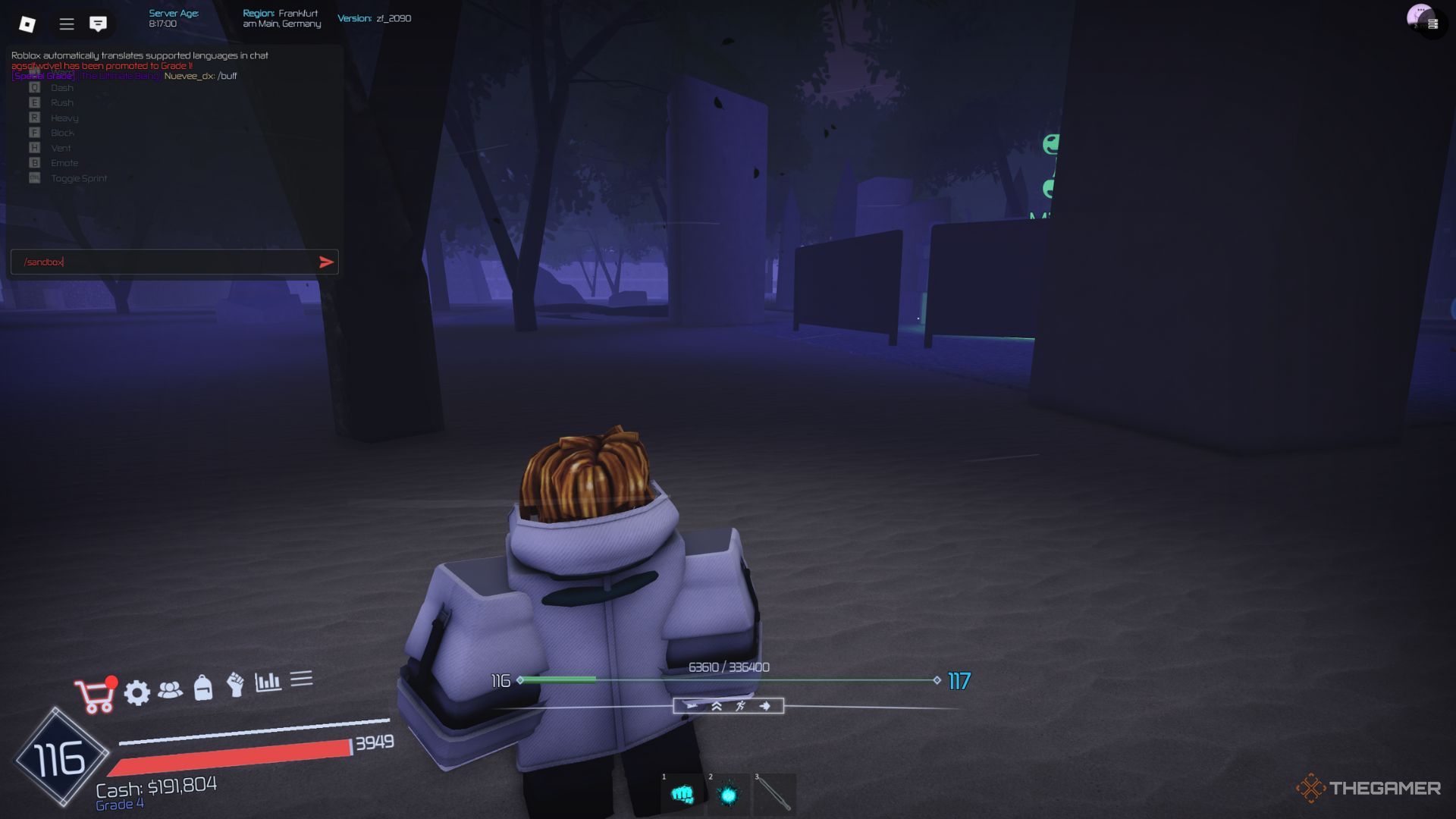
The player character using a console command in the forest near the main lobby in Jujutsu Infinite.

Using console commands is easy, whether you’re on mobile or PC. It’s no more complicated than chatting with fellow players. If you’re unsure about the process, follow these simple steps:

  • Open the game’s chat by clicking the button in the upper left corner of your screen.
  • Copy one of the commands listed above and paste it into the chat input box.
  • Finally, press Enter to send your command.

For commands that require “[Username],” remember to replace it with the actual player’s name, for example, /duel JohnWader.

You can use these commands anytime without any limits or restrictions.

ChatGPT ChatGPT Perplexity AI Perplexity Gemini AI Logo Gemini AI Grok AI Logo Grok AI
Google Banner
Tags: Console CommandsJujutsu InfiniteLive-Service GamesRoblox
ADVERTISEMENT
Emily Smith

Emily Smith

Emily is a digital marketer in Austin, Texas. She enjoys gaming, playing guitar, and dreams of traveling to Japan with her golden retriever, Max.

Related Posts

Complete All Jujutsu Kaisen Incremental Codes & How to Redeem in Roblox
Gaming

Complete All Jujutsu Kaisen Incremental Codes & How to Redeem in Roblox

March 30, 2026
Brookhaven Codes for January 2026 | Exclusive Updates on GamesRadar+
Gaming

Brookhaven Codes for January 2026 | Exclusive Updates on GamesRadar+

January 8, 2026
January 2026 Sol's RNG Codes for Potions & Coins
Gaming

January 2026 Sol’s RNG Codes for Potions & Coins

January 7, 2026
Anime Defenders Cheat Codes & Rewards List (October 2025)
Gaming

Anime Defenders Cheat Codes & Rewards List (October 2025)

October 20, 2025
Next Post
Lymow Unveils Robotic Lawn Mower With Mulching Blades At CES

Lymow Unveils Robotic Lawn Mower With Mulching Blades At CES

  • About Us
  • Contact Us
  • Advertise
  • Privacy Policy
  • Guest Post

© 2026 Digital Phablet

No Result
View All Result
  • Home
  • News
  • Technology
    • Education Tech
    • Home Tech
    • Office Tech
    • Fintech
    • Digital Marketing
  • Social Media
  • Gaming
  • Smartphones

© 2026 Digital Phablet