Select Language:
Camera compatibility stands out as one of the key features of the Nintendo Switch 2, but not all lenses are created equal. With a camera, you can video chat with friends using GameChat or even enjoy some extra mini-games in the new Switch 2 Edition of Super Mario Jamboree. If you want to get the most out of the latest console, finding a good Nintendo Switch 2 camera is a simple process.
There are many options available. From Nintendo’s own black-designed official camera to HORI’s Piranha Plant-inspired model based on the iconic Mario villain, these accessories come in a variety of shapes and designs. If you prefer, the Switch 2 also works with most USB-C cameras, so if you don’t want to spend extra, you can use your regular computer webcam instead.
To help you pick the right camera for your new device, I’ve tested several USB-C compatible options and narrowed the list down to the best choices so you can start video chatting quickly. As the console is still relatively new, I’ll keep testing and updating this list with more options.
Quickly at a glance
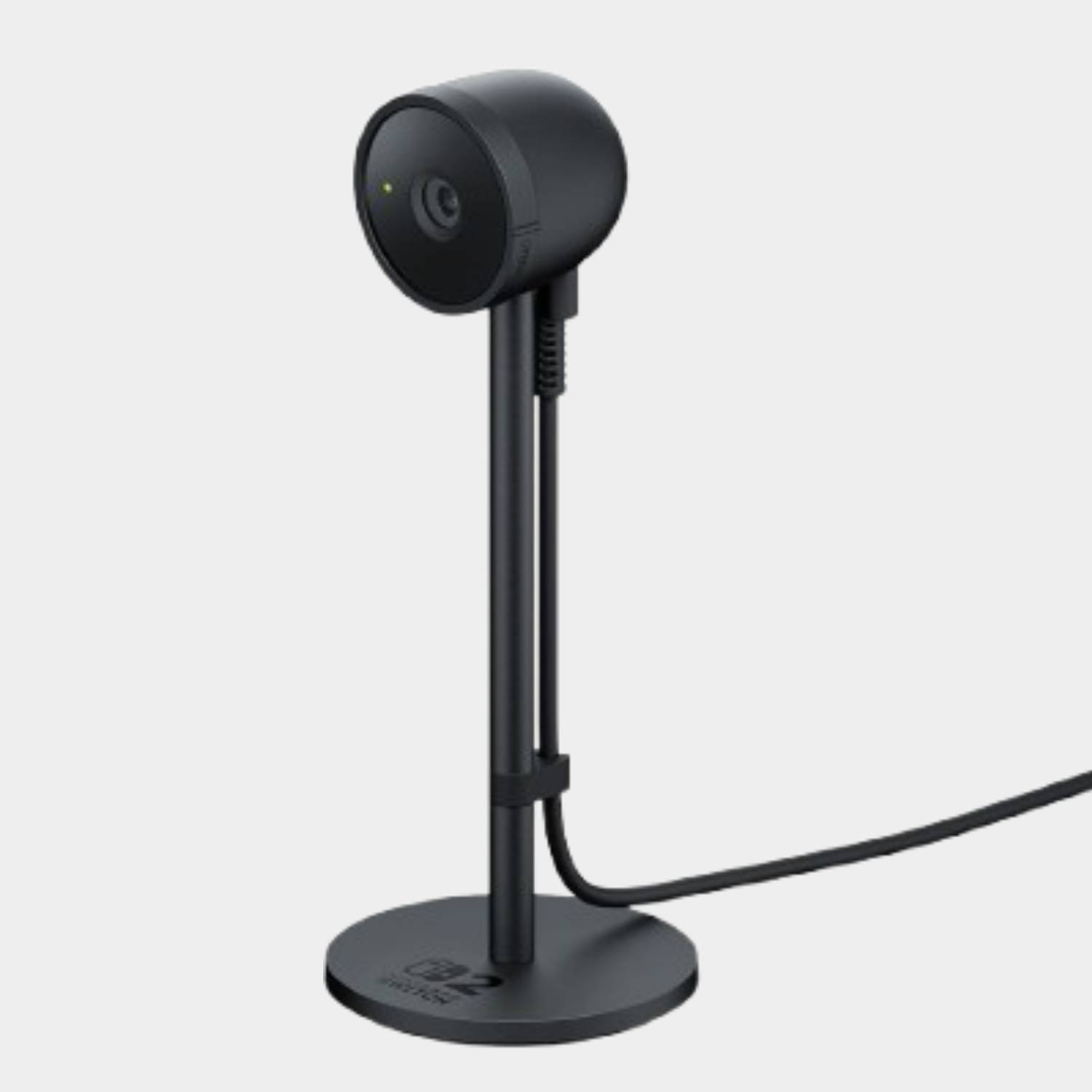
1. Official Nintendo Switch 2 Camera
This is Nintendo’s only first-party camera so far. It offers 1080p video quality, a built-in stand, and supports handheld mode. If you want the best quality and stick with Nintendo-branded gear, this is your go-to.
2. HORI USB Camera for Nintendo Switch 2
A budget-friendly choice that’s smaller and simple, with a 480p resolution. It connects via USB-C and can be used while your Switch is in handheld mode, or mounted on your TV.
3. HORI Piranha Plant Camera
This stylish, Mario-themed camera doubles as a fun collector’s item. It features a 480p resolution, and you can place it in the Piranha Plant’s mouth, which opens and closes as a privacy shutter. It can sit on a desk or be used handheld.
The top official pick
Nintendo Switch 2 Camera
This official device provides clear 1080p video, making your streams and chats look sharp. It connects via USB-C and works in handheld mode. If picture quality is your priority, this is the best choice.
Specifications:
- Resolution: 1080p
- Connection: USB-C
- Compatible with handheld mode: Yes
Budget options
HORI USB Camera
An affordable alternative, this 480p camera is great for those who are on a budget. It connects through USB-C and is suitable for handheld play, mounted on a TV, or sitting in the dock. It has a privacy shutter and adjustable angle.
Specifications:
- Resolution: 480p
- Connection: USB-C
- Compatible with handheld mode: Yes
HORI Piranha Plant Camera
This fun, Mario-themed design is more about style than top-tier quality. It also offers 480p resolution but makes up for it with eye-catching looks and a privacy shutter that closes like a Piranha Plant’s mouth. Can sit in a dock or be used handheld.
Specifications:
- Resolution: 480p
- Connection: USB-C
- Compatible with handheld mode: Yes
Picking the right camera
Choosing the best Switch 2 camera depends on your needs and budget. If video quality is most important, go with the official Nintendo option. It offers 1080p resolution, which is a big plus for clear video calls and streaming. However, if you’re more into fun designs or want to save money, HORI’s options are solid choices, especially in the UK with their lower prices. Also, consider using your existing webcams, as some may work just fine with your Switch 2, saving even more money.
Frequently asked questions
Which USB-C cameras work with the Switch 2?
Nintendo mentioned that you might be able to use many USB-C webcams you already own. However, since they vary in specs, resolution, and compatibility, it’s best to test your camera by using the system’s built-in test feature. I’m working on testing several popular webcams to see which ones are compatible.
What games support the new Switch 2 camera?
So far, only Super Mario Party Jamboree – Nintendo Switch 2 Edition + Jamboree TV and Mario Kart World are designed to use the camera features. Still, you can use the camera with compatible apps for chatting and gaming with friends via GameChat.
Adding the right camera can enhance your gaming experience, whether you’re chatting with friends or trying out new mini-games. Whether you choose the official high-res option, a budget webcam, or a themed design, there are plenty of choices to suit your style and needs.
 ChatGPT
 Perplexity
 Gemini AI
 Grok AI