Select Language:
Bike settings in Ride 6 are highly personal, much like building your own bike. To perform well, you should tailor each setting based on the race type, the terrain, and your individual preferences. Before starting any race, it’s smart to test and tweak a few key options.
In the game, you can adjust nearly every aspect of your bike—from suspension to transmission to electronics and beyond. With some experience and possible in-game assists, you can save customized setups that fit your unique racing style.
How to Access Bike Settings
To get to your bike settings, you need to be in quick play mode and using the Pro game experience. If you’re in Arcade mode, you won’t have access to the full range of adjustments, since bike settings are locked in Arcade.
In Pro mode, you can change:
- Automatic brakes
- Automatic steering
- Transmission
- Automatic throttle
You can also tweak options like game speed reduction, rewind, and off-track assistance, which help you get back into the race if needed.
Note: In Pro mode, you can’t adjust AI difficulty or some other settings, making the races more realistic and challenging.
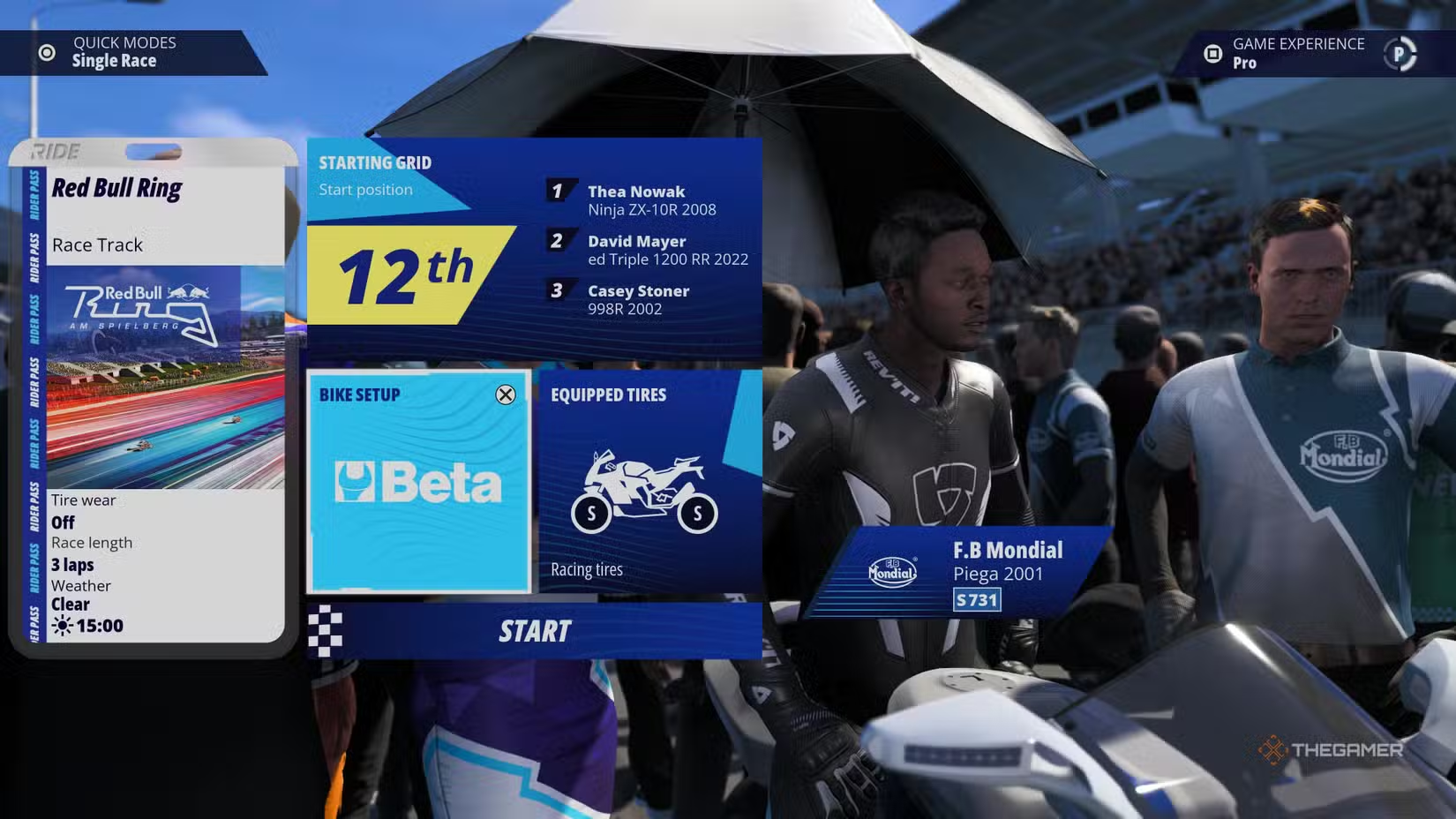
When you select a race and are about to start, you’ll see a “Bike Setup” menu. Click on it to access your bike customization options. This option is only available in quick modes and applies to your current bike, whether stock or purchased.
Best Bike Settings
Once in the setup menu, you’ll need to start customizing. You can save your configurations to reuse later, but remember, some adjustments require you to purchase additional parts—without them, certain settings remain unavailable.
Keep in mind: Your options for modifications are limited by the parts installed on your bike. Upgrading to higher-grade components unlocks more customization choices.
Suspension
Your suspension setup is fully customizable. A good starting point is to keep everything in the middle—set the suspension to 4. For the rear suspension, adjust preload, spring stiffness, compression damping, and rebound damping to 5. Fine-tune these as needed during play.
Transmission
To optimize gear switching, aim for gear speed targets such as:
- 157 km/h
- 200 km/h
- 240 km/h
- 259 km/h
- 288 km/h
- 311 km/h
Set the final gear ratio to 6, and set the slipper clutch to 2 for a balanced acceleration.
Vehicle Geometry
Adjusting the bike’s geometry can improve handling. Starting with both swingarm length and chain tension set to 4 (middle), you can gradually fine-tune these based on your feel and performance.
Electronics
Since Ride 6 doesn’t give your bike much lift, you can increase power and lower aggression settings:
- Traction Control (TCS): 2
- Anti-Wheelie (AW): 2
- Electronic Brake (EB): 2
- Power (PWR): 2
- Anti-lock Brakes (ABS): 2
Note that ABS and EB will lock if you’re using automatic brakes during a race. Adjust these manually when conditions like rain or tough terrain call for more control.
Tires
Stick with soft tires most of the time because they provide better grip, especially when turning. Hard tires make handling trickier and require more attention, so use what best fits your style.
Additional Notes
- You’ll need to unlock better components to access more detailed adjustments.
- Adjustments for certain parts depend on the parts installed; higher-quality parts unlock more tuning options.
By starting with balanced settings and fine-tuning based on your racing experience, you’ll find the setup that works best for you.
 ChatGPT
 Perplexity
 Gemini AI
 Grok AI