Select Language:
Hozy offers a relaxing experience as you clean, paint, and design the rooms for each resident. Every decision is yours—from selecting wall colors to choosing which furniture to keep or toss out.
This game lets you unwind with satisfying actions like swiping and clicking, transforming each space into a perfect home for the residents. Here’s a guide on how to design each room flawlessly in Hozy.
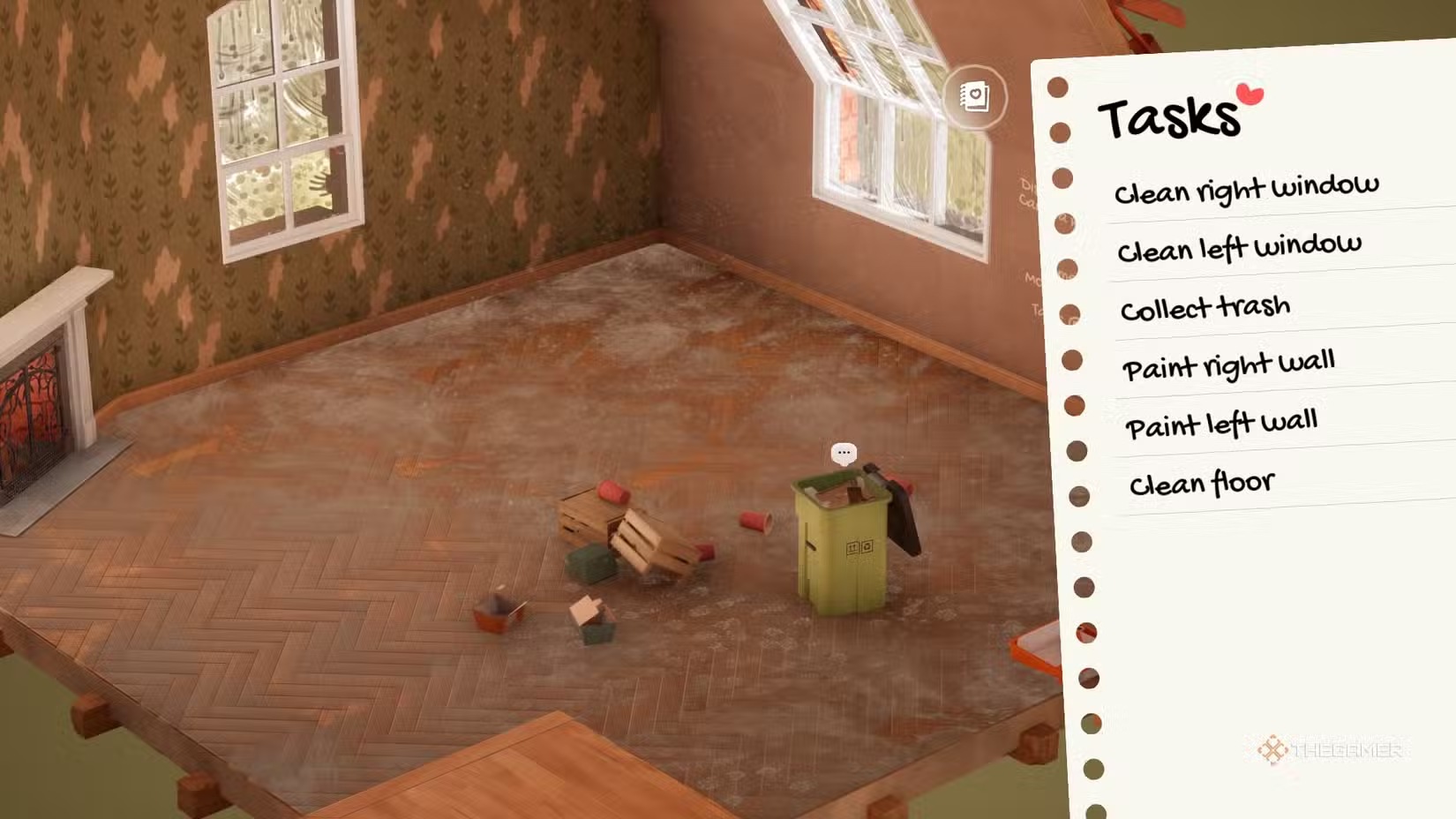
Check Your Checklist
Each level has specific tasks to complete before moving on to the next room. Review the list beforehand to know what needs to be done, such as cleaning, painting, or arranging furniture. After completing each task, it will appear in the top corner as finished. Ensure everything is cleaned and handled properly with tools like the window cleaner, mop, or rake if some tasks aren’t marked complete.
Use Headphones
For the best relaxation, wear headphones. The game features realistic sounds that enhance the calming experience, from sweeping leaves outside to traffic noise and barking dogs while you work on rugs and shelves. Try to notice the variety of sounds as you go about your tasks.
Change It Up
If the colors or decorations don’t feel right later, you can easily change them without starting from scratch. The paintbrush or roller can be used over existing paint or pictures without spilling, making adjustments simple. You can also move rugs or decor items freely without repositioning other furniture. Items placed on shelves or tables will move with the furniture when lifted, but to move them separately, pick them up directly.
Box Organization
As you unpack, check each box to see its label and contents—things like lights, large furniture, tech, flowers, or wall decorations. Start with the large items and lighting for better organization. Place larger furniture first, then open smaller boxes to add the finer details. Items from the “Other” box are usually small trinkets and valuables meant for shelves—so arrange shelves first before placing these items.
Clutter Or No Clutter?
When a room feels crowded, remember you can discard items by dropping them outside the room boundary into a trash box. You don’t have to keep everything—remove extra rugs or cluttered items if the space feels too boxed in.
Photo Finish
Once your room matches your vision, take a screenshot using the game’s photo mode. You can apply filters like black and white sketch, blueprint, soft color, or retro effects to create beautiful scenes. Experiment with these filters to capture your best design shot.
Move It About
All tools and items can be repositioned around the room for convenience. This is especially useful when painting, as you’ll need to re-load your roller with paint frequently. In darker rooms, move the adjustable lights to see all areas clearly during decorating or cleaning.
Take Your Time
There’s no rush—this isn’t a speed game. Enjoy each moment, from the ASMR sounds to the smooth animation of tidying up. Some objects may have tiny stories with speech bubbles or interactive features like lights or music. Take your time exploring each scene and reading the lore attached to items.
 ChatGPT
 Perplexity
 Gemini AI
 Grok AI