Select Language:
Developed by WarmCore Studio, RIP – Reincarnation Insurance Program is a top-down roguelite game that combines features from titles like Diablo and Vampire Survivors. In this game, you must fight through waves of enemies, shooting your way out. As you play, you’ll gain temporary upgrades that grant you unique powers and permanent gear that makes your character stronger.
The game doesn’t clearly explain all its mechanics at the start. As you progress, you’ll discover there are many features and systems in this arcade shooter-looter. Use this guide to get some beginner tips for your first hours in RIP – Reincarnation Insurance Program.
Don’t Use Auto-Fire
When you begin your first run, you’ll see an option to turn on Auto-Fire. This feature automatically shoots your gun, so you only need to focus on moving and dodging enemies. It can be helpful if you’re new to this type of game and want a simpler experience early on.
However, I recommend skipping auto-fire. Shooting manually with your left mouse button makes your attacks deal more damage. It might be harder at first, but as you play more, you’ll notice that every percentage of damage counts. Plus, being able to aim manually will naturally improve your skills over time.
How To Perform a Perfect Dodge
RIP doesn’t explain this, but you can do a Perfect Dodge if you time your roll correctly. To do it, roll just before an enemy or projectile hits you. When timed right, you’ll see time slow down briefly, and your character leaves a yellow afterimage as a visual cue.
A Perfect Dodge isn’t just for show. You start with two roll charges, and each time you use one, it takes time to recharge. Performing a Perfect Dodge doesn’t consume a charge, so you gain the invulnerability frames of a regular roll plus an extra one. You can do this repeatedly if your reflexes are quick enough.
You Need To Pick Up Experience Points
As you level up, you’ll unlock upgrades called Divine Tech, which boost your abilities or stats. To level up, you need experience points, which come from small gems dropped by enemies. Killing enemies alone won’t give you experience; you must pick up these gems.
It may seem easy at first, but soon you’ll face many enemies on the screen, and retreating isn’t always possible. To avoid being overwhelmed, constantly change direction and run in circles. This helps groups of enemies follow you, leaving the gems momentarily unclaimed. Be careful not to stay in one place too long, as it increases the risk of getting surrounded and missing opportunities to trigger hidden Events on the map.
Pick Up Lightning Transforms If They Appear
When you level up, you can choose from a few upgrades, called Tech Divines. One special upgrade is Lightning Transforms, which is a Legendary Tech Divine. It turns one of your rolls into an electrifying dash that travels a long distance and damages nearby enemies. The key benefit isn’t just the damage but the increased distance, making it a great escape tool from crowded enemies or large boss attacks.
When To Use Tech Alternations
Every time you level up, you’ll see three options on the right side: Ban, Reroll, and Alter. The first two are straightforward, but Alter might be confusing. Each Tech Divine belongs to a faction, visible at the top of the screen. Each faction has a set group of Tech Divines, like Frost with Frozen Rounds or Frost Charge.
Use the Alter option when you want to improve a Tech Divine you already have or are hunting for a specific one within its group. Keep in mind that how many Bans, Rerolls, and Alters you get depends on your equipment, so upgrades can be limited early on.
Watch Out for the Emergency Station Event
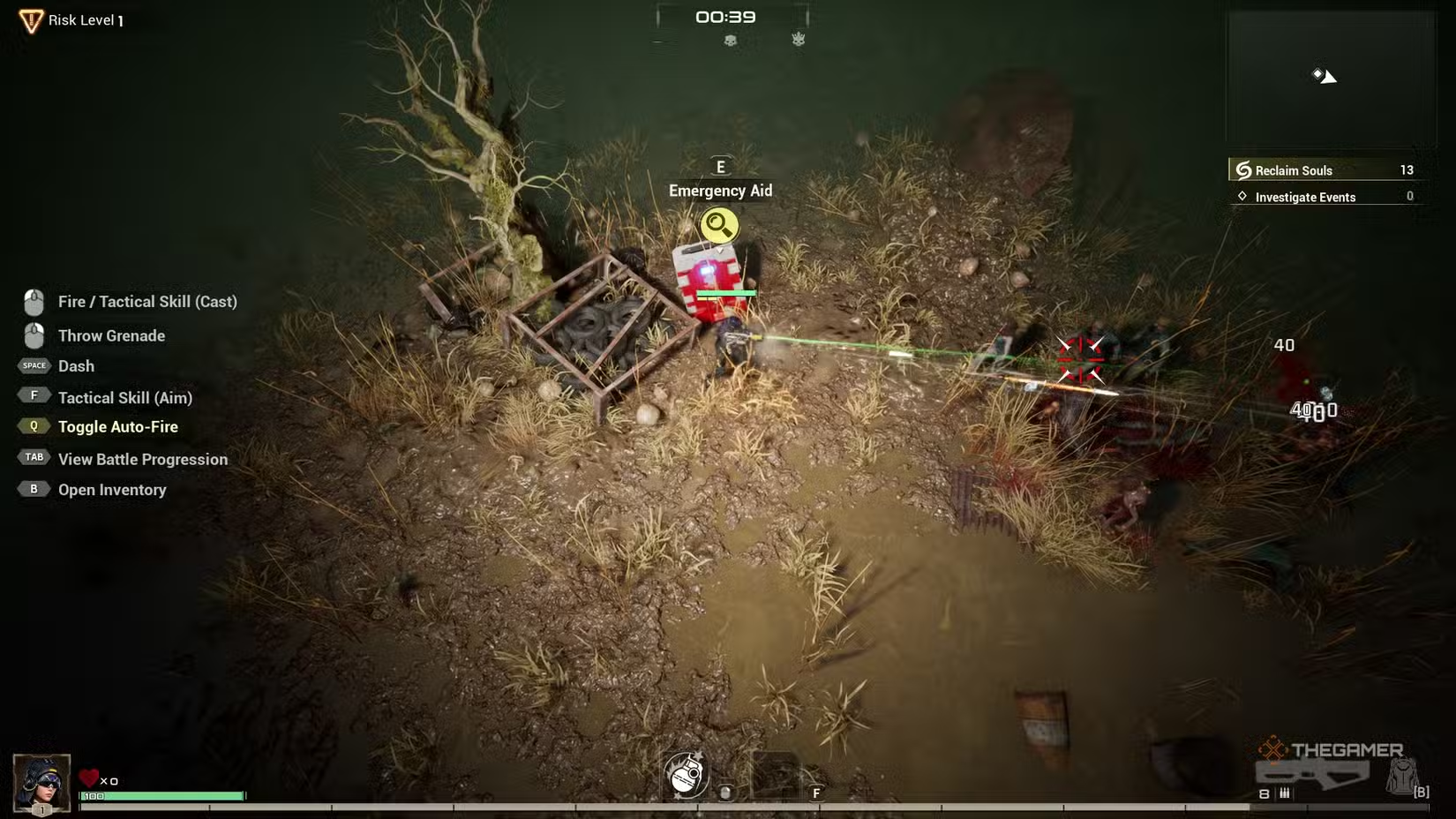
Events are interactive objects found throughout the game areas. They give small stat boosts or perks when you interact with them. It’s usually smart to engage with an Event as soon as you find it, except for the Emergency Station.
The game doesn’t explicitly explain this, but Emergency Stations always restore +50 HP. If your health is full, interacting with one wastes a valuable resource. So, learn what they look like and avoid accidentally using them when your health is at maximum.
Which Character to Pick Up
Initially, only Philomel is available. She carries an assault rifle with medium range and is a balanced character. As you progress through levels and unlock higher risk settings, more characters become available.
Other characters include Claire, who uses a shotgun and excels at close range with heavy armor; Mors, who also has heavy armor but wields a rocket launcher with explosive power; Katerina, a speedy sniper who attacks from long distance; and Luna, who is unique with her bow.
I strongly suggest playing with Philomel for several hours. She offers a balanced experience that helps you learn the game mechanics without overwhelming complexity.
Check the Store Often
Between runs, you can visit the store on the left side of the hub area. Here, you’ll find various gear and weapons for your characters. Keep in mind that the available items are limited and change after each run—whether you win or lose.
It’s advisable to hold off on buying items early on until you’ve accumulated enough Credits. Later, purchasing Legendary gear with useful perks can be a smart move. Focus on acquiring items with Revival Count as soon as possible, as these allow you to revive once or twice during your runs.
The store also has a weapon storage feature, located on the left side. It allows you to save items from your inventory that might be useful for other characters. The storage space is limited but can be very helpful for managing your gear between characters.
 ChatGPT
 Perplexity
 Gemini AI
 Grok AI