Select Language:
Marathon is an extraction shooter game created by Bungie, and it’s one of the most talked-about shooter games this year. After completing the tutorial, you can join various raids across different maps, where your main goal is to gather as many items as you can and successfully escape.
However, if you get killed during a run, you will lose everything in your inventory permanently. That makes the game quite tough, but if you keep certain tips in mind and play carefully, your chances of making it out with your loot improve a lot.
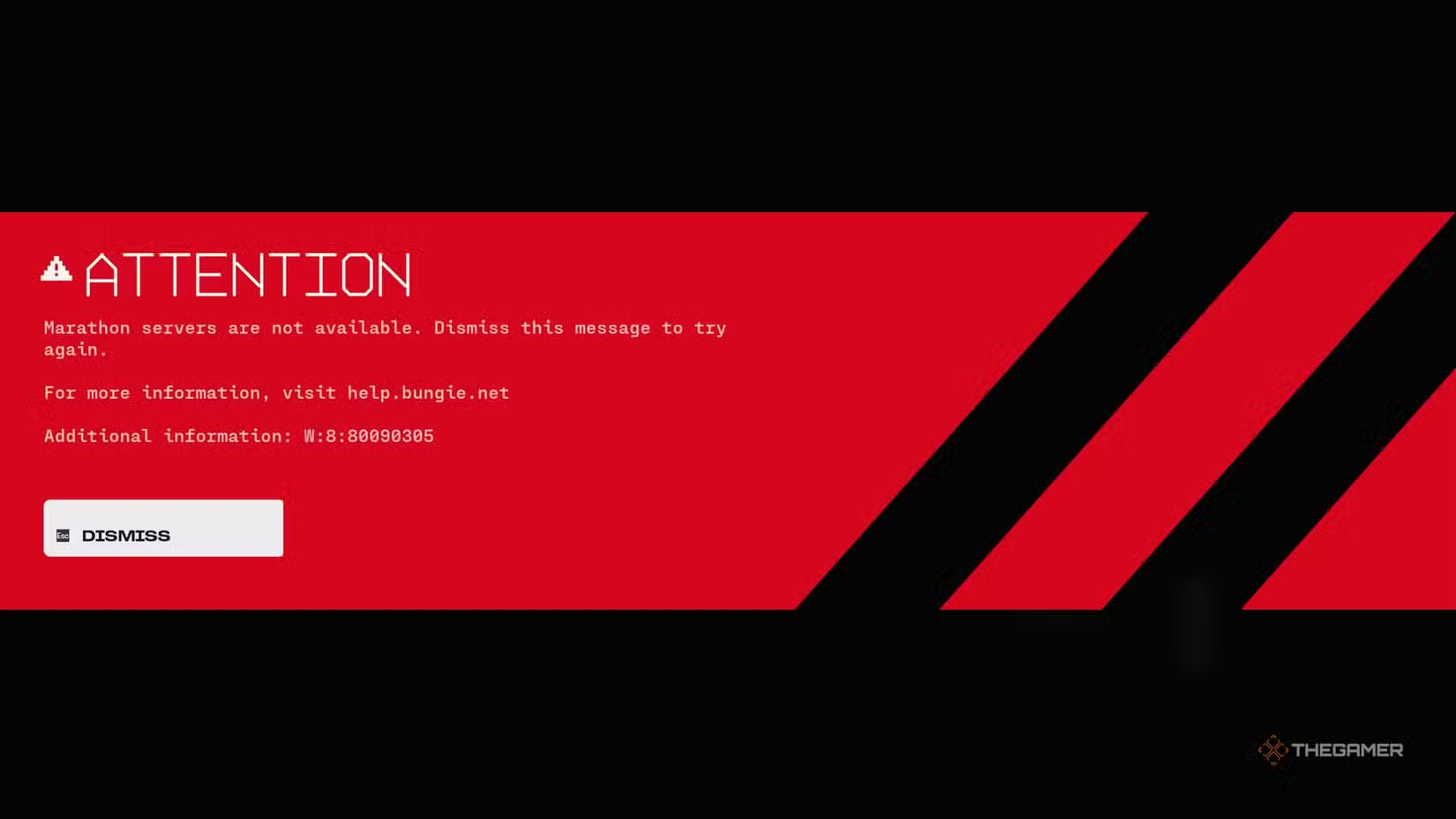
How to Fix the Servers Not Available Error
Before starting your first run in Marathon, you might see an error message saying the servers aren’t available. Sometimes, this error includes the code “W: 8: 80090305.” Many think this is because servers are overwhelmed, but usually, the problem is on your end.
The main cause is often your antivirus program, especially Kaspersky. To fix this, you should disable your antivirus software and then restart the game. Doing this can prevent the error from showing up again.
How to Fix the Mouse Cursor Bug
When you’re in the early part of the game, you might encounter a bug where you can’t see your mouse cursor or you can see it but can’t click on anything. This is a common PC problem caused by two things:
- Overlays like Steam or Discord can interfere with the game’s anti-cheat system. To fix this, turn off all overlays.
- Recording software like OBS can cause issues if it’s capturing your game screen. Disable these sources entirely to get rid of the cursor problem.
Keep Plenty of Ammo and Healing Items
Once you start playing, one of the most important things is to bring enough ammo and healing supplies. The game involves constant fighting against UESC robots and other players, making resources drain quickly.
It’s recommended to begin a run with at least three shield rechargers, six heals, and two stacks of ammo per gun. If you’re using a basic loadout, you’ll need to find these items during the raid. Luckily, some free loadouts include equipment that helps you get more ammo.
Tip: Remember that reloading weapons that use Volt Energy resets their energy to full. Only reload when your energy runs out to save resources.
Always Pay Attention to Your Surroundings
While playing Marathon, you’ll notice the game’s colorful environment can make it tough to see enemies from a distance. That’s where sound becomes crucial.
Using headphones can give you vital audio cues—alerting you when an enemy is nearby or warning of trap sounds. Keep your sound on high and listen carefully to avoid surprises.
Tip: Certain sounds can tell you what’s happening. For example, hearing music near an exfil point might mean someone is using it, so you can plan an ambush.
Know Your Goal During a Run
In the early days of Marathon, many players are still learning the game and may not be sure what to do. Use this time to get ahead, because as more players learn, matches will become more competitive and intense.
Have a plan for each raid. Always carry an active contract—preferably a main one—and aim to complete it in a single run. Completing contracts boosts your experience with factions, which unlocks upgrades.
Tip: If you have a priority contract available, focus on that first to gain the most benefits.
Explore Every Area Fully
One common mistake by new players is rushing through spaces without thorough exploration. Many high-tier containers are hidden around buildings, and neglecting them can mean missing out on valuable loot.
Loot crates in Marathon aren’t always obvious, so it’s important to check every corner. Even if your inventory is full, you should pick up better gear when you find it to prepare for future runs.
Don’t Underestimate PvE
Early in the game, you might notice fewer players around. This is partly because players can’t join mid-match, similar to battle royales, and partly because many still underestimate the AI-controlled UESC robots.
These robots can quickly drain your health, so be mindful of your noise levels and movements to avoid getting overwhelmed. UESC enemies can be deadly if you’re not careful.
Learn What Each Loot Item Does
As you progress and gain higher levels with different factions, you’ll need specific items for upgrades. There are also consumables and equipment that can influence battles.
Hover over each loot item in crates to learn its function. While it might feel overwhelming at first, understanding what items do will help you identify useful gear more quickly later on. This knowledge makes looting and decision-making easier as you play more.
 ChatGPT
 Perplexity
 Gemini AI
 Grok AI