Select Language:
Managing and automating processes have always been central to gaming, and Alchemy Factory combines both perfectly. When you start the game, you begin with just a few basic recipes and a tutorial on crafting, but it doesn’t provide detailed guidance. As an alchemist and crafter, you’ll need to figure out most tasks on your own, which can feel overwhelming—especially when trying to automate everything in the later stages of the game. Luckily, some simple tips can help reduce that stress.
Sell Items That Are Not Needed
Early on, you’ll open your shop with a small stock of items. The game features many materials, but you can only sell certain items. You can identify these sellable goods in the recipe book’s goods section. Hovering your mouse over items in your inventory also shows their selling prices—these are your key indicators of what you can sell. Keep in mind, you can’t sell items immediately after making them, as they’re often needed for early quests. It’s best to stockpile enough of a certain item before selling, so you can use them later for crafting or furniture. Once you’ve met these conditions, selling surplus items can generate income that’s vital for your progress—it’s generally better than taking loans.
You Must Multitask
One major mistake in this game is focusing on just one task at a time. This game can become quite overwhelming because you need to pay attention to manual tasks that require your input every few seconds, like planting crops or crafting items such as rope or healing potions. You have to check on these frequently to replant or harvest at the right time. This constant attention becomes less of an issue at higher levels, as you’ll unlock automation for farming and other processes, allowing you to manage multiple tasks without constant supervision.
Rotate Your Conveyor Belt
In the early game, you’ll likely find managing conveyor belts tricky. Although both straight and sloped belts are available, adjusting their direction isn’t always straightforward. The easiest way to rotate a conveyor belt is by holding the left mouse button while creating it and dragging it to your desired path. To make multiple curves, you can stop dragging after each turn and start again. Holding down the mouse button also helps to place multiple items quickly and adjust their height, which is especially useful for items like the Conveyor Lifter.
Don’t Fear Closing Your Shop
As you level up, new research options unlock, including new buildings and crafting recipes. During the early game, these new options aren’t too complicated, but after level three, they can become overwhelming. To avoid mistakes with new machinery and recipes, it’s a good idea to close your shop temporarily or stock up on items that won’t run out quickly. This allows you to focus on learning the new mechanics without pressure, reducing errors and making it easier to manage multiple tasks at once.
Manage Your Builds from the Start
The game emphasizes automation, and as your workshop grows, keeping track of where to add logs, stone, or other materials becomes more difficult. To prevent late-game chaos, it’s best to plan and manage your building layouts early on. This will help you automate more processes from the beginning, saving time and effort later.
Stay Focused on Quests
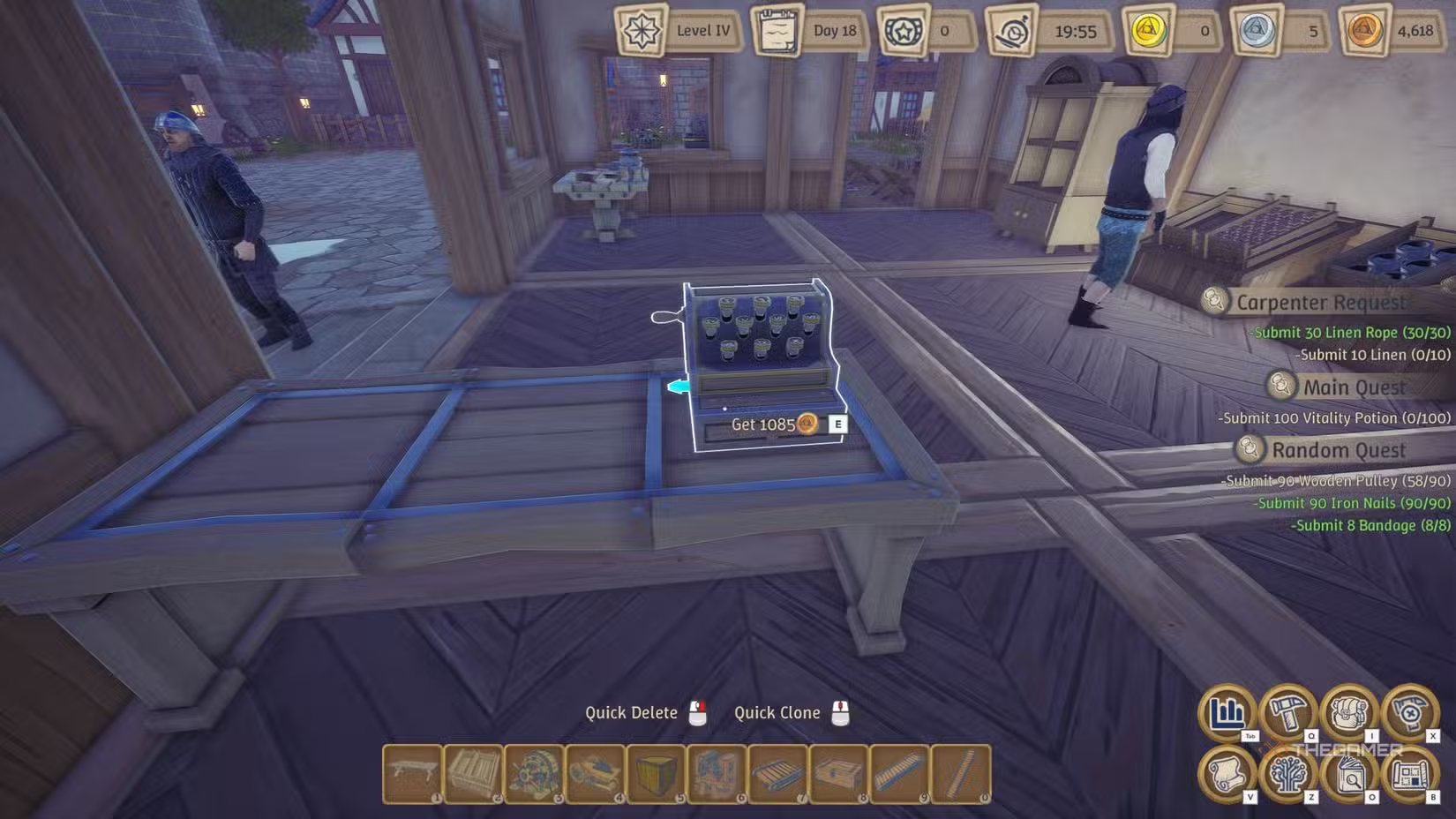
You can spot your mailbox outside the shop, just below the open/close sign, which notifies you about new quests. These quests come in several types:
- Main quests (permanent, leveling up your character and unlocking new recipes and upgrades),
- Carpenter quests (permanent, unlocking new recipes at certain times),
- Sample quests (permanent),
- Urgent quests (one day, offering high rewards but requiring quick completion),
- Random quests (lasting a few days, providing small amounts of money),
- Bulk orders (taking several days and offering high rewards but demanding many different items).
Completing quests is your primary way to earn cash. Keeping an eye on these can significantly support your progress.
Manage Your Money Wisely
Money management is crucial. Your current funds appear at the top right of the screen, and coins also exist physically in your inventory. You can store extra coins in chests—these won’t show on your HUD—allowing you to save for larger purchases like seeds, ore, wood, or stone. It’s smart to keep at least 2,000–3,000 coins available at all times to cover typical expenses.
Sell a Wide Range of Items
After reaching level three and higher, your shop can stock many different items. Some, like wooden gears, sell cheaply but take up little space. Others, such as the Mortar, are expensive but require more shelf space. Providing a variety of items in your store increases customer satisfaction and boosts your reputation, leading to more visitors. Balancing low- and high-priced items is key to building a good reputation while managing your stock efficiently.
 ChatGPT
 Perplexity
 Gemini AI
 Grok AI