• About Us
  • Contact Us
  • Advertise
  • Privacy Policy
  • Guest Post
No Result
View All Result
Digital Phablet
  • Home
  • NewsLatest
  • Technology
    • Education Tech
    • Home Tech
    • Office Tech
    • Fintech
    • Digital Marketing
  • Social Media
  • Gaming
  • Smartphones
  • AI
  • Reviews
  • Interesting
  • How To
  • Home
  • NewsLatest
  • Technology
    • Education Tech
    • Home Tech
    • Office Tech
    • Fintech
    • Digital Marketing
  • Social Media
  • Gaming
  • Smartphones
  • AI
  • Reviews
  • Interesting
  • How To
No Result
View All Result
Digital Phablet
No Result
View All Result

Home » Master the Art of Kissing in Webfishing

Master the Art of Kissing in Webfishing

Emily Smith by Emily Smith
November 19, 2024
in Gaming
Reading Time: 11 mins read
A A
Master the Art of Kissing in Webfishing
ADVERTISEMENT

Select Language:

Quick Links

  • How to Use All Emoticon Commands

In the world of Webfishing, it’s not just about the fish you catch—it’s all about the experience. This casual multiplayer game mixes the tranquil art of fishing with socializing, making it a great spot to unwind, forge new friendships, and, of course, showcase your pet’s personality.

ADVERTISEMENT

To keep the fun flowing, you can use emoticons, which allow your cat (or dog) to convey various emotions, from joy to surprise. Whether you’re celebrating a successful catch or joking about a fishing mishap, these animations add a delightful flourish to your gameplay. Want to learn how to help your cat express itself fully? Let’s explore the details!

How to Use All Emoticon Commands


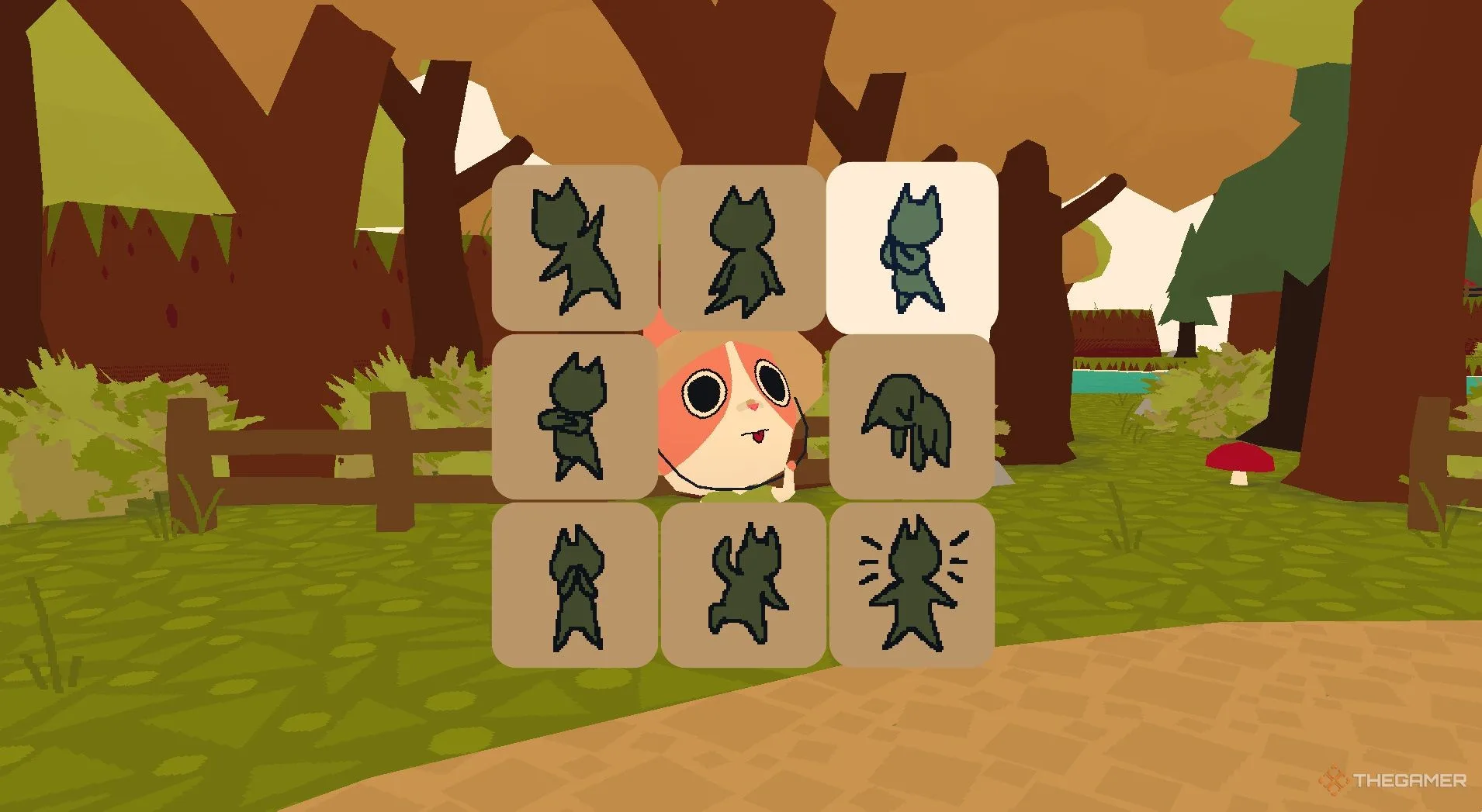
Besides chilling out, making friends, and hanging out, you can make your cat (or dog) come alive with emoticons that depict a range of feelings. These commands enhance interactions and make your time in the game even more enjoyable. Below is a list of the emoticons and how to use them.

You can execute all these emoticons even when your cat is sitting. Just activate the sitting animation first, then use the other emoticons as normal.

Emoticon

Keybind

Photo

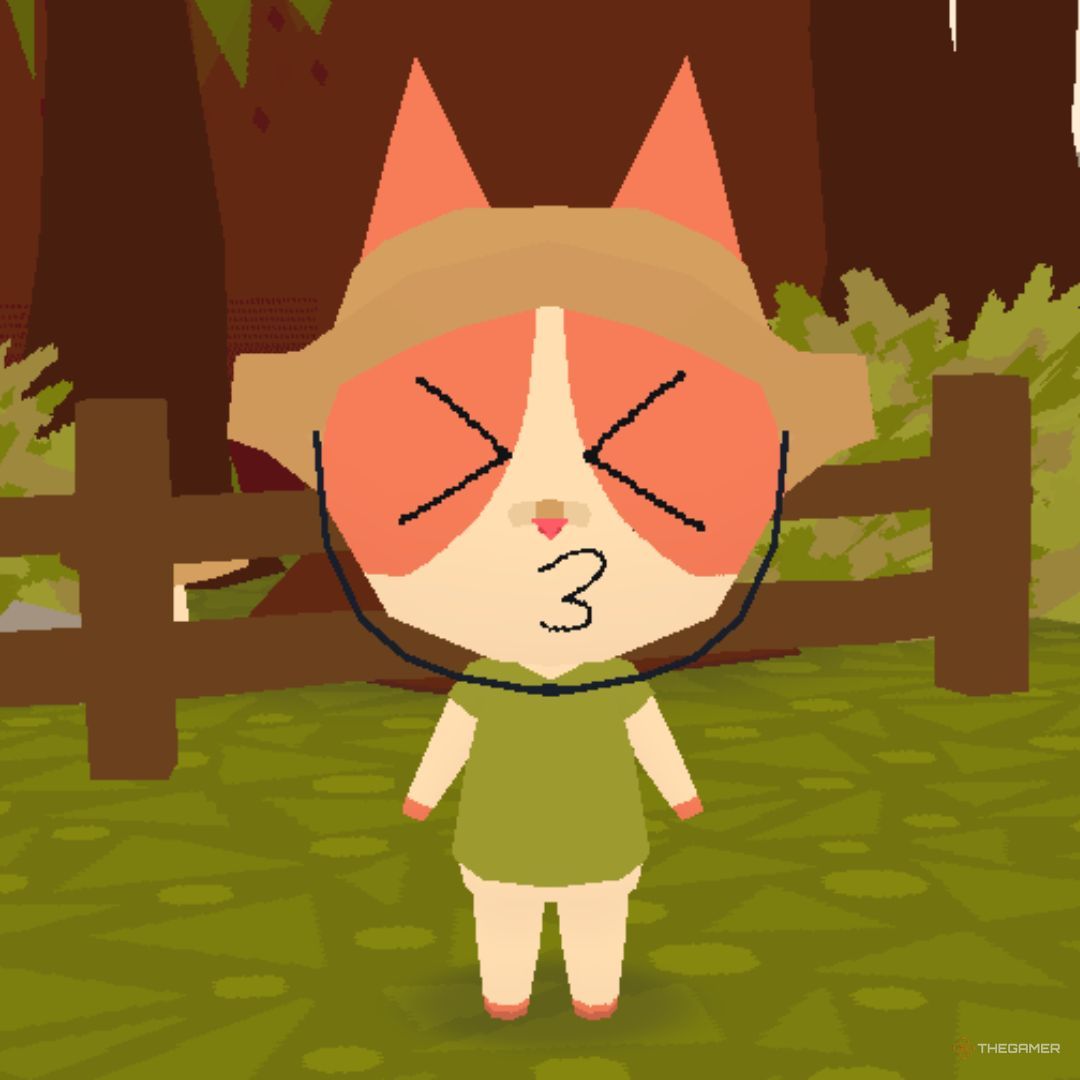
Kiss

press ‘K’

Screenshot of a character in Webfishing performing a kissing action

Bark/Meow

press ‘G’

Screenshot of a character in Webfishing performing a barking or meowing action

Wave

hold ‘C’ and release over the top-left icon

Screenshot of a character in Webfishing waving

Sit

hold ‘C’ and release over the top-middle icon

Screenshot of a character in Webfishing sitting

Love

hold ‘C’ and release over the top-right icon

Screenshot of a character in Webfishing showing love

Mad

hold ‘C’ and release over the middle-left icon

Screenshot of a character in Webfishing looking mad

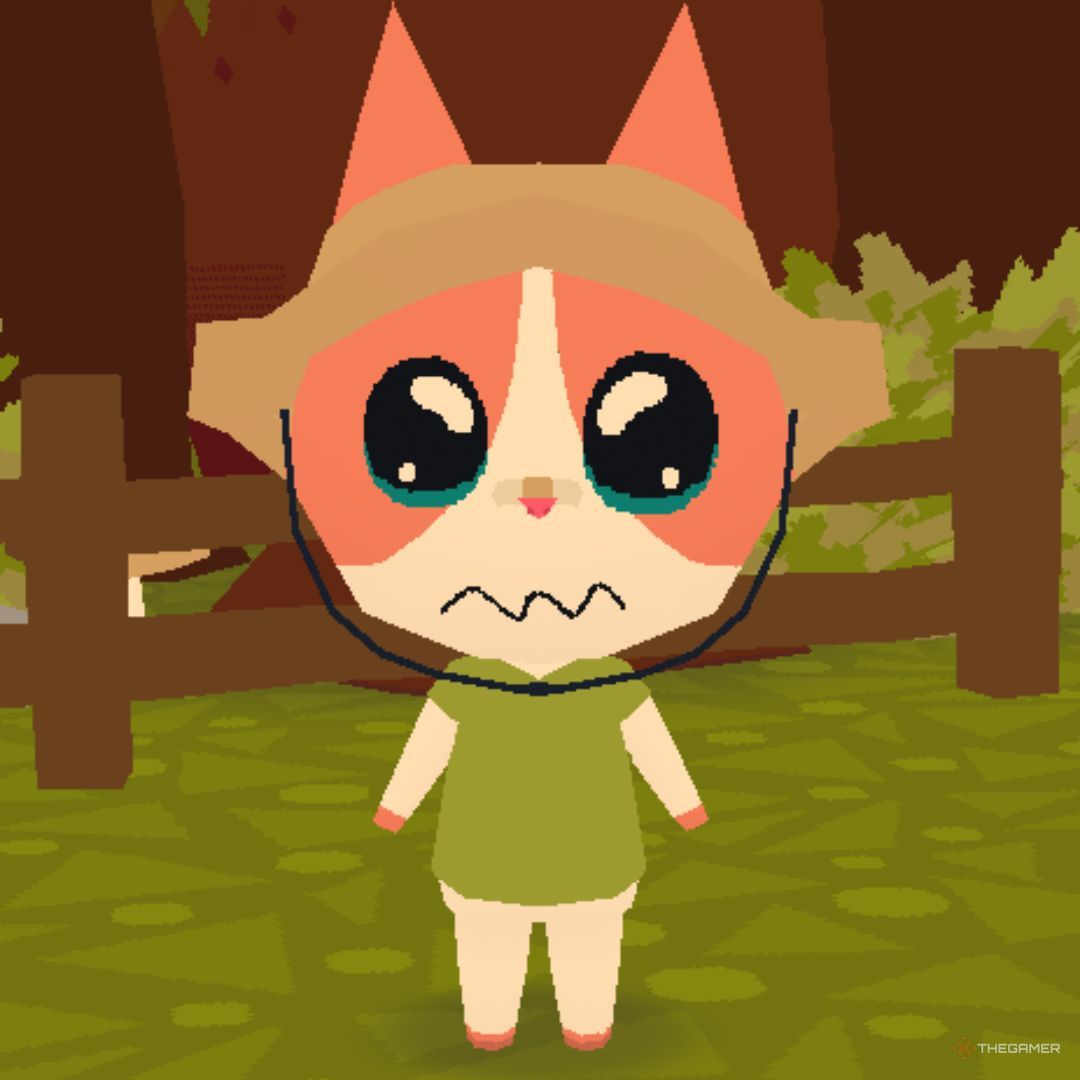
Sad

hold ‘C’ and release over the middle-right icon

Screenshot of a character in Webfishing looking sad

Shocked

hold ‘C’ and release over the bottom-left icon

Screenshot of a character in Webfishing looking shocked

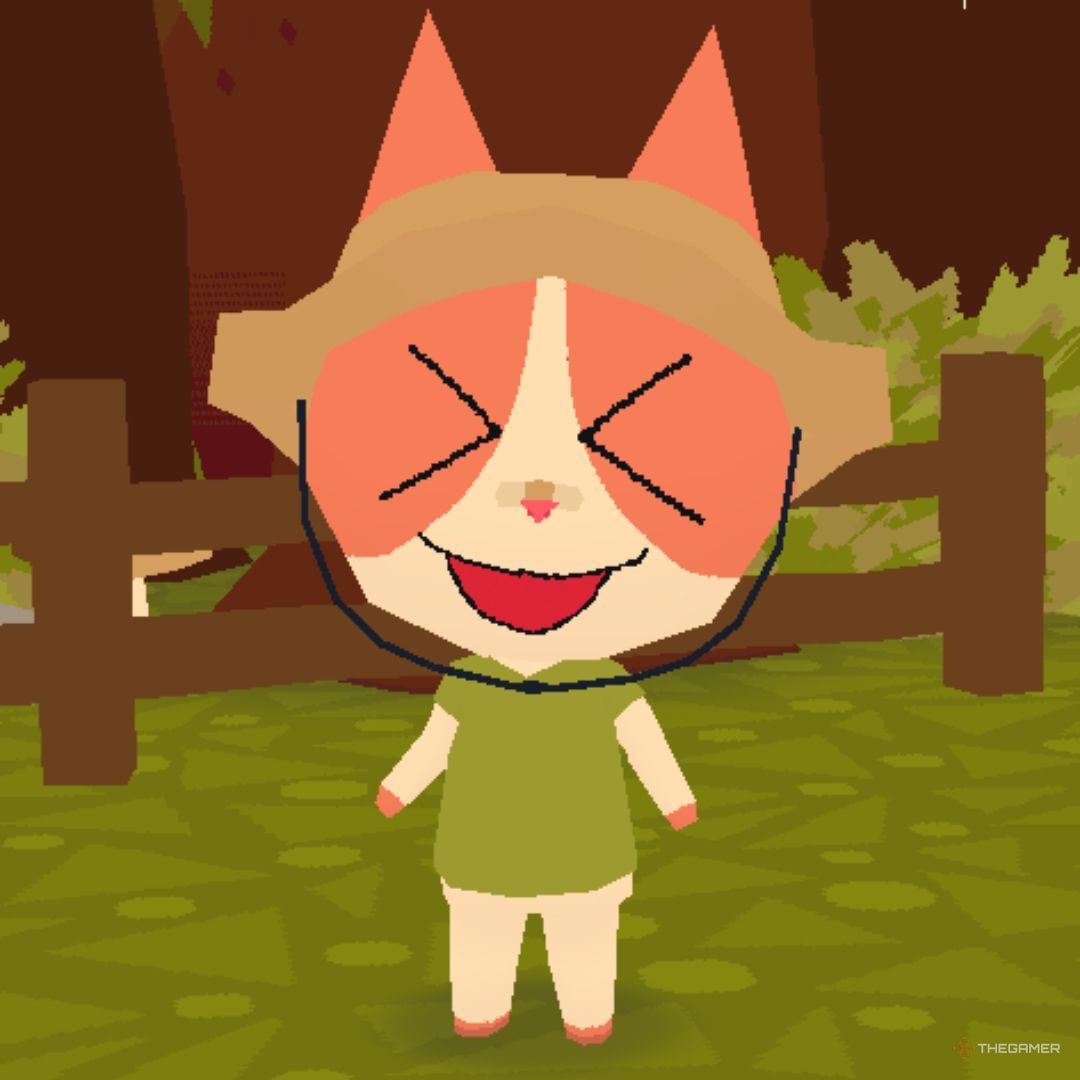
Excited

hold ‘C’ and release over the bottom-middle icon

Screenshot of a character in Webfishing looking excited

Big Bark/Meow

hold ‘C’ and release over the bottom-right icon

Screenshot of a character in Webfishing performing a big bark or meow

ChatGPT ChatGPT Perplexity AI Perplexity Gemini AI Logo Gemini AI Grok AI Logo Grok AI
Google Banner
Tags: How To KissIndie Gameswebfishing
ADVERTISEMENT
Emily Smith

Emily Smith

Emily is a digital marketer in Austin, Texas. She enjoys gaming, playing guitar, and dreams of traveling to Japan with her golden retriever, Max.

Related Posts

How to Defeat Raging Conchfly in Hollow Knight: Silksong Completing & Solving
Gaming

How to Defeat Raging Conchfly in Hollow Knight: Silksong Completing & Solving

September 24, 2025
How to Get Through the Mist in Hollow Knight: Silksong by Completing Challenges
Gaming

How to Get Through the Mist in Hollow Knight: Silksong by Completing Challenges

September 24, 2025
How To Defeat Disgraced Chef Lugoli in Hollow Knight: Silksong by Completing and Solving
Gaming

How To Defeat Disgraced Chef Lugoli in Hollow Knight: Silksong by Completing and Solving

September 24, 2025
Things We Wish We Knew Before Completing Our Door to Strangers in No, I'm Not Human
Gaming

Things We Wish We Knew Before Completing Our Door to Strangers in No, I’m Not Human

September 22, 2025
Next Post
Windows 11 Multitasking Is Getting Even Better

Windows 11 Multitasking Is Getting Even Better

  • About Us
  • Contact Us
  • Advertise
  • Privacy Policy
  • Guest Post

© 2026 Digital Phablet

No Result
View All Result
  • Home
  • News
  • Technology
    • Education Tech
    • Home Tech
    • Office Tech
    • Fintech
    • Digital Marketing
  • Social Media
  • Gaming
  • Smartphones

© 2026 Digital Phablet