Select Language:
Building a new life in Heartopia involves spending time with neighbors, focusing on your hobbies, and letting your creativity flow. One great way to do this is by writing a book, and we’re here to help you learn how to do it.
From planning your story to finalizing your manuscript, we’ll guide you through every step. Whether you want to publish a series of novels or simply create a fun photo album of your cats, here’s everything you need to know about writing a book in Heartopia.
### How to Start Writing a Book
Once you reach Level 16 in the Developer’s Guild, you can unlock book writing as a dream goal. After that, talk with Annie and complete quests with Mrs. Joan to buy your first writing desk from Ka Ching on the west side of town.
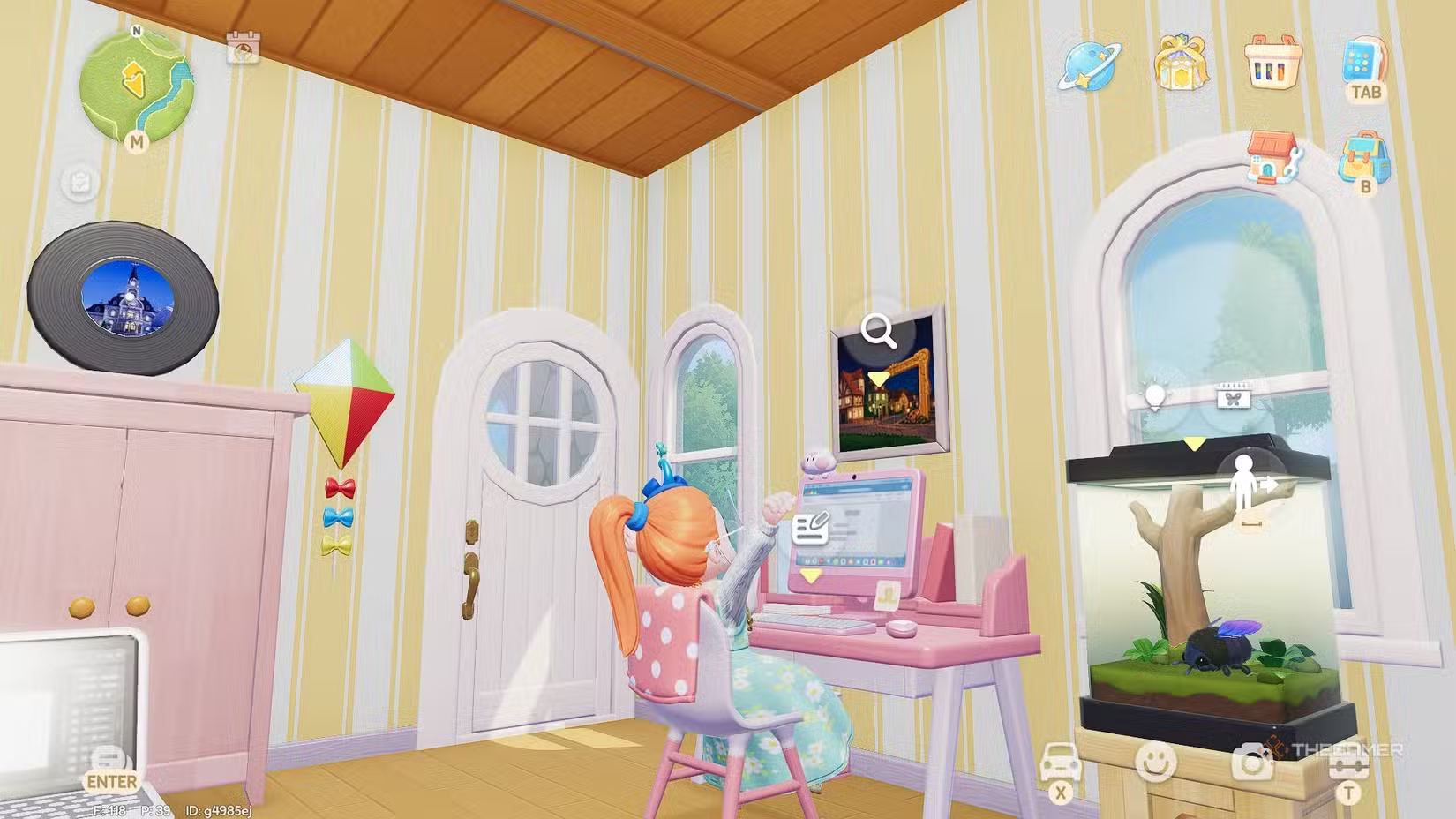
With your writing desk in your inventory, place it inside your home to start using it. Sitting at the desk opens the writing interface, where you can begin a new novel, work on an existing project, or publish your finished work.
#### Tip:
Books can be published privately or publicly. It’s recommended to publish publicly if you want to achieve the Book Writing Dream goals.
### How to Publish a Book in Heartopia
To publish, first create your manuscript on the computer. In the Creation menu, tap the plus icon to start a new book. Give your book a title and confirm to access the writing screen.
On this screen, you can create chapter titles and write up to 4,500 words per chapter. Use the settings to adjust indentation and paragraph spacing. You can navigate between chapters and add new ones easily.
You can also add images from your album and paste text around for easy editing. While adding images can make your book more appealing, they are optional for publishing.
#### Tip:
When ready to publish, tap the global icon on the book tab to enter the publishing menu. You’ll be able to add a tagline and a brief description of up to 100 characters. You can set your publication date to a real date or an in-game date.
Publishing a book costs one Book Publishing Permit, which you start with ten of after completing the initial quest. You can buy up to 9,999 permits for 10 Moonlight Crystals each.
#### Warning:
Once a book is published, you cannot change its content or remove it, so make sure everything looks complete before publishing. Also, change your book cover to make it more eye-catching; the cover image should focus on the left side to align properly on the spine.
### Where to Buy and Share Books
After publishing, you can order copies of your book from the computer for 6,000g each. Your book will be visible on a self-service stand in town, near Massimo’s restaurant.
You can also buy books from other players for 8,000g each, as well as from NPCs at varying prices. Books can be held as hobby items or tools and placed on tables or around your house so others can read them without purchasing.
### All Book Writing Dream Goals
As you work towards completing your writing dreams, your progress and points depend heavily on interactions with other players. It’s a good idea to give copies of your book to friends, include attractive images and covers, and place copies around your home to make your work more visible.
#### Dream Goal Rewards
Here are the goals and rewards in the Book Writing Dream Log:
| Goal | Rewards | Points Needed |
|——-|———|————–|
| Purchase a Writing Desk from Ka Ching | 30 Dream Progress | 0 |
| Read any book | 30 Dream Progress | 0 |
| Create one book | 30 Dream Progress | 0 |
| Insert any image into a book | 30 Dream Progress | 0 |
| Add any book to your collection | 30 Dream Progress | 0 |
| Publish one book | 30 Dream Progress | 0 |
| Retrieve more published books from the desk | 30 Dream Progress | 0 |
| One player reads your book | 30 Dream Progress | 0 |
| Ten players read your book | 50 Dream Progress | 30 |
| Thirty players read your book | 80 Dream Progress | 60 |
| Sixty players read your book | 110 Dream Progress | 90 |
| Ninety players read your book | 150 Dream Progress | 120 |
| One player likes your book | 30 Dream Progress | 0 |
| Ten players like your book | 50 Dream Progress | 30 |
| Thirty players like your book | 80 Dream Progress | 60 |
| Sixty players like your book | 110 Dream Progress | 90 |
| Ninety players like your book | 150 Dream Progress | 120 |
| Publish one book publicly | 30 Dream Progress | 0 |
| One player purchases your book | 30 Dream Progress | 0 |
| Ten players purchase your book | 50 Dream Progress | 30 |
| Thirty players purchase your book | 80 Dream Progress | 60 |
| Sixty players purchase your book | 110 Dream Progress | 90 |
| Ninety players purchase your book | 150 Dream Progress | 120 |
Other rewards include decorative items like the Pink Writing Desk (costs 100 points), Ladder Bookshelf (250 points), and various book covers and permits at higher point levels.
### Your Dream Progress Thresholds
| Dream Level | Progress Points Required |
|————–|—————————|
| Newbie | — |
| Writer | 500 points |
| Author | 1,500 points |
| Wordsmith | 3,500 points |
| Master | 6,500 points |
Achieving each level unlocks new items, covers, and increased recognition for your writing efforts.
 ChatGPT
 Perplexity
 Gemini AI
 Grok AI