Select Language:
Replica Teams, also called Rental Teams, have been a part of nearly every competitive Pokémon game, including Pokémon Champions. These teams are created by players with each Pokémon carefully chosen for its stats, moves, abilities, and strengths, designed to work well together.
Every Pokémon on a Replica Team is meticulously selected to optimize their moves, abilities, and stats, allowing other players to borrow that Pokémon and the whole team to test it out. This was the original idea behind them.
What Are Replica Teams?
Replica Teams are essentially teams that players share with others using a special code. Usually, this allows players to use teams they don’t own because they lack certain Pokémon, items, or other resources. This sharing feature made them very useful.
However, in Pokémon Champions, the way Replica Teams work has changed. Now, to use a Replica Team, players need to already have the Pokémon and items in their collection. Instead of renting, these teams act more like shortcuts—helping players put together teams easily from what they already have. Although this change eliminates some of their original rental purpose, they can still help players who are having trouble building teams on their own by giving a solid template.
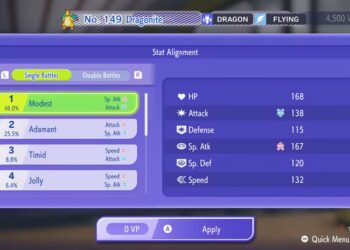
Even if you don’t have all the Pokémon and items from a Replica Team, you can still copy individual Pokémon. For example, if you have a Dragonite that matches part of the team, you can train it to match the team’s setup, even if you can’t use the rest of the team. It’s not ideal, but it’s a way to make use of the feature.
If you know the Pokémon you want and have various items, Replica Teams can still be a helpful resource. They mainly serve as models for players who need help choosing moves and stats to put together a good team.
How To Use a Replica Team
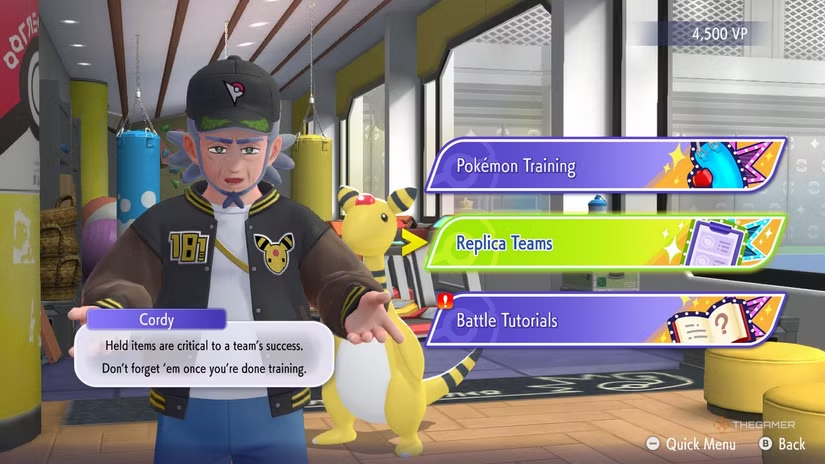
To use a Replica Team, first open the main training menu. From there, pick the options for Pokémon Training, then select “Replica Teams.” You’ll be asked whether you want to build a team from a code or share your own team.
Choose the code option, then select the team you want to edit. You can replace one of your existing teams or start with a blank one if available. Next, enter the code you’ve obtained.
Once you input the code, you’ll see all the Pokémon, their moves, stats, and items. If you want to replicate this team exactly, confirm it. If not, you can try another code.
On the next screen, you’ll see a breakdown of the team and how it will change each Pokémon’s moves, items, and stats. If you’re missing some parts of the team, those options will be greyed out. The displayed VP cost will show how much it will cost to train your Pokémon to match the team.
To finalize, check the VP cost estimate between “Current Summary” and “New Summary” and then tap “+” to start training. This will create a team based on the Replica Team, using what you already have if some pieces are missing.
How To Share a Replica Team
If you’re not interested in renting teams but want to help new players, you can share your team instead. Sharing your team can help others learn, especially if you’ve built a solid team for ranked battles. Keep in mind, sharing means others will have an exact copy of your team to use, even in ranked matches against you.
To share, go to the same Replica Teams menu and select the option to share battle teams. You’ll see an empty slot where you can add one of your teams. Pick the team you want to share and review the details. If you confirm, your team will be shared, and a code will be generated for others to input.
Be sure to note the code provided because players will need it to access your team. You can view the code later if needed by returning to the same screen and selecting “View Details.”
You can share more than one team, but each team must be built as a six-Pokémon Battle Team beforehand. If you want to stop sharing a team, just return to the sharing screen, select the team, and confirm to stop sharing. If you re-share the same team later, it will get a new code.
 ChatGPT
 Perplexity
 Gemini AI
 Grok AI