Select Language:
Claiming surprise gifts is a common feature for Pokémon fans, and it’s making a comeback in Pokémon Pokopia. If you want extra in-game items to help with building or decorating, you’ll want to take advantage of the option to download these gifts for free through this feature.
Here’s how to claim your mystery gifts in Pokémon Pokopia. Keep in mind, downloading gifts online requires an internet connection, so make sure you’re connected to Wi-Fi or using a wired connection before you start. Once ready, let’s get those gifts!
How to Claim Mystery Gifts in Pokémon Pokopia
Step 1: Head to a PC located outside a Pokémon Center.
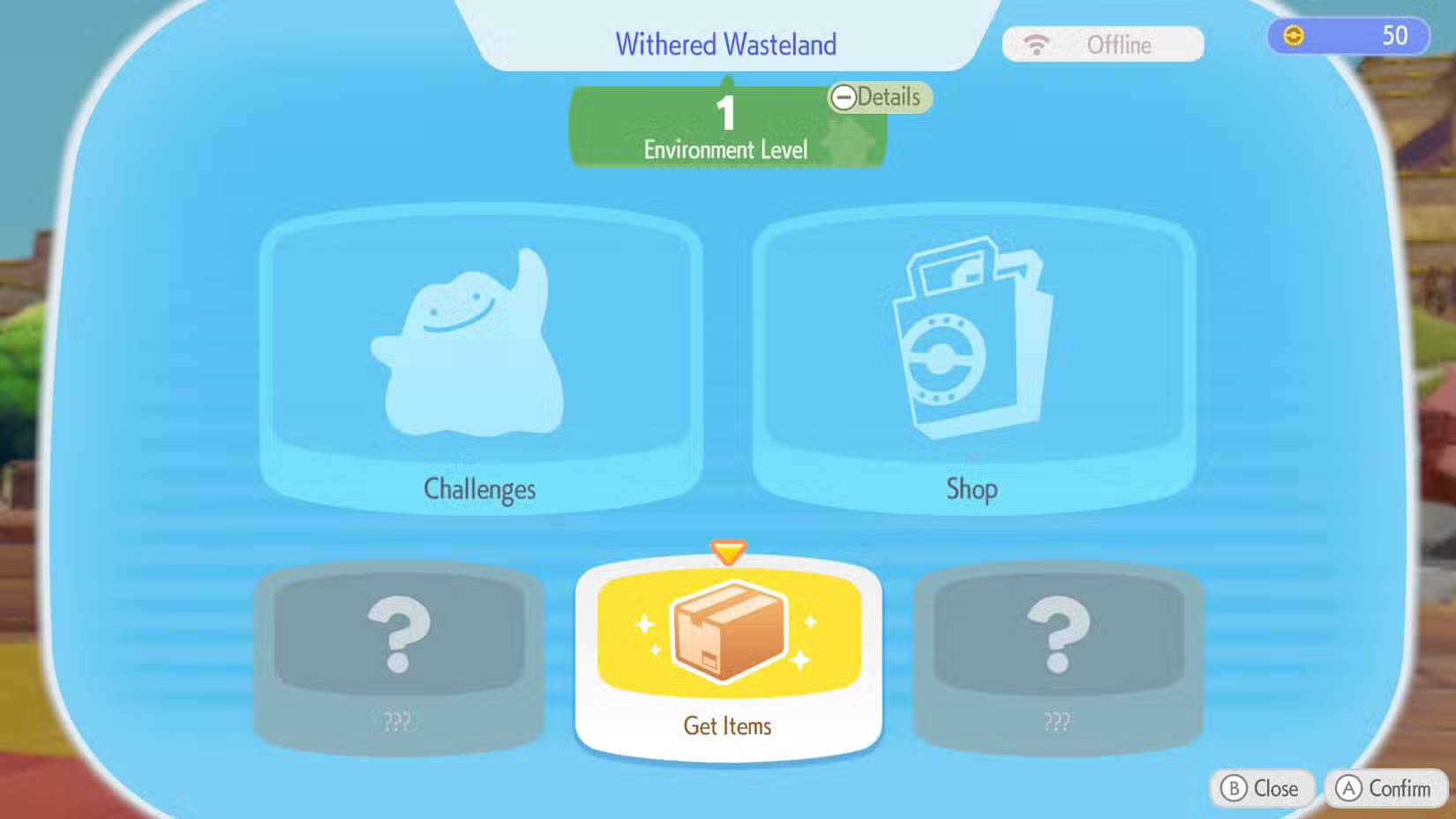
Step 2: Choose the ‘Get Item’ option.
Step 3: Select ‘Mystery Gifts.’
Step 4: Choose either ‘Get via Internet’ or ‘Get with Code/Password,’ depending on the type of gift.
Step 5: Follow the instructions for each method to download your gift.
Get via Internet
These gifts are sent directly from Nintendo for special situations, such as pre-order bonuses like the Ditto Rug, available until January 31, 2027, for players who preordered the game. You don’t need to manually input a code for these.
Steps:
- Open any PC inside the game
- Tap ‘Get Item’
- Select ‘Mystery Gifts’
- Choose ‘Get via Internet’
- Pick the gift you want to download
- Wait for it to download automatically
Get with Code/Password
Some gifts require a special code. Be sure to redeem these codes quickly, as many have expiration dates.
Steps:
- Open any PC
- Tap ‘Get Item’
- Choose ‘Mystery Gifts’
- Select ‘Get with Code/Password’
- Enter the 16-digit code
- Wait for the gift to download
Now you know how to claim your mystery gifts! If you’re excited to learn more about Pokémon Pokopia, check out how to time travel in the game to speed up your progress.
 ChatGPT
 Perplexity
 Gemini AI
 Grok AI