Select Language:
Roadside Research involves studying people while blending into their natural environment—storefronts. Since people love shopping, even the simplest disguise can work if you can sell them something.
However, research itself can be tricky. Your first tool will be a camera, but most people don’t like having their picture taken randomly, so you need to be sneaky.
How To Unlock The Camera
You can unlock the camera after surviving a few days of cleaning your store and throwing away trash and dirty cans, which earns you enough Research points. The camera costs a small amount of Research points, and all those empty cans you collect will help you earn enough quickly.
The camera is part of your assigned quests. From the big monitor in the alien room, click on the “Alien” option, then find the camera icon. It’s right in front of the Trash Bags and costs 450 Research points.
Note: There is no confirmation button when you click to buy the camera, so be careful not to accidentally purchase or research something you don’t need.
Once unlocked, the camera appears on the tool board beside the monitor. Just pick it up to start taking pictures. If you put it down or lose track of it, clicking on its spot on the wall will bring it back.
How To Use The Camera
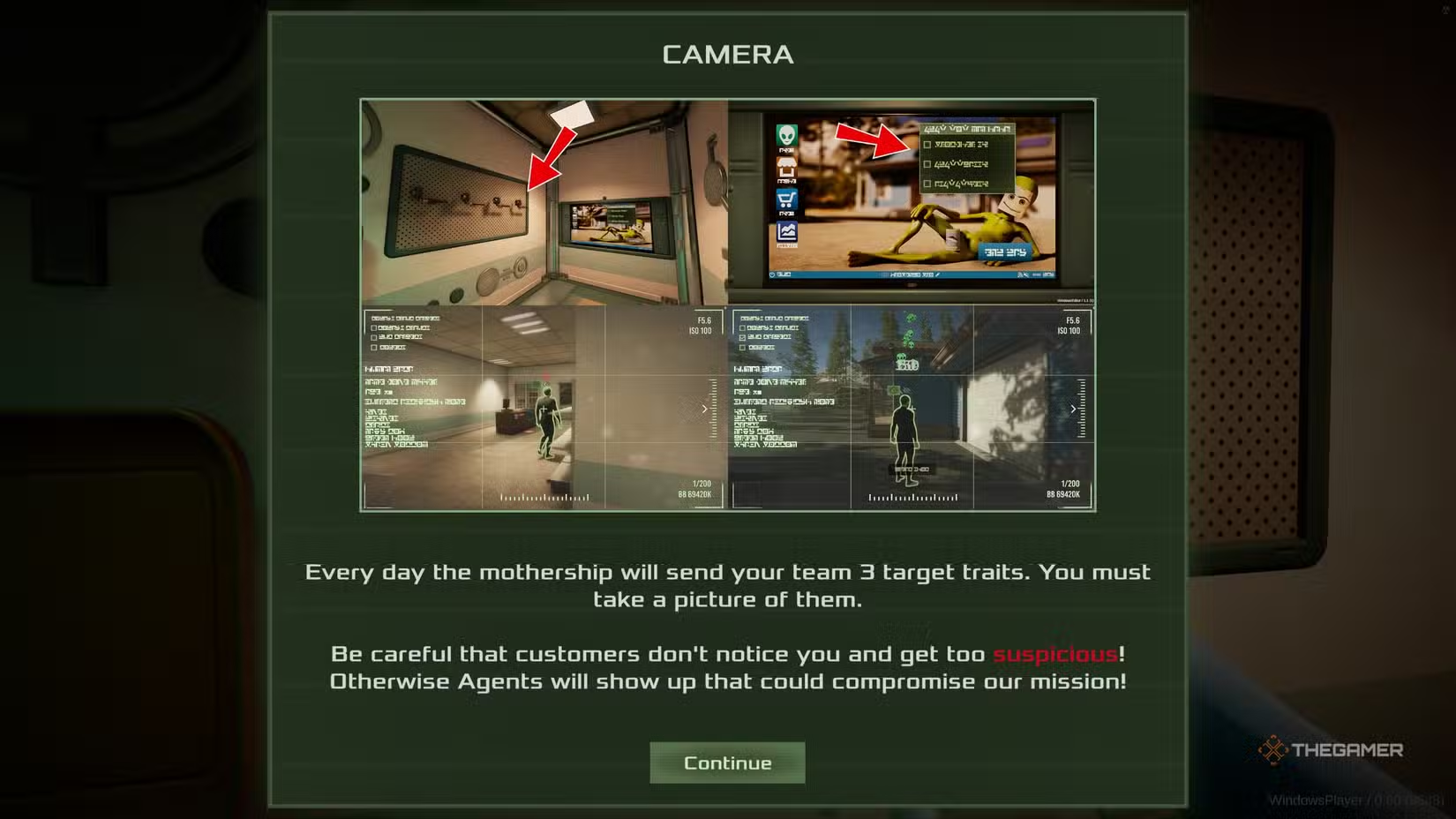
After you research the camera, a new goal will open. Each day, you will be assigned three traits to photograph customers with. These could involve particular colors or features, like someone with blue hair, someone wearing a pink top, or someone with black pants.
You don’t need to find all traits on the same person. It’s fine if they’re spread across different customers. The game will tell you exactly what their clothing colors are when you point the camera at them, making it easy to see if they match your target traits.
To take a picture, aim the camera at a customer and snap a photo. As long as their info is displayed on-screen, the camera is focused on that person. You earn Research points for each trait you capture. You can only get new traits each day, so there’s a daily limit to your Research points from this method.
If an agent visits your store, sneaking a picture of them without being noticed will give you a bigger reward in Research points. But getting caught has risks—agents will become hostile, and you’ll be quickly eliminated in a shower of splattered goo if you’re spotted.
Avoiding Suspicion
Since you’re an alien, taking random pictures can raise suspicion. If a customer notices you taking a picture, your suspicion level rises, though this will decrease over time. Too many reckless photos can result in a store full of hostile agents.
Aiming the camera is safe and acceptable. However, once you press the shutter button, people will react. When aiming the camera at a customer, an eye icon appears over their head, indicating their awareness level:
- Grey with a slash: No suspicion.
- Yellow filling up: Someone notices you might be taking a picture.
- Red: They see you clearly and become very suspicious when you snap the photo.
Humans here have very poor peripheral vision, so even if you stand beside them, they often won’t see you. The real challenge is taking pictures of customers nearby without alerting them.
The safest approach is to photograph customers waiting to refuel their cars. These customers stay still until their car is full, making them less likely to notice you. They tend to be trusting, even after paying.
 ChatGPT
 Perplexity
 Gemini AI
 Grok AI