Select Language:
You can share Virtual Game Cards on the Nintendo Switch 2 with friends or family members to give them temporary access to your downloaded games. However, there are some steps to follow and certain limits to keep in mind. This feature is helpful for households or close friends who want to enjoy each other’s favorite games easily. Here’s how to lend Virtual Game Cards to others on your Switch 2.
How to Share Virtual Game Cards
First, you’ll need a Nintendo Switch Online Family Membership to lend games. You can purchase this by selecting the “Nintendo Switch Online” icon on your home screen, then going to “Membership Options.”
Next, set up a family group. You can do this online at your Nintendo Account page by logging in and choosing “Family Group.” If you’re the main account holder, your membership will apply to all members in the group.
Once your family group is ready and your friends or family members accept the invitation (they’ll have 24 hours to do so), you can lend games. You can have up to eight members in your group, including yourself.
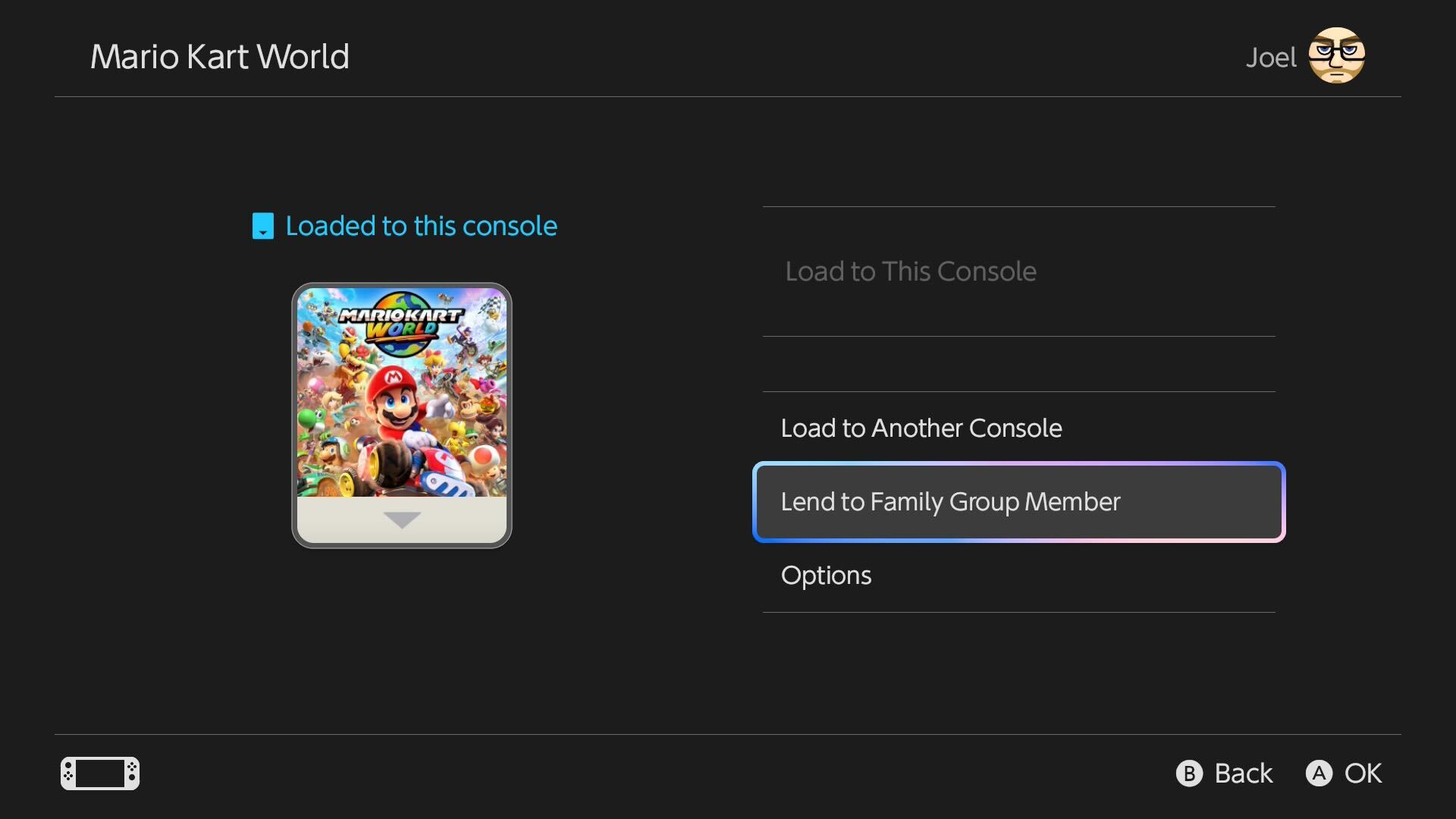
To lend a game, go to the Virtual Game Cards section on your Switch 2. You’ll see a list of your virtual cards for various games. Select the game you’d like to lend, then choose “Lend to Family Group Member” and pick the user you want to lend it to.
If their Switch is online, they’ll be notified that they now have access to the game! The person borrowing can play the game on their console for up to 14 days or until they decide to return it earlier. Keep in mind that each lender can loan out up to three virtual cards at a time, and each borrower can have only one game at a time.
This system makes it easy to share games, as long as you follow the borrowing limits and have a Nintendo Switch Online Family Membership.
 ChatGPT
 Perplexity
 Gemini AI
 Grok AI