Select Language:
Just before the launch of Pokémon Champions, the compatibility of Pokémon Home has been upgraded to include Pokémon Legends: Z-A. This change makes sense because many battles in Pokémon Champions will involve using Pokémon from other games, including new Mega evolutions.
While there is a system for renting Pokémon within the game, the main idea is that you will use Pokémon you’ve already caught and trained in previous games. These Pokémon are ready for battle right away. So, get those Pokémon from Scarlet and Violet, prepare your shiny Z-A Pokémon, and transfer everything to Pokémon Home.
What Is Pokémon Home?
Pokémon Home is an app available on Nintendo Switch, iOS, and Android devices. It allows players to store Pokémon from mainline Pokémon games. This makes it possible to move Pokémon from one game to another, so you don’t have to catch new ones if you don’t want to.
For example, if you caught a shiny Pikachu in Sword and Shield and want to use it in Scarlet and Violet, you would transfer that Pokémon from Sword and Shield to Pokémon Home, then to Scarlet and Violet.
Usually, transferring Pokémon from one game to another isn’t possible right away, and sometimes it can cause permanent changes. For instance, Pokémon transferred out of Pokémon GO or Let’s Go Pikachu and Eevee games can’t be moved back into those games. Moreover, some Pokémon may be modified during transfer, so they won’t be exactly the same as before.
It’s important to understand if the transfer is one-way and how it might change your Pokémon. Also, not all Pokémon can be transferred to every game; the new game must already have the Pokémon’s data for the transfer to work.
How To Transfer Pokémon from Pokémon Home to Pokémon Champions
Since transferring Pokémon differs depending on the game, this guide explains how to move Pokémon from Pokémon Home into Pokémon Champions, and back if needed. Start by sending your Pokémon from your previous games into Pokémon Home.
Once all your Pokémon are in Pokémon Home, you need to finish the Pokémon Champions tutorial before doing anything else. The tutorial involves battling Cordy, recruiting a free Pokémon, and participating in your first ranked battle. After completing these steps and earning your first 10,000 VP, you’ll gain access to the main menu.
After the tutorial, go back to Pokémon Home and select Pokémon Champions at the bottom right. The game will try to connect with your saved profile, and if the trainer info matches, you’ll see your Pokémon in the list.
Here, you’ll see all the Pokémon available for transfer. Any Pokémon marked with a red circle can’t be transferred into Pokémon Champions yet. Choose which Pokémon you want to move, then press Y to send them. Wait until the transfer completes, then close Pokémon Home and open Pokémon Champions.
From the main menu, select the “Recruit” option to go to Roster Ranch. On that screen, you will see options to transfer Pokémon from Pokémon Home—either to bring them into your team (collect) or to send them back to Pokémon Home if you no longer need them in the game.
If you’re adding Pokémon to your team, select the third option in the menu. If everything went smoothly in Pokémon Home, that option should show a red exclamation mark. When you select it, you’ll see the Pokémon you transferred and can choose to add them to your team.
How To Change Your Pokémon’s Stats and Moves
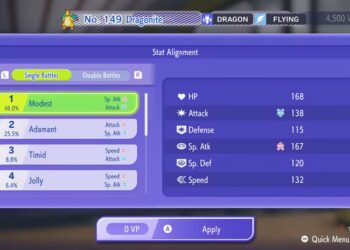
After transferring your Pokémon, it’s a good idea to check their stats before battling. Not all moves are compatible with Pokémon Champions, so double-check each Pokémon by heading to the training section in the main menu. Here, you can review their current stats, moves, abilities, and natures.
If you want to change any details, costs apply, and they are:
- Changing Nature: 500 VP
- Changing Ability: 500 VP
- Changing a Single Move: 250 VP (each)
- Increasing One Stat by One Point: 5 VP (per stat point)
Once finished, press the + button to start the training process. Repeat these steps for any other Pokémon you want to adjust.
When your Pokémon are set up and ready, head to your team box to build your squad. Then, pick a battle and start fighting. Good luck!
 ChatGPT
 Perplexity
 Gemini AI
 Grok AI