• About Us
  • Contact Us
  • Advertise
  • Privacy Policy
  • Guest Post
No Result
View All Result
Digital Phablet
  • Home
  • NewsLatest
  • Technology
    • Education Tech
    • Home Tech
    • Office Tech
    • Fintech
    • Digital Marketing
  • Social Media
  • Gaming
  • Smartphones
  • AI
  • Reviews
  • Interesting
  • How To
  • Home
  • NewsLatest
  • Technology
    • Education Tech
    • Home Tech
    • Office Tech
    • Fintech
    • Digital Marketing
  • Social Media
  • Gaming
  • Smartphones
  • AI
  • Reviews
  • Interesting
  • How To
No Result
View All Result
Digital Phablet
No Result
View All Result

Home » How to Respec and Reassign Skill Points in Borderlands 4 Completing and Solving

How to Respec and Reassign Skill Points in Borderlands 4 Completing and Solving

Emily Smith by Emily Smith
September 12, 2025
in Gaming
Reading Time: 1 min read
A A
How to Respec and Reassign Skill Points in Borderlands 4 Completing and Solving
ADVERTISEMENT

Select Language:

Borderlands 4 may move customization options to the character menu, but respeccing works similarly to previous games. So, if you accidentally select the wrong skill or don’t like your current setup, don’t worry.

ADVERTISEMENT

Right after escaping prison and completing the third mission, “Down and Outbound,” you’ll gain access to the first Respec Machine. These machines let you shift your Skill Points around, allowing you to change your build and try new abilities without starting over completely.

Where to Find Respec Stations

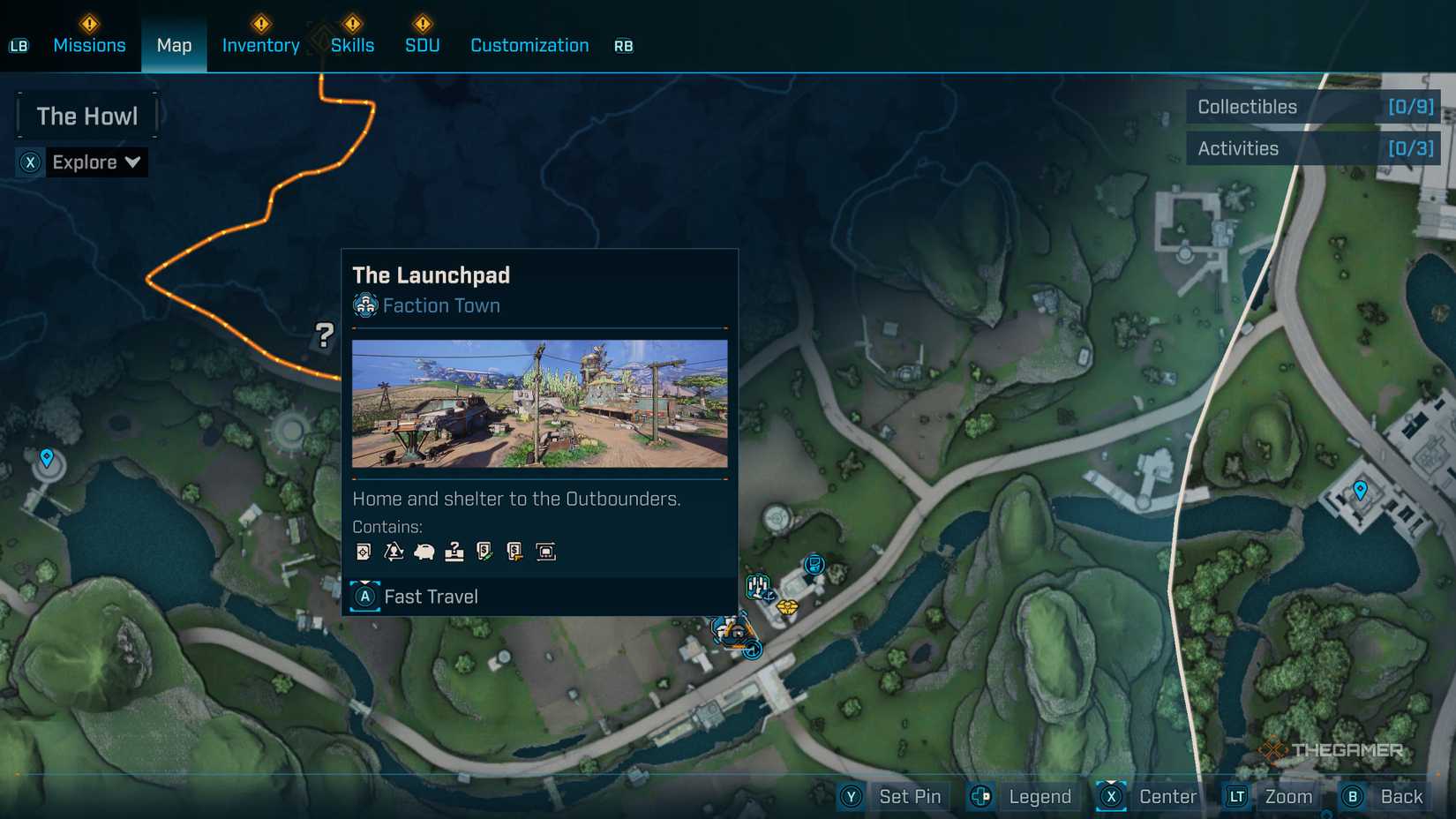
The first Respec Machine appears at The Launchpad after finishing the third mission. Later in the game, you’ll find more stations around the world in different hubs:

ADVERTISEMENT
  • Belton’s Bore
  • Carcadia
  • The Lockaway
  • The Food Court
  • Sumpview Falls

Each of these towns and safehouses has icons that pop up on your map when you hover over them. A small recycle symbol indicates a Respec Machine.

Once you arrive at a Respec Station, you’ll see its icon on your compass. Head toward it, and you’ll find a small pod that prompts you to pay a fee to respec your skills. The cost depends on the amount of money you have, and you’ll need to pay each time you respec. When ready, interact with the machine to access the skill menu.

There are two main options inside: “Respec Tree,” which resets the skill tree you currently have open, and “Respec All,” which clears all Skill Points. You can then redistribute points to customize your build.

After making your choices, close the menu. You’ll be asked to confirm. You can select “Continue” to go back to Kairos with your new setup, “Return” to keep adjusting, or “Don’t Ask Again” to prevent the confirmation pop-up from appearing in future respecs.

ChatGPT ChatGPT Perplexity AI Perplexity Gemini AI Logo Gemini AI Grok AI Logo Grok AI
Google Banner
Tags: Borderlands 4How ToReassignrespecskill pointsTriple-A Games
ADVERTISEMENT
Emily Smith

Emily Smith

Emily is a digital marketer in Austin, Texas. She enjoys gaming, playing guitar, and dreams of traveling to Japan with her golden retriever, Max.

Related Posts

How to Find and Use Cedar Logs in Hytale: Solving the Basic Steps
Gaming

How to Find and Use Cedar Logs in Hytale: Solving the Basic Steps

January 17, 2026
How to Customize Clothing and Furniture in Heartopia by Completing and Solving
Gaming

How to Customize Clothing and Furniture in Heartopia by Completing and Solving

January 16, 2026
Gaming

How to Achieve Every Achievement in Gamblers Table by Completing and Solving

January 13, 2026
How to Expand Your Home Plot and Solve Challenges in Heartopia
Gaming

How to Expand Your Home Plot and Solve Challenges in Heartopia

January 11, 2026
Next Post
Updated Pricing Policies for Google Merchant Center

Updated Pricing Policies for Google Merchant Center

  • About Us
  • Contact Us
  • Advertise
  • Privacy Policy
  • Guest Post

© 2026 Digital Phablet

No Result
View All Result
  • Home
  • News
  • Technology
    • Education Tech
    • Home Tech
    • Office Tech
    • Fintech
    • Digital Marketing
  • Social Media
  • Gaming
  • Smartphones

© 2026 Digital Phablet