Select Language:
Hytale started as a Minecraft mod but became an independent game. It faced several development delays over the years, but now it’s back with improvements thanks to the efforts of the developers and the community. Right now, Hytale is still in development and is available only through its official website—it cannot be found on common digital stores like Steam or the Epic Games Store.
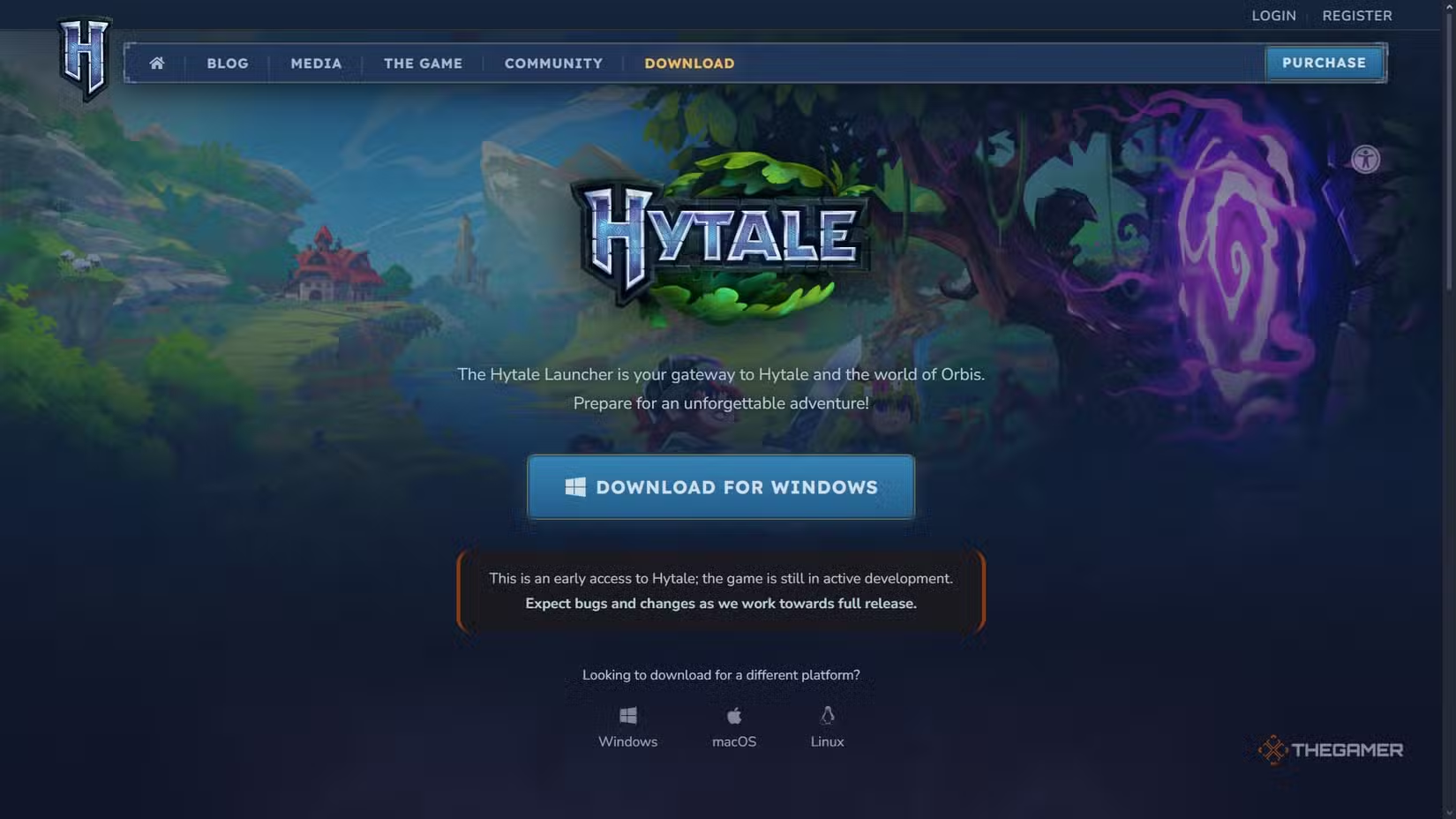
Instead, you need to download the Hytale launcher from their website. This launcher manages game files, updates, and access, similar to how MMORPGs operate. We’ll show you where to get the launcher, how to pre-order Hytale, what each edition offers, and how to start playing.
Currently, Hytale is in Early Access on its own website, and this status might change as the developers make updates and plan a full release.
How to Install Hytale
Hytale is available for download via its official site. You must download the Hytale Launcher, which requires visiting the download page through the menu at the top of the homepage. You can get the launcher for Windows, macOS, or Linux. Choose the version for your operating system and save the installer to your default download folder, usually the Downloads folder. Installing the launcher only takes a few minutes, and both the launcher and game files are under 9GB combined.
Note: The launcher and the game are stored in separate locations on your device. The game files typically go into your AppData\Roaming folder but can be moved if needed.
Once you open the launcher, you will be asked to log into your Hytale account. If you don’t have one, you can create it directly through the launcher by clicking Register. If you already have an account, just log in. Then, click Install to download the latest updates, which may take a few minutes depending on your internet speed.
How to Play Hytale
While you can install the Hytale launcher and create a free account, playing the game requires pre-purchasing it to gain early access. This is done on the official website. Go to the Hytale homepage, click Purchase, and select the edition you want. There are three options, each with its own price and extra perks.
Each purchase grants one game profile. To have multiple profiles under a single account, you need to buy the game multiple times.
| Edition | Price (Tax Included) | Key Features |
|---|---|---|
| Standard Edition | $23 | Early access, username reservation, Forest Guardian Cape, Avatar sets for Forest Guardian, Voyager, and Savanna Explorer. |
| Supporter Edition | $41 | Everything in Standard, plus Capes for Scavenger, Knight, King’s, Featherbound, and Bannerlord, plus Avatar sets like Featherbound, Scavenger, Arctic Scout, Bannerlord, and Goggles. |
| Cursebreaker Edition | $83 | All from previous editions, with additional Capes (Royal Emissary, New Beginnings, Pop Star, Seasons, Hope of Gaia, and more), plus Avatar sets including Hope of Gaia, Void Hero, Pop Star, Voidbearer, Battleworn, Wizard, Frostwarden, Merchant, and Marauder. |
When you decide on your edition, the site will prompt you to log in or create an account. Confirm your purchase through the payment pop-up—just make sure you’re on the official site and that the purchase leads to Tebex, the authorized payment platform. After completing, check your account to ensure your game profile has the correct edition.
Return to your launcher, let it update if needed, log in, authenticate your profile, and you are ready to start playing.
Is Hytale on Steam?
Hytale is currently only available through its official website after pre-purchasing and gaining early access. It’s unlikely to come to Steam before the full release because the developers want to avoid issues caused by ongoing updates and changes during development.
Is Hytale Free-to-Play?
At this time, Hytale is not free. To get access, you must buy one of the available Founder’s Packs, which includes early access and some avatar customization options. The different editions come with various perks, but the game itself requires prior purchase. If the developers decide to make it free upon full release, they may update this information.
 ChatGPT
 Perplexity
 Gemini AI
 Grok AI