Select Language:
In Hytale, you’ll come across various resources like sticks, iron, and carrots, all of which occupy spots in your inventory. Besides these, your inventory also holds weapons, tools, torches, and other items, so it can fill up quickly.
You can create storage boxes to hold some items, but they aren’t very large, which means your inventory can still become overcrowded. Luckily, the game allows you to expand your carrying capacity by using backpacks. Here’s what you need to know about making and upgrading backpacks.
How to Craft and Upgrade Your Backpack
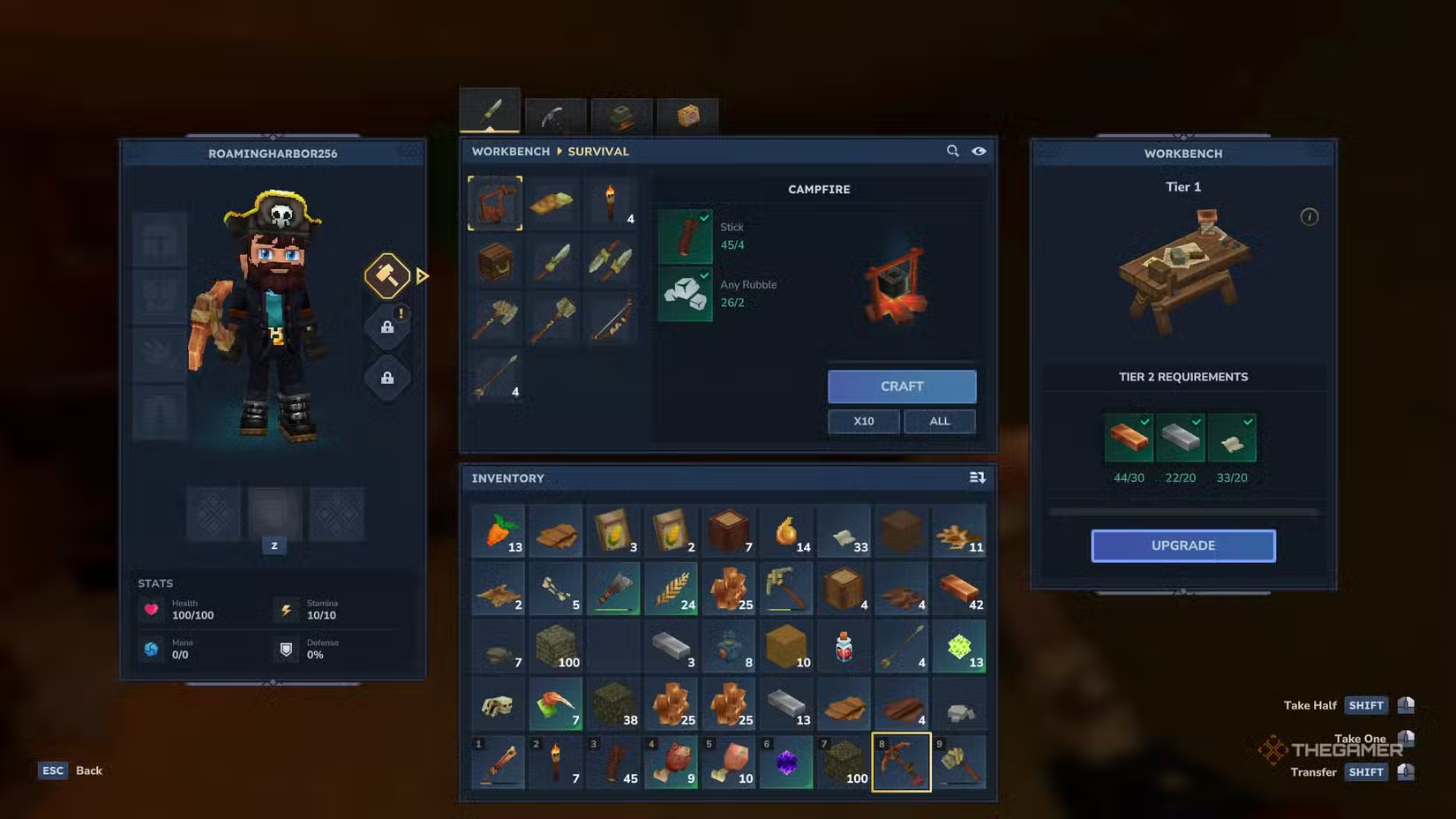
To craft a backpack, you first need a workbench. But this isn’t just any workbench — you’ll have to upgrade your workbench to Tier Two before you can start making backpacks.
You can upgrade your workbench from its menu using these resources:
- 30 Copper Ingots: Mine copper ore from caves, then smelt it in a furnace to get the ingots.
- 20 Iron Ingots: Find iron ore underground, smelt it in a furnace like copper.
- 20 Linen Scraps: These can be gathered by defeating enemies like Trocks, Skeletons, and Goblins — basically any mob wearing clothes.
Once your workbench is at Tier Two, you can craft your backpack from the Tinkering tab, requiring the following:
- 8 Iron Ingots: Mined and smelted from iron ore.
- 16 Medium Leather: Obtain medium hides from animals like wolves and process them at the Tanning Rack to turn into leather.
You can further upgrade your backpack by upgrading the workbench to Tier Three, which unlocks Backpack Upgrade 1. This upgrade needs:
- 40 cindercloth scraps
- 24 heavy leather
- 8 cobalt ingots
Later, you can unlock Backpack Upgrade 2 by collecting 100 memories at the Forgotten Temple — although this will take some time. Both upgrades increase the number of slots in your backpack, giving you more space to carry items.
How to Equip Your Backpack
Many players might think just crafting the backpack automatically adds more inventory space, but there’s a couple of extra steps.
First, place the backpack in your hotbar to equip it. Right now, it will appear as a piece of paper in your hand. To fully equip it, simply right-click on it — similar to eating food. This action effectively equips the backpack, even if your inventory size doesn’t immediately change.
Next, open your inventory. Look at the left side next to your character’s icon; you’ll see a picture of a backpack. Click on it to open a new row of inventory slots where you can store additional items.
By following these steps, you’ll significantly increase how much you can carry and manage your resources more efficiently.
 ChatGPT
 Perplexity
 Gemini AI
 Grok AI