Select Language:
SKU codes, which stand for “Stock Keeping Unit” codes, are used to order new items directly through the computer. In Retro Rewind Video Store Simulator, you can use these codes to buy specific copies from the Black Market.
This method is useful for replacing damaged VHS tapes returned by customers or obtaining limited edition covers of existing videos. If you’re unsure where to find SKU codes, don’t worry — here’s everything you need to know about locating and using them in Retro Rewind.
How to Find and Use SKU Codes in Retro Rewind
To order a particular video in the game, check the SKU code and then buy it on the Black Market. These videos tend to be more expensive than regular purchases, but they’re worth it if you need to replace a lost tape or want a special edition cover.
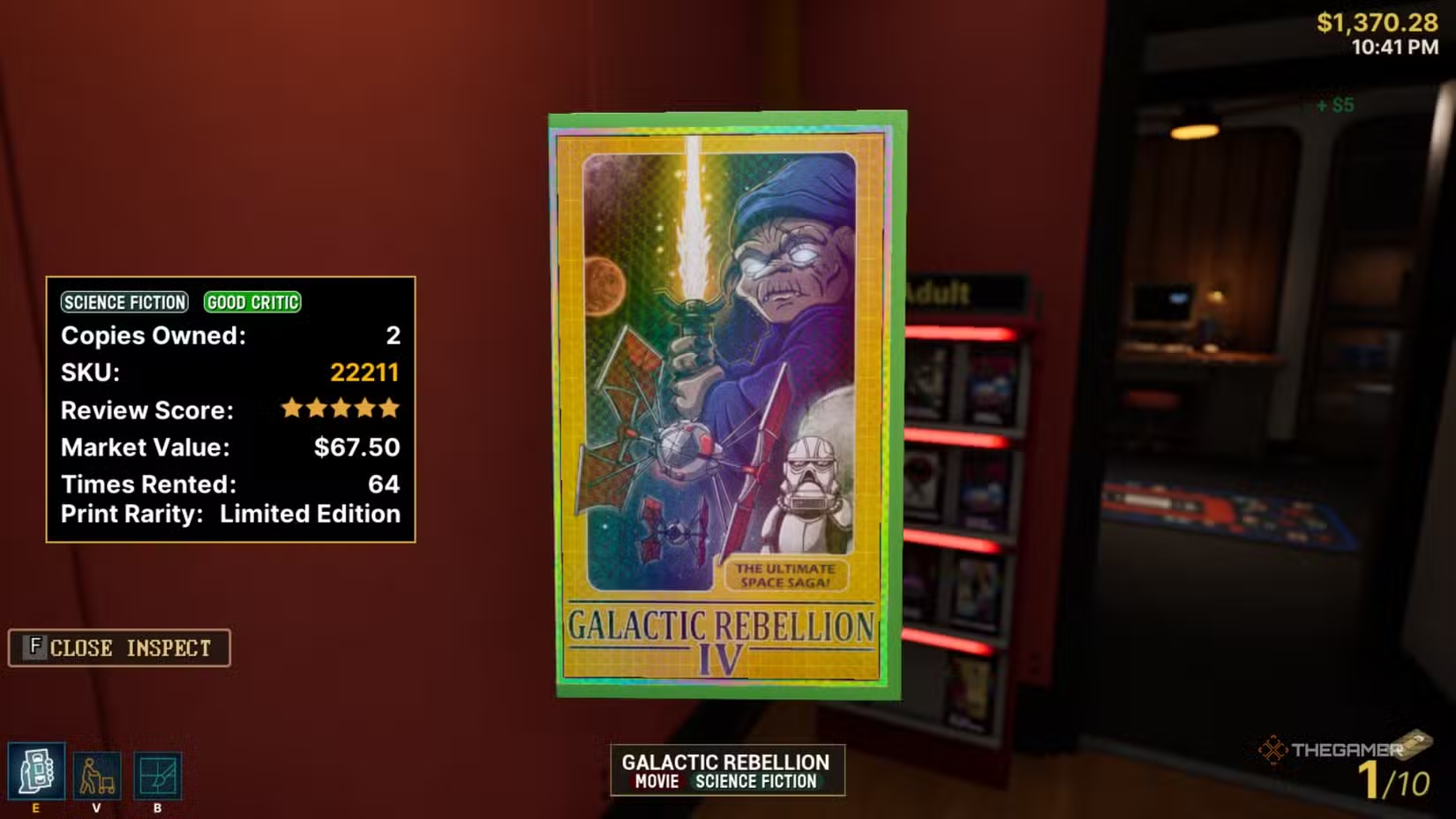
To locate a SKU code, pick up the video you want and press the F key to inspect it. The SKU code appears on the left side of your screen, between “Copies Owned” and “Review Score.”
Tip: You can try guessing SKU codes by entering random numbers into the Black Market and see if any match.
If you don’t own a copy of the video you’re looking for to get its SKU code, it can be more challenging. Currently, there isn’t an official SKU code database from the game developers, but some players have built their own. This community-created database now holds over 900 SKU codes, covering a wide range of genres, including limited-edition shiny rainbow covers. You can filter the codes by VHS cover, title, or SKU number. Check it out here: SKU Finder.
Using SKU codes should mainly be a last resort — ideal for replacing damaged tapes or completing your collection with rare titles. Keep in mind, Black Market videos are very costly and aren’t the best way to stock your store. For a good variety of VHS tapes, consider buying individual tapes or bundles through the regular market, or purchase directly from the Video Guy.
 ChatGPT
 Perplexity
 Gemini AI
 Grok AI