Select Language:
Progressing in Arknights: Endfield involves engaging in combat with your operators, but most of your advancement depends on building factory systems. The best way to improve your factory setup with accurate configurations is through the blueprint system, which lets you save factory machine and conveyor belt arrangements for quick reuse.
Blueprints are key tools in simplifying your factory construction in Arknights: Endfield. They allow you to replicate efficient production lines without having to place every piece with precision each time. Here’s how to use blueprints, create your own, and access some helpful blueprint codes.
What Are Blueprints?
Blueprints are saved layouts of your factory that let you quickly set up a productive manufacturing line. There are three main types:
- My Blueprints – Custom layouts you create and save manually.
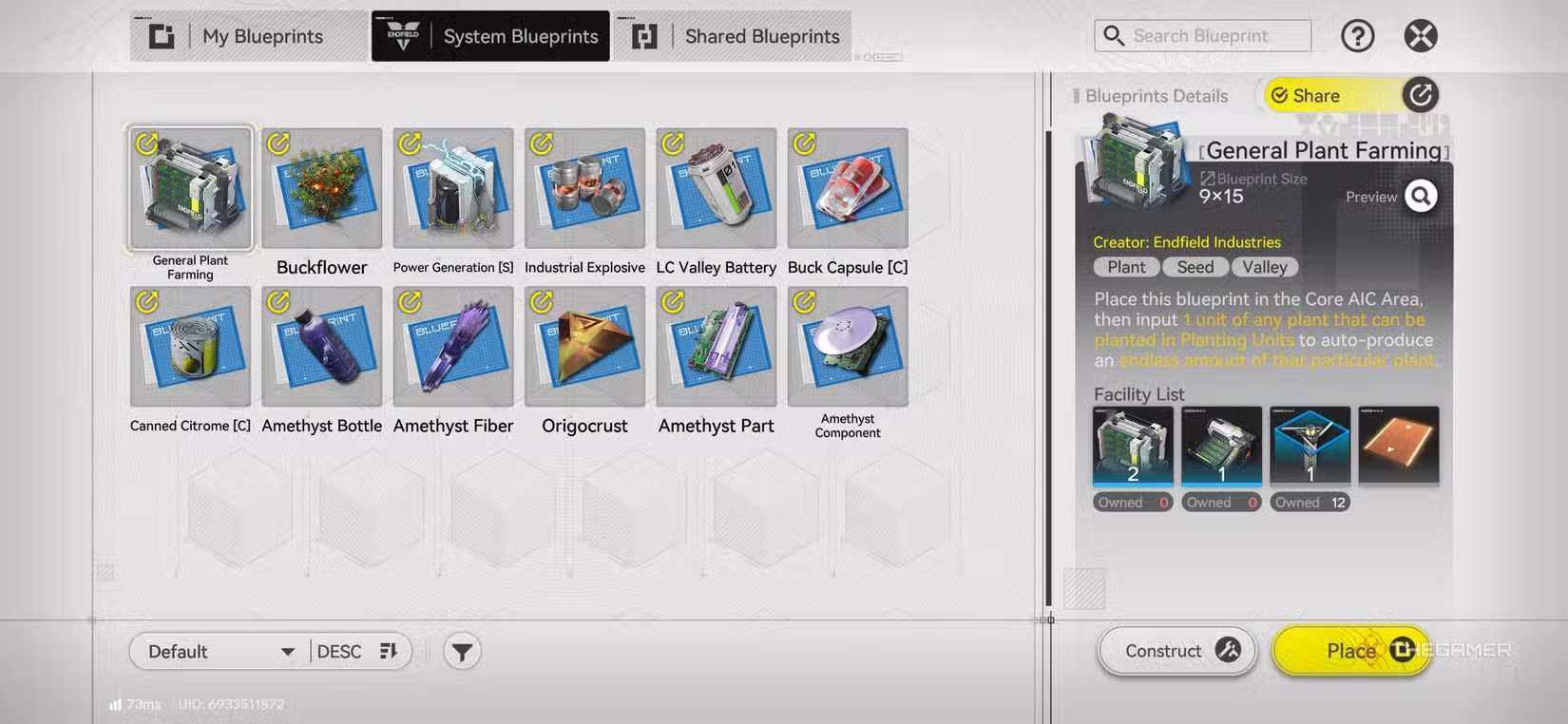
- System Blueprints – Pre-made blueprints provided during gameplay as starting points.
- Shared Blueprints – Blueprints shared by friends or community members via codes.
How to Make a Custom Blueprint:
To create a blueprint, go to the AIC area and follow these steps:
- Open the Toolkit tab on the right side of the screen.
- Click on the Blueprints submenu above it.
- Switch to the My Blueprints section.
- Tap the “New Blueprint” button at the bottom.
- Pick the facilities you want included in the layout.
- Save and name your blueprint for later use.
Note: You’ll unlock multiple factory zones as you progress through the story.
System Blueprints let you choose a specific product to manufacture. They provide a setup with instructions for resource inputs required to start production.
Shared Blueprints are obtained from friends or other players in the community. You can import these by tapping the “Import Blueprint” button at the bottom.
How to Use Blueprints Effectively
The most efficient way to use blueprints is by creating interconnected systems to maximize your production capabilities. However, building complex networks requires significant game progress. Starting with simple production lines is a good way to learn.
To optimize your factory-building:
- Focus on creating connected systems to streamline manufacturing.
- Use blueprints to quickly set up production lines and minimize manual placement.
- Check your Operational Manual to see what rewards you can earn from using blueprints, which include bonuses beyond increased productivity.
Community Codes to Get Started:
Use these codes for early or mid-game resource farming. (Note: Codes are for North America/Europe servers.)
| Farm Type | Code | Notes |
|---|---|---|
| Cryston Component | EFO01O3E89UEo4li9oe4 | Level 50 Gear |
| Dense Originium Powder | EFO01A5i4oai27E69ieO | Late-game material |
| Efficient Planting | EFO0136u9A1u0oa60i79 | N/A |
| Ferrium Component | EFO011eaiO8aA9U734O7 | Mid-game |
| Steel Part | EFO018930U23al1EUI73 | N/A |
| SC Battery | EFO0158Oo07Oi2u6eloe | Mid-game |
As you expand your factory and start combining production lines for more advanced items, using blueprints helps you manage resources efficiently and identify shortages at a glance.
 ChatGPT
 Perplexity
 Gemini AI
 Grok AI