Select Language:
Like other action RPGs with custom characters, Nioh 3 lets you change your appearance again and transmog your gear to alter its look.
However, this feature isn’t available right away—you’ll need to do some work before you can access it. Still, this quick guide will clearly show you what steps to follow to unlock the ability to change your look and transmog your equipment.
How to Unlock the Change Appearance and Transmog Equipment Menu
In Nioh 3, you’ll be able to transmog your gear and change your appearance for the first time after unlocking the ‘Change Your Appearance’ feature in the Eternal Rift. You gain access to this area after completing the ‘Hamamatsu Incident’ story mission.
This mission is quite challenging; you’ll need to clear the Hamamatsu Town Crucible and defeat the Jakotsu-baba boss in the final part of the mission.
If you focus only on the main story and avoid side missions and exploration, it will take about two to four hours to reach this point. To reach the mission’s recommended level of 14, you might need between five and ten hours, especially if you spend more time exploring the Warring States area.
After the final part of ‘The Hamamatsu Incident,’ Ii Naotora gives you the Guiding Mirror, then you find yourself back in the Eternal Rift—something you haven’t done since the prologue.
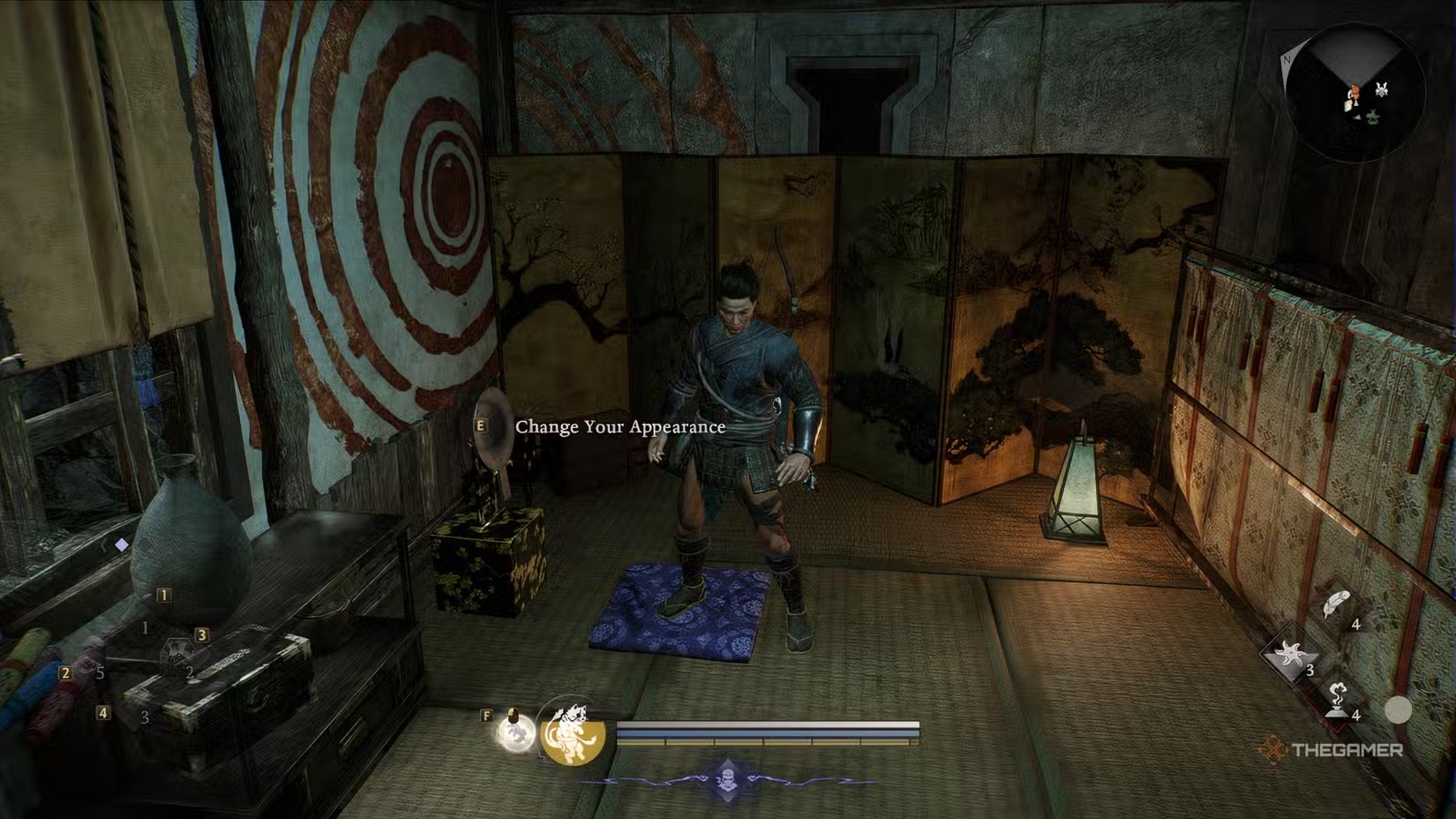
To access the change appearance room:
Go to the top floor of the house in the north part of the Eternal Rift, near the shrine. Walk up the stairs, turn right, and look for a human-shaped icon on your mini-map.
How Transmogging and Appearance Changing Work
The menu for changing your appearance might look like it only adjusts your character’s look, but in Nioh 3, you can also transmog your equipment—meaning you can change the gear’s appearance to that of another item you own, without losing its stats and abilities.
For example, if you’ve been stuck with a Leg Guard that looks out of place but has the best stats, you can transmog its appearance to another style, like the Heir’s Shinobi Waistguard, while keeping the original stats.
This way, you get the good-looking gear you want without sacrificing performance.
To change your appearance, you’ll be taken to a menu similar to the one at the start of the game, where you can adjust your character’s face, body, hair, facial hair, makeup, and voice.
Now that you can fast travel back to the Eternal Rift anytime after completing the ‘Hamamatsu Incident,’ you can adjust your look as often as you’d like from this point on.
The Transform Option and Importing Looks
The ‘Change Your Appearance’ menu in Nioh 3 has a special ‘Transform’ feature. This allows you to swap your character’s look with that of a save file from another character or playthrough. This is a fun option for second playthroughs—you can transfer your favorite character appearance from your previous game without recreating it.
You can access this menu again whenever you like, and easily update your look or transmog gear to match your preferred style.
 ChatGPT
 Perplexity
 Gemini AI
 Grok AI