Select Language:
When you first start in Retro Rewind, you only have a few shelves and a couple of genres to manage. Over time, you’ll unlock new genres, buy more tapes, and start decorating your store. To keep things running smoothly, it’s important to plan your layout carefully.
From choosing where to place shelves and signs to adding eye-catching entertainment and snacks, a well-designed store can earn over $500 daily if you plan correctly. Here’s everything you need to know about creating the perfect store layout in Retro Rewind.
Best Store Layout in Retro Rewind
Initially, your store space is limited, so focus on arranging shelves for the three genres plus New Releases, with only a small number of VHS tapes. In the early days, set up your shelves in a way that makes the store look organized and inviting.
As you expand, you’ll add more genres like Sci-Fi and Action, and include snack shelves to encourage customers to spend more money. Maximize wall space by lining shelves along the walls, and use signs and lights to guide customers to different sections.
Snacks can be placed between movie shelves or stacked back-to-back in the center of the store. It’s best to buy at least two snack shelves so you can display all available snacks. Decorate the store with balloons or movie-themed items in open spaces to attract customers and boost sales.
When your finances allow, purchase store expansions—starting with Section A for $1,250 or Section B for $1,000. This extra space lets you display more VHS tapes. Section A offers a more dynamic area, while Section B provides a simple backroom extension; the choice depends on your store’s needs. Keep in mind, buying all expansions unlocks an achievement.
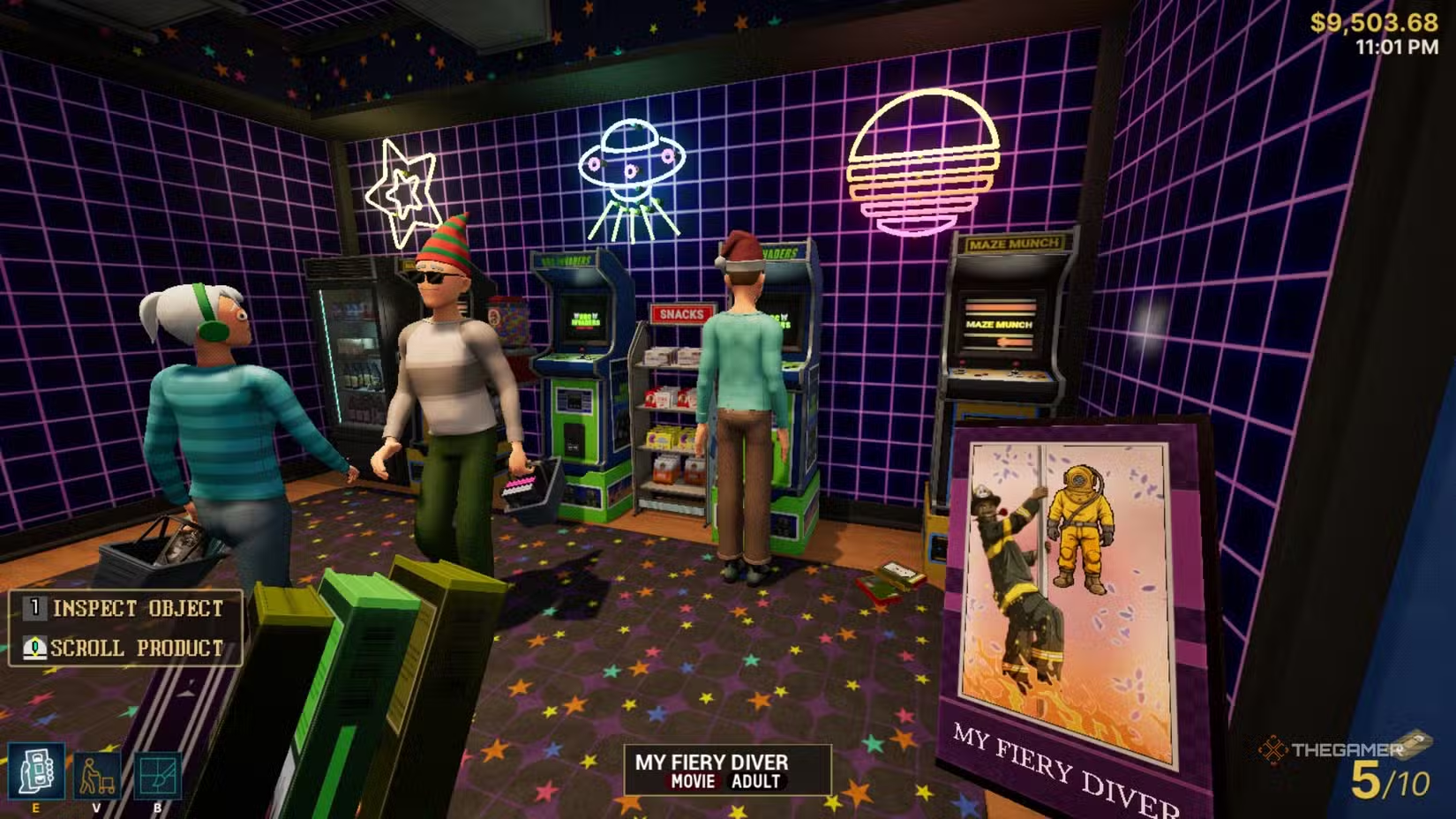
As your store grows, focus on generating more income by adding entertainment items like refrigerators, TVs, and arcade machines. Dedicate a section of your store to these, lining a wall with arcade machines and candy dispensers. These generate passive income and can greatly increase your cash flow, making them worthwhile investments.
With more room, arrange shelves in aisles or centered displays, leaving clear paths for customers to browse comfortably. Place balloons or movie-themed decorations near popular sections to encourage customers to look at VHS tapes or buy snacks. Avoid overcrowding by leaving enough space around displays so customers can move freely and easily ask questions.
High-traffic areas are typically near the register and around popular genre shelves. Some genres will see variable popularity depending on the day of the week, so check your in-game calendar to plan accordingly.
Keep the cash register area as clear as possible, especially to the right where customers queue, and the front-left where customers ask for reserved titles. A cluttered checkout can create chaos and make the store look messy.
When expanding to the back sections (D, E, and F), consider creating a dedicated arcade zone with gaming machines and candy dispensers. The smallest backroom — Section F — is ideal for storing adult genre VHS out of view from sensitive customers. Decorate this room with adult-themed displays, neon lights, and red balloons for a sensual vibe.
Don’t hesitate to rearrange your layout as your store develops. Move genre sections to different locations and combine genres like Kids with Christmas, Western with Police, Action with Horror, or Romance with Fantasy as space allows. Flexibility helps keep your store fresh and more appealing to different customer interests.
 ChatGPT
 Perplexity
 Gemini AI
 Grok AI