Select Language:
Messy island layouts happen to all of us. One moment you’re confidently arranging furniture and fences, and the next your island looks like a disaster zone. While Animal Crossing: New Horizons gives you plenty of creative freedom, undoing big design choices can be surprisingly slow. That’s where Resetti comes in with a really useful feature.
Resetti’s Reset Service makes it easy to tidy up island clutter and redo large decorating projects without wasting hours manually removing everything. If you’ve ever wished for a reset button that doesn’t wipe out your progress, this guide explains how the service works and why it’s helpful.
How to Unlock Resetti’s Reset Service
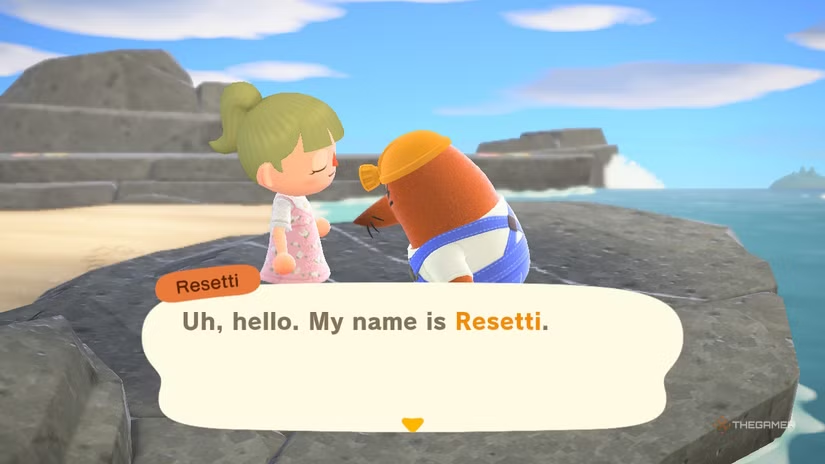
First, you need to run into Resetti on your island. He appears as a roaming NPC, so you’ll need to find him and start a chat. During this first conversation, Resetti explains how his service works and what kinds of island changes he can undo.
Using Resetti’s Reset Service costs 60,000 Bells. After paying, you can use it as many times as you want during the same day. Once you’ve met Resetti, you don’t have to hunt for him each time. Instead, you can just talk to Isabelle at Resident Services to access the service.
Note: The first time you use his service, it’s free.
How Resetti’s Reset Service Works
Resetti’s Reset Service lets you reset specific parts of your island or clear everything at once. This includes beaches, both sandy and rocky areas, and standard land tiles.
It removes items like:
- Furniture
- Fencing
- Ladders
- Dropped items
- Other objects placed around
Any objects Resetti removes are safely transferred into your home storage, so make sure you have enough space there.
Keep in mind, Resetti can’t remove things buried or planted in the ground, like trees, bushes, crops, weeds, or other terrain features. However, you can choose to reset planted flowers and custom-designed paths along with furniture and fences for more control over what gets cleared.
Using the Transceiver
If you only want to clear a small part of your island instead of everything, Resetti provides a Transceiver device. To use it, go to the spot you want to reset, open your inventory, select the Transceiver, and choose “Call him over.” This highlights a specific area about 7 by 7 tiles.
Before confirming, you’ll see a preview of what will be removed in that area, so you can double-check and ensure it’s exactly what you want to clear.
 ChatGPT
 Perplexity
 Gemini AI
 Grok AI